Every parent has that one photo they can’t stop looking at.
Maybe it’s your baby’s first smile. The curious sparkle in their eyes. The tiny cheeks, the innocent expression, and the magical way they can brighten your entire day with just one glance.
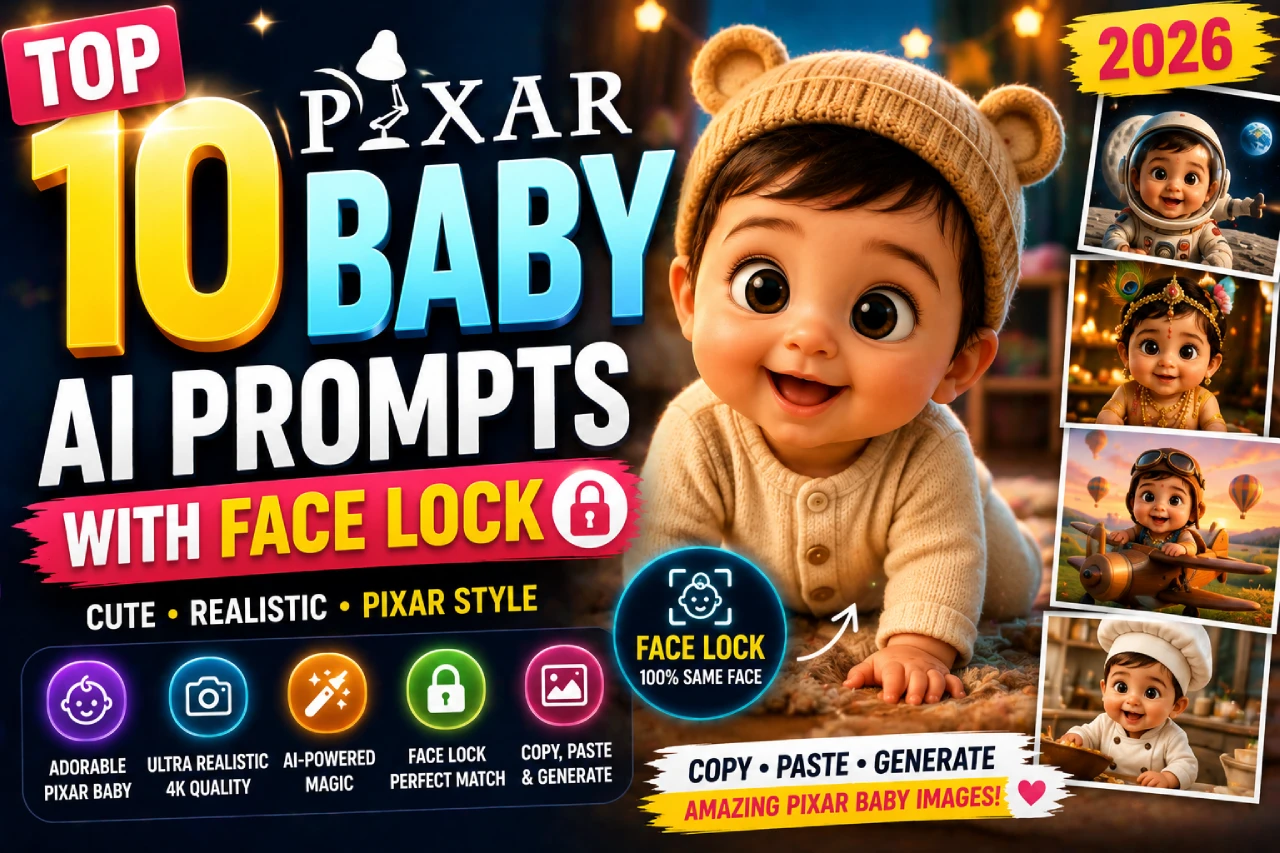
Now imagine turning that precious photo into a heartwarming Pixar-style 3D character.
Picture your little one with big expressive eyes, soft glowing skin, rosy chubby cheeks, and cinematic lighting that looks like it came straight from a Disney-Pixar movie. The best part? Their unique facial features remain perfectly recognizable, thanks to Face Lock AI prompts.
It’s like seeing your baby star in their very own animated film.
In 2026, baby AI portraits have become one of the most loved photo trends on social media. Parents are transforming everyday baby photos into adorable animated masterpieces and sharing them on Instagram, YouTube Shorts, and family albums.
This collection of the Top 10 Pixar Baby AI Prompts With Face Lock 2026 is designed to help you create stunning, high-quality images using ChatGPT, Google Gemini, and Midjourney.
Simply upload your baby’s photo, copy your favorite prompt, and watch AI turn a treasured memory into a magical Pixar-style portrait you’ll want to keep forever.
What Is a Pixar Baby AI Prompt — And Why Does Face Lock Matter?
A Pixar baby AI prompt transforms your real baby’s photo into a Pixar-style 3D animated character — round chubby cheeks, impossibly large glossy eyes, smooth subsurface skin shading, and that warm cinematic glow you recognize from every Pixar film. The problem? Without specific face-lock instructions, AI tools almost always generate a generic Pixar baby that looks nothing like your child.
Baby-Specific Pixar Cues
Babies have unique proportions: large heads, tiny noses, chubby cheeks. Pixar prompts for babies need different language than adult prompts to preserve these features correctly in 3D.
Identity Lock First
The face-lock command must appear before the Pixar style description. AI reads top-to-bottom — if style comes first, the face gets overridden by the style instead of the other way around.
Subsurface Scattering
The term “subsurface scattering” is the technical reason Pixar skin looks warm and soft. Including this in your prompt consistently improves the skin quality from plastic-looking to glowing.
Aspect Ratio Matters
Always end with --ar 4:5 (or specify “vertical portrait format”) for Instagram and social media. Pixar-style characters look best in portrait framing.
The 7-Part Anatomy of a Perfect Pixar Baby Prompt
Every high-performing Pixar baby prompt follows this exact structure. Understanding it lets you customize any prompt or write your own from scratch:
Identity Lock
First line always. “Transform the baby from the uploaded photo into Pixar 3D style — keep the face 100% recognizable and identical to the reference.” This must come before anything else.
Baby Proportions
Pixar needs extra guidance for babies: “large rounded head, plump chubby cheeks, tiny upturned nose, big expressive eyes matching original eye color, short neck, round chubby limbs.”
Pixar Render Style
“Pixar 3D animation style, smooth 3D shading with subsurface scattering, soft cinematic global illumination, polished render quality.” This is what activates the Pixar look.
Scene & Setting
The environment the baby Pixar character appears in. Nursery, adventure, space, enchanted forest — describe it with 3–5 specific details. More specific = better results.
Cinematic Lighting
“Warm rim light, soft bounced fill, shallow depth of field.” Pixar films use specific lighting patterns — naming them pushes the render quality dramatically higher.
Expression & Mood
One clear emotion word: joyful, curious, brave, cozy, sleepy. Then one motion cue: “mid-giggle,” “wide-eyed wonder,” “peacefully sleeping.” These drive the character energy.
Format & Finish
“85mm portrait lens, 4:5 vertical format, vibrant Pixar color palette, high-quality 3D render, wholesome cinematic mood.” Always close with format specs for consistent output.
10 Pixar Baby AI Prompts With Face Lock
Click Copy ↗ on any card, paste into Gemini AI, ChatGPT, or Midjourney, then upload your baby’s photo as the reference. Each prompt is completely self-contained — no editing needed.
Cozy Nursery Pixar Baby
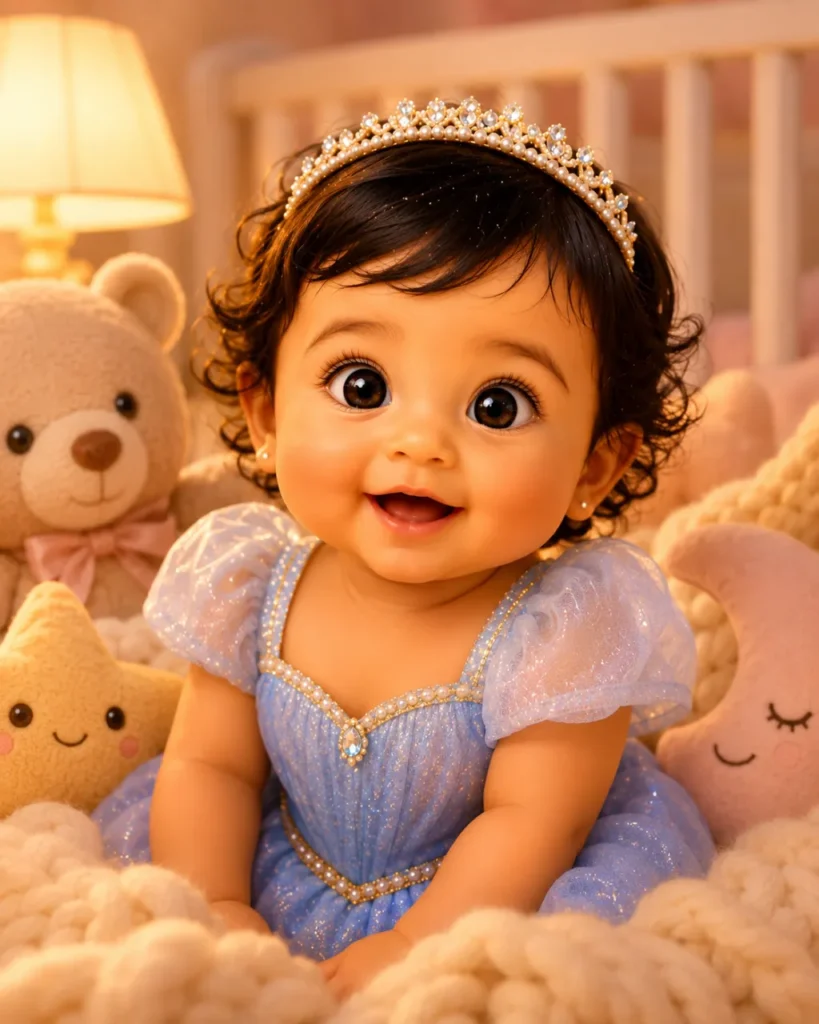
The starter prompt — the cleanest Pixar baby portrait that works for any age newborn to 12 months. The nursery setting is familiar, warm, and universally shareable. This is the baseline every other prompt in this guide builds on.
Transform the baby from the uploaded photo into a Pixar 3D animated character — keep the face 100% recognizable. The character must clearly look like the same baby from the reference photo.
Baby proportions: large rounded head, plump chubby cheeks, tiny upturned nose, big glossy expressive eyes matching the original eye color, short chubby neck, round pudgy limbs. Smooth 3D shading with subsurface scattering so skin glows warmly.
Scene: Cozy pastel nursery setting. Baby character seated in a soft knitted blanket nest surrounded by oversized plush toys — a gentle bear, a star, a moon. Warm amber lamp glow from the left. Soft cream and blush color palette. White wooden crib slats softly blurred in background.
Expression: peaceful and curious, big glossy eyes looking gently at viewer. Pixar 3D animation style, cinematic warm lighting, shallow depth of field on face, vibrant wholesome palette, 85mm portrait lens, 4:5 vertical format, high-quality Pixar render.
Baby Adventurer — Pixar Movie Poster Style
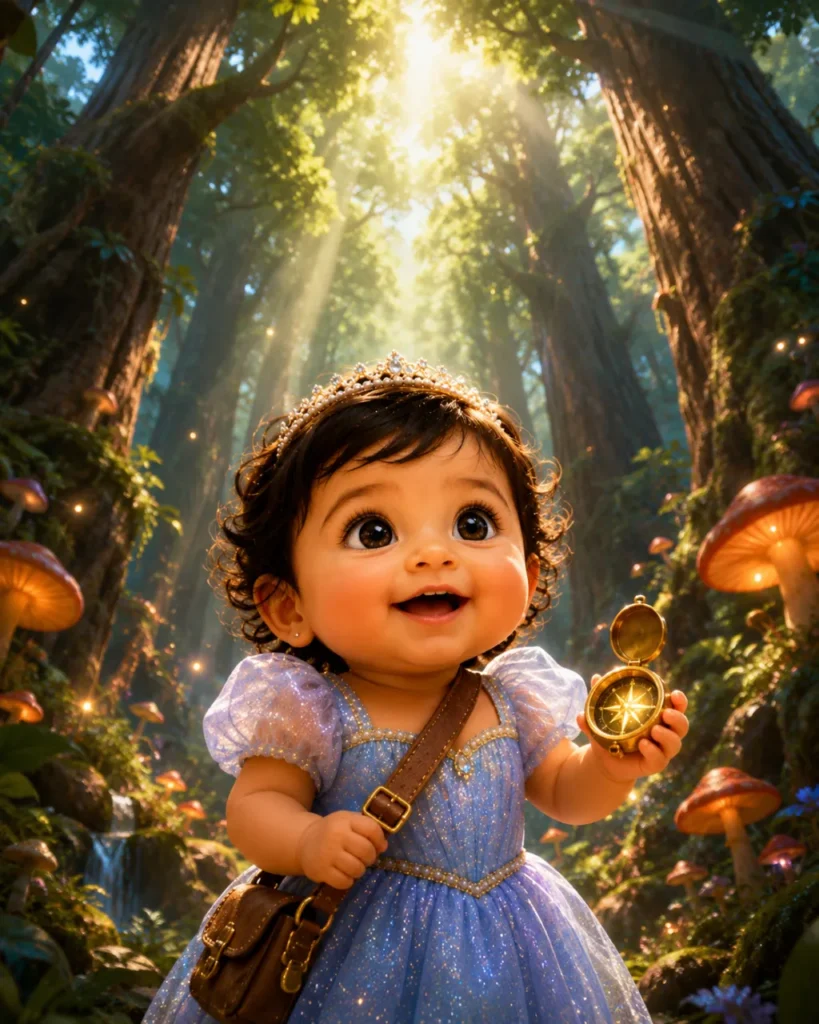
The “tiny baby in a giant world” concept is among the most viral Pixar AI formats of 2026. The size contrast between the baby character and the environment creates instant emotional impact and gets shared everywhere.
Transform the baby from the uploaded photo into a Pixar 3D animated character. The character's face must be immediately recognizable as the same baby from the reference photo.
Baby character proportions: enormous round head (40% of total height), huge glossy eyes with tiny specular catchlights, chubby cheeks with a soft rosy blush, tiny button nose, round pudgy arms holding a miniature explorer satchel.
Scene: Pixar movie-poster style composition. The tiny baby Pixar character stands at the edge of a vast, breathtaking forest — towering trees that dwarf the baby completely, giant glowing mushrooms, sunbeams breaking through the canopy. Baby looks up with wide-eyed wonder and a determined tiny grin. A small golden compass glows in their chubby hand.
Dramatic cinematic framing from low angle looking up at the baby as the hero. Epic Pixar animated film opening shot quality, cinematic global illumination, rich depth of field, vibrant Pixar color palette, volumetric light rays, 4:5 vertical format, award-winning Pixar studio render quality.
Baby Superhero — Pixar Style
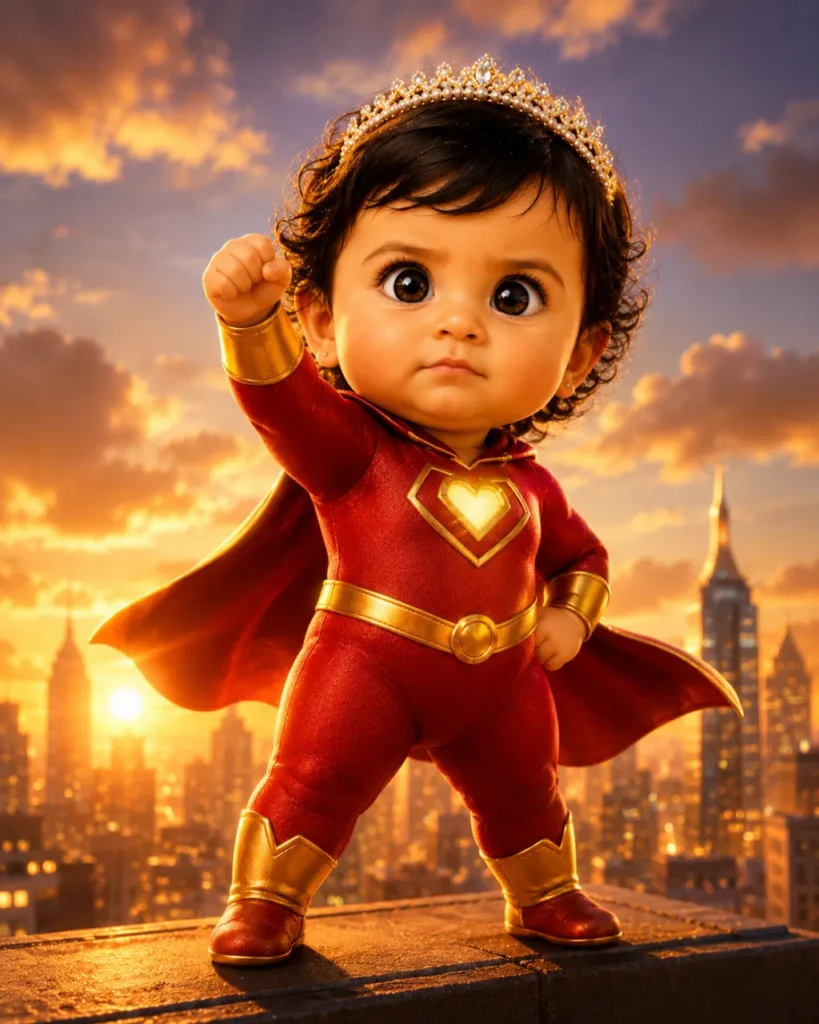
The superhero Pixar baby never gets old — the combination of a tiny baby with a serious superhero expression is comedic gold. Inspired by The Incredibles aesthetic, this prompt generates social-media-ready character art in seconds.
Transform the baby from the uploaded photo into a Pixar 3D animated superhero character. Keep the baby's facial identity 100% preserved — the character must be recognizable as the same child from the reference.
Baby character: large round head, enormous determined eyes matching original eye color, tiny furrowed brow of concentration, chubby cheeks, tiny clenched fist raised confidently. Dressed in a miniature superhero suit — bold red and gold with a tiny glowing emblem on the chest. A mini cape billowing dramatically behind. Tiny boots.
Scene: standing heroically on a rooftop edge at golden hour. City skyline glowing warm below. Dramatic upward camera angle making the baby look powerful and epic. Warm golden rim light from behind creating a hero silhouette glow.
Expression: serious, determined, adorably focused (the comedy comes from a baby with this expression). Pixar Incredibles animation style, smooth 3D rendering with subsurface skin scattering, cinematic dynamic lighting, vibrant bold colors, 85mm portrait lens, 4:5 format, Pixar studio quality render.
Baby Ratatouille Chef
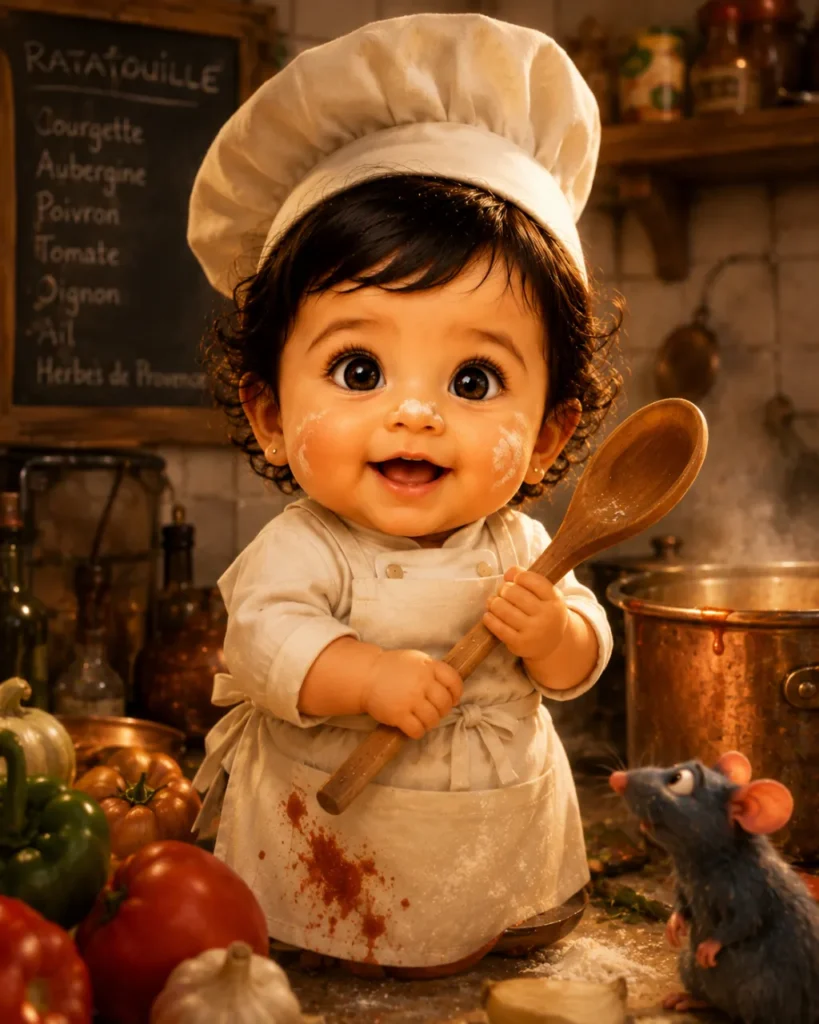
Inspired by Ratatouille’s kitchen energy. The tiny chef baby with flour on nose and a serious expression is one of the most heartwarming AI Pixar themes. Perfect for parents who love cooking or want a funny social post.
Transform the baby from the uploaded reference into a Pixar 3D character in Ratatouille's kitchen art style. The baby's face must remain 100% identifiable — do not alter eye color, facial structure, or characteristic features.
Character design: large round head, plump cheeks with a light dusting of white flour, big shiny curious eyes, tiny upturned nose slightly smudged, chubby hands gripping an oversized wooden spoon. Dressed in a miniature white chef's jacket, a too-big toque hat tilted slightly sideways. Adorable tiny apron with a smear of tomato sauce.
Scene: a warm, cluttered French-style Pixar kitchen. Giant vegetables and pots towering around the tiny baby chef. Warm amber overhead kitchen light. Steam wisping from a pot in background. Counter-level camera angle making the baby feel small in the big kitchen world.
Expression: focused, proud, with a gap-toothed grin of delight. Pixar Ratatouille animation style render, warm kitchen color palette, subsurface skin scattering, cinematic depth of field, vibrant colors, 4:5 format, Pixar feature film quality.
Baby Astronaut — Wall-E Space Style
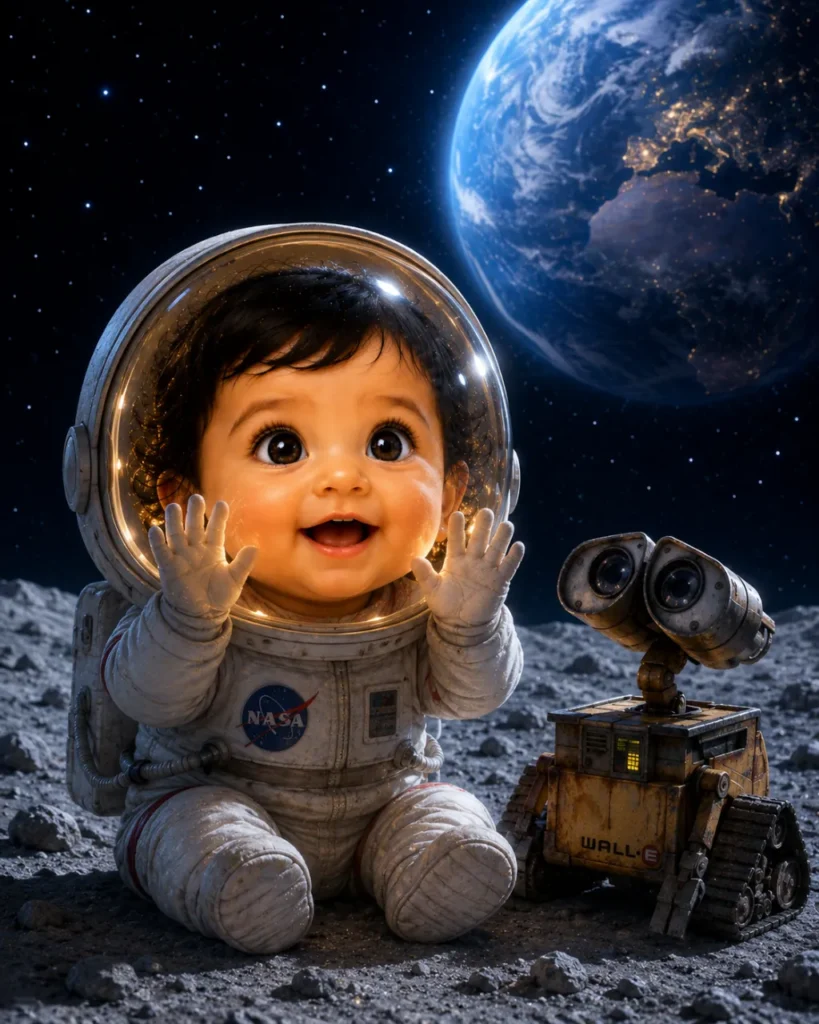
Inspired by Wall-E’s space aesthetic. The wonder-filled baby in a tiny spacesuit against a cosmic backdrop captures the same emotional warmth that made Wall-E unforgettable. Among the most-saved Pixar baby AI images online in 2026.
Transform the baby from the uploaded photo into a Pixar 3D character in Wall-E's visual style. The baby's facial identity must be preserved exactly — the 3D character should be immediately recognizable as the same child.
Character: oversized shiny eyes reflecting the starry sky, huge round glossy helmet visor on tiny head, chubby body in a miniature white NASA-style spacesuit with soft mission patches, small gloved hands pressed against the visor in wonder.
Scene: baby is seated on the surface of the Moon, grey rocky terrain stretching behind. A glowing blue Earth hangs enormous in the black starry sky above. A tiny Wall-E-style robot companion sits beside the baby. Soft cool cosmic light with warm interior helmet glow illuminating the baby's face.
Expression: pure wide-eyed wonder and joy — mouth slightly open in awe. Pixar Wall-E animation studio quality render, cosmic color palette (deep indigo, soft cyan, warm amber glow), subsurface scattering on baby skin, cinematic depth of field, 4:5 vertical format, breathtaking composition.
Sleeping Baby — Up! / Soul Dream Sequence
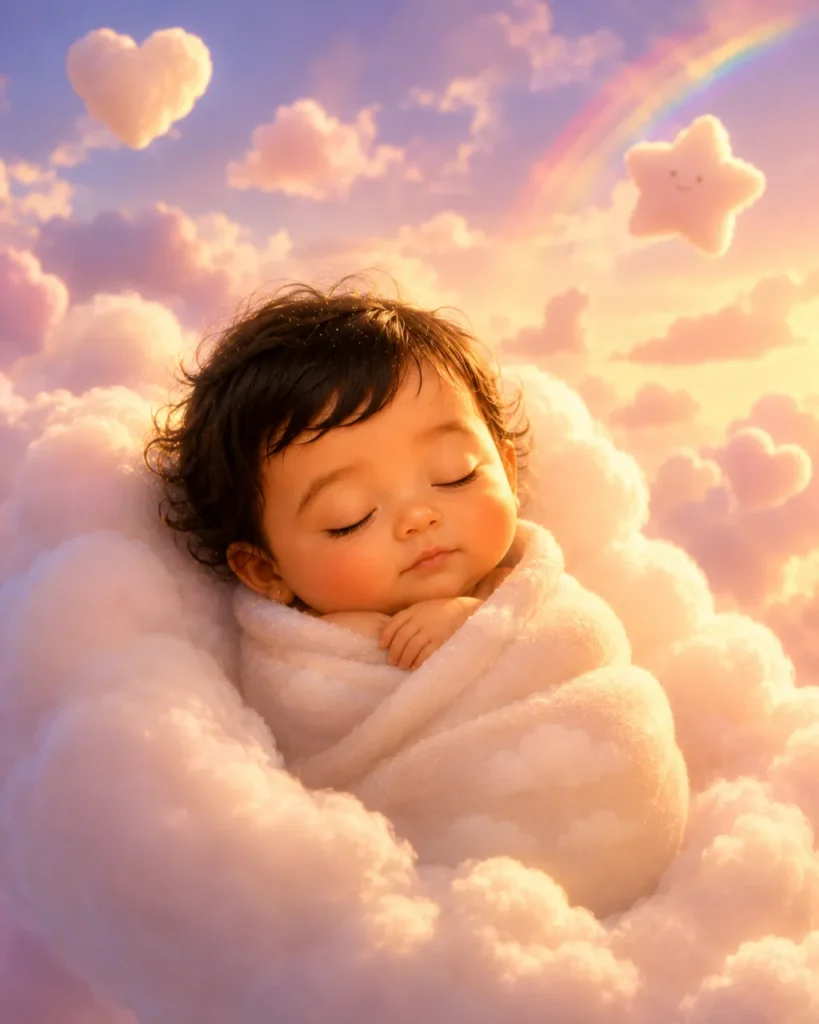
Inspired by the opening dream sequences in Up! and the spirit world in Soul. Perfect for newborn portraits — sleeping babies in Pixar style look impossibly heartwarming. The floating cloud setting and golden-hour sky make every parent emotional.
Transform the baby from the uploaded photo into a Pixar 3D character in the dreamy visual style of Pixar's Up! opening sequence. Keep the baby's face and features 100% identifiable in the 3D character.
Character: newborn baby peacefully sleeping, large rounded head with fine wispy hair, plump chubby cheeks with a gentle rosy blush, tiny closed eyes with long lashes, tiny pursed lips, chubby arms folded softly. Wrapped in a soft cream cloud-textured swaddle that blends seamlessly into the cloud.
Scene: baby is nestled on a giant fluffy white cloud drifting in a painterly pastel sky — lavender, blush pink, golden amber at the horizon. Soft golden sunlight filters through. Tiny star and heart-shaped clouds float nearby. A gentle rainbow arc visible in the far background.
Lighting: warm angelic rim light, soft fill from below, dreamy haze. Pixar Up! painterly animation style, pastel cinematic color palette, subsurface skin glow, ultra-soft depth of field, heartwarming emotional mood, 4:5 vertical format, Pixar studio render quality.
Birthday Candle Wish — Pixar Celebration
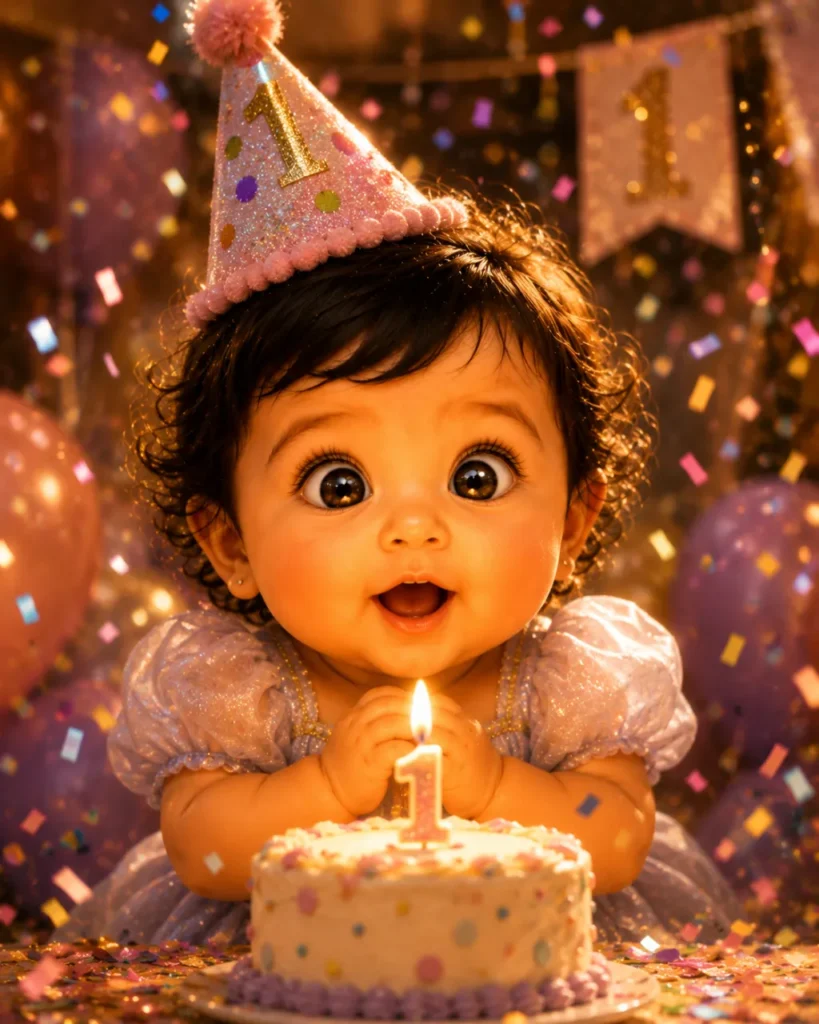
The most-requested milestone prompt. The birthday candle wish moment in Pixar 3D style — warm candlelight illuminating an expressive baby face, confetti mid-air, eyes sparkling — is a guaranteed instant classic for framing or posting.
Transform the baby from the uploaded photo into a Pixar 3D animated character for a birthday scene. The character must be immediately recognizable as the same child — keep face, eye color, and features identical in 3D form.
Character: large round head, enormous eyes sparkling and reflecting the candle flames, chubby cheeks rosy with delight, tiny mouth forming a surprised "oh!" of wonder. Wearing a tiny party hat slightly askew. Tiny chubby hands pressed together near a small birthday cake.
Scene: warm close-up portrait. A small cake sits before the baby character, a single glowing candle on top. Warm golden candlelight illuminates the baby's face from below. Rainbow confetti frozen mid-fall all around. Colorful balloons softly blurred in background. A tiny banner reads "1" in glittery letters.
Emotion: pure joy and sparkling wonder. Pixar 3D celebration render, warm golden candlelight color grade, subsurface skin scattering, beautiful close-up composition, confetti particle detail, vibrant joyful palette, 85mm portrait, 4:5 format, Pixar studio quality.
Enchanted Forest Fairy — Pixar Fantasy
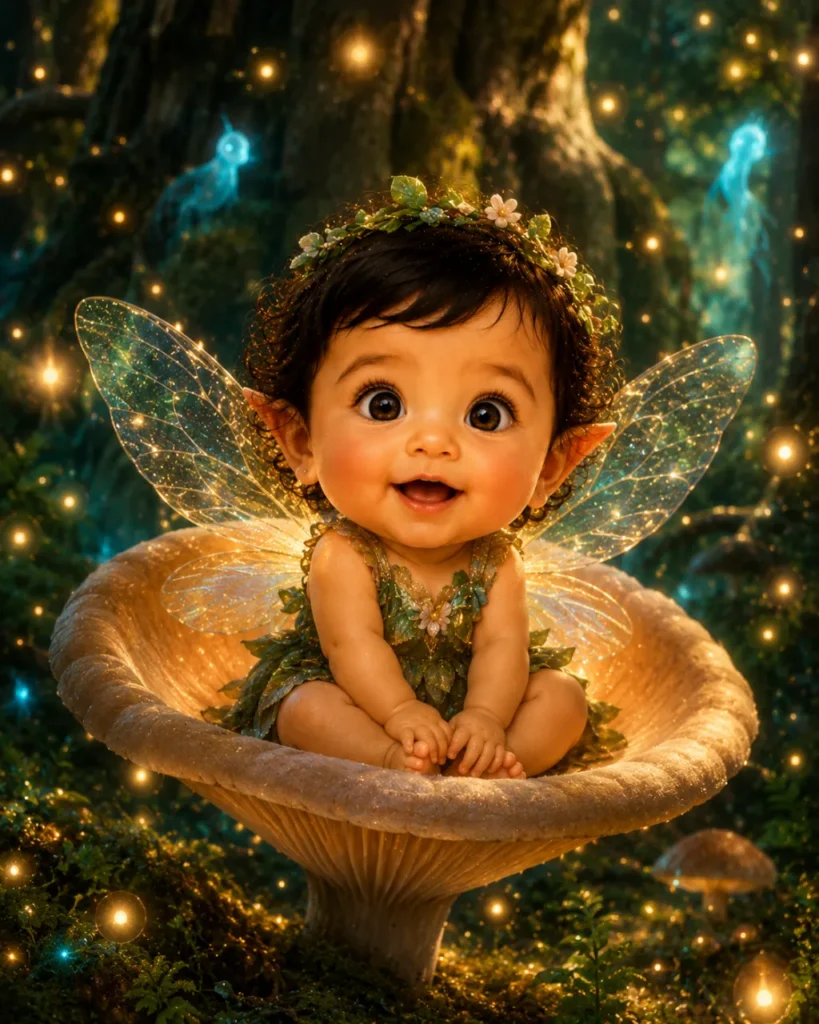
Transform the baby from the uploaded photo into a Pixar 3D fairy character in the visual style of Pixar's Brave. The 3D fairy character must be recognizable as the same baby from the reference — keep facial identity, eye color, and features intact.
Character design: tiny adorable Pixar fairy baby, large glowing eyes with golden-green irises (matching original), rosy chubby cheeks, pointed elfin ears, delicate translucent iridescent wings catching the forest light, tiny flower crown on head. Wrapped in a miniature leaf-and-petal outfit in forest green and gold.
Scene: seated inside a giant glowing mushroom cap in an ancient magical forest. Hundreds of golden fireflies float in soft bokeh all around. Ancient gnarled tree roots and luminous moss below. Blue-gold wisp spirits drift in the background. Shafts of magical light from above.
Mood: whimsical, magical wonder, gentle smile. Pixar Brave / fairytale animation style, magical forest color palette (deep emerald, gold, soft teal), subsurface skin glow, cinematic depth of field with firefly bokeh, 4:5 format, Pixar studio quality render.
Pixar Diwali Scene
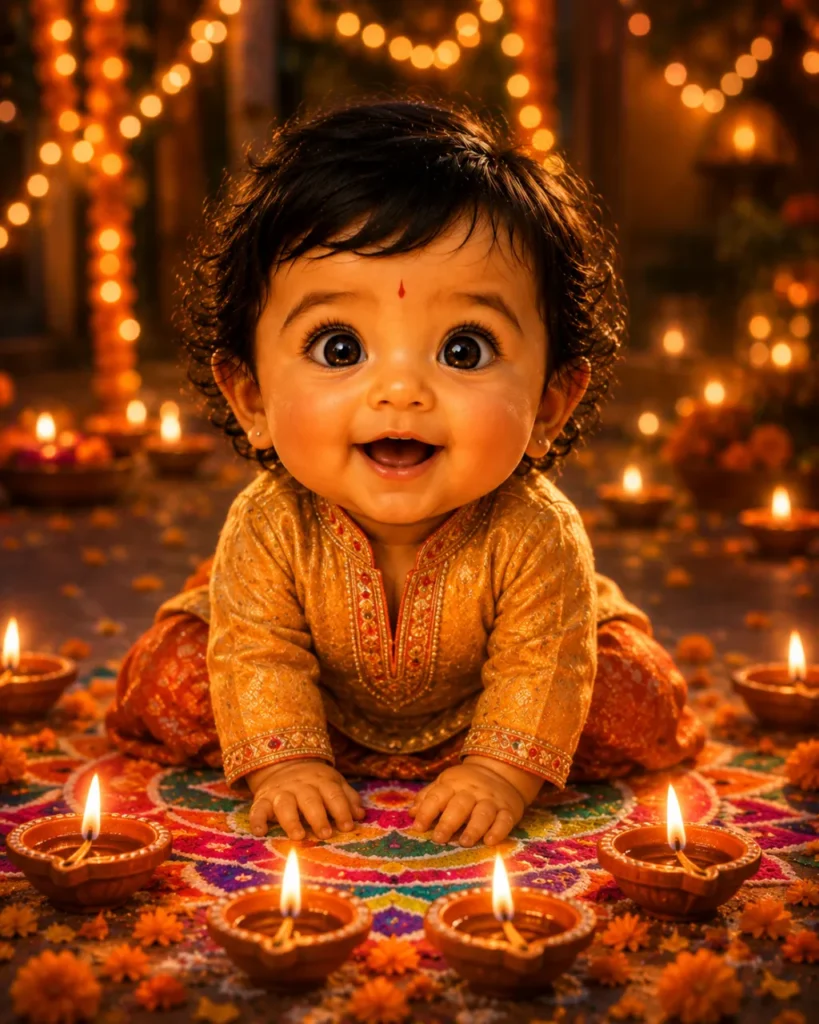
The only Indian-specific Pixar baby prompt available online. Zero competitors cover this despite massive search volume in India. Diwali diya bokeh in Pixar 3D style produces some of the most emotionally rich baby portraits you can generate — warm, festive, culturally specific, and instantly shareable.
Transform the baby from the uploaded photo into a Pixar 3D character for a Diwali celebration scene. The 3D character must be immediately recognizable as the same baby — preserve facial identity, eye color, and warm Indian skin tone in the 3D render.
Character: large round head, huge glossy expressive eyes reflecting diya flames, plump chubby cheeks with a warm rosy-brown glow, tiny upturned nose, delighted open-mouth smile. Dressed in a miniature embroidered silk kurta in deep gold and orange with tiny zari border details. A small tilak on forehead.
Indian skin tone in Pixar 3D: warm rich brown subsurface glow, natural melanin preserved in the 3D render, golden-amber undertones illuminated by diya light — do not lighten skin tone.
Scene: a Diwali night setting in warm Pixar style. Tiny earthen diyas arranged in a glowing circle around the baby. Golden and orange bokeh fairy lights everywhere. Rangoli pattern in bright colors on the floor. Marigold petals scattered around.
Pixar 3D animation render, Diwali warm golden color palette, cinematic amber bokeh depth of field, subsurface warm skin scattering, vibrant festive Indian palette, 4:5 vertical, Pixar studio quality.
Mom & Baby — Pixar Emotional Portrait
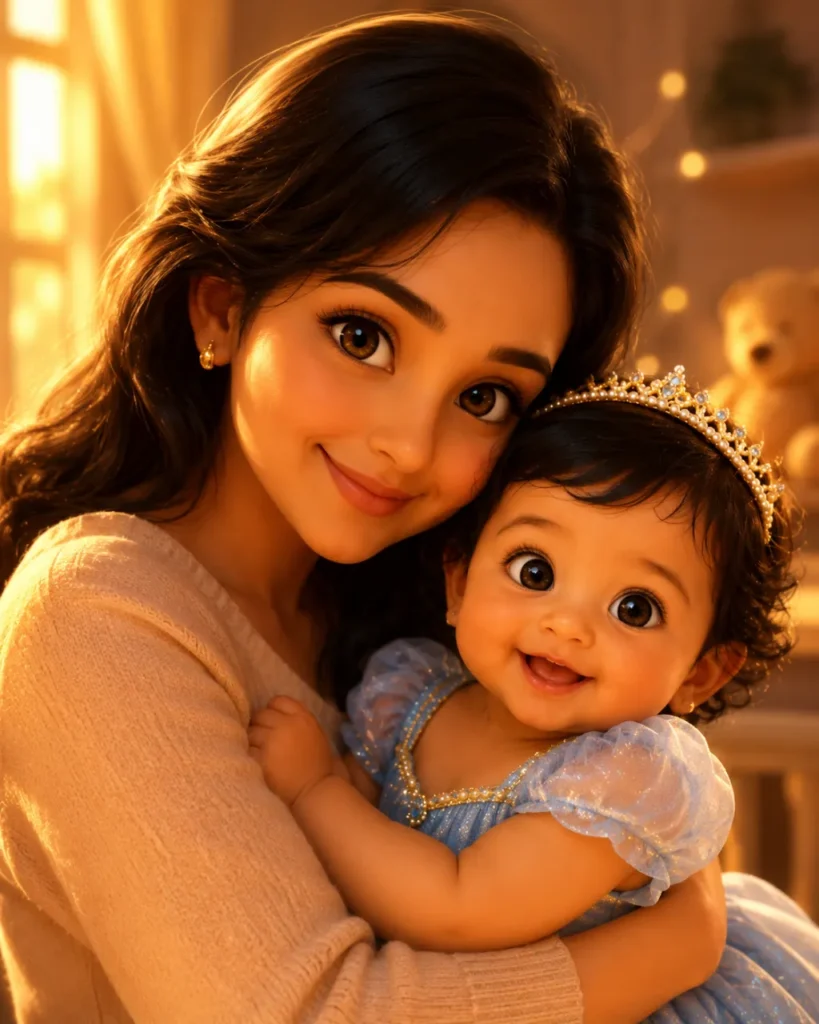
Create a warm and emotional stylized 3D animated family portrait based on the uploaded photo. Preserve the natural facial features, expressions, hairstyle, skin tone, and overall likeness of the mother and baby while transforming them into a soft cinematic animated style.
Mother: gentle realistic proportions, expressive caring eyes, soft smile, detailed hair matching the reference image, lovingly holding the baby close.
Baby: adorable stylized proportions with soft round cheeks, bright expressive eyes, tiny hands, and a joyful innocent expression while resting comfortably in the mother’s arms.
Scene: cozy indoor nursery or living-room atmosphere with warm golden afternoon sunlight entering through a window, soft glowing background lights, cinematic depth of field, intimate emotional composition.
Style: premium stylized 3D animation aesthetic, detailed skin shading, soft lighting, cinematic rendering, warm amber-gold tones, emotional storytelling atmosphere, shallow depth of field, portrait photography feel, vertical 4:5 composition.
Negative prompt: distorted anatomy, extra fingers, blurry face, asymmetrical eyes, low quality, overexposed lighting, text, watermark, duplicate limbs, unrealistic skin texture.
Indian Baby Pixar AI Variants — Not Available Anywhere Else
Prompt #9 above covers Diwali. Below are three additional Indian-specific Pixar baby scenes that can be combined with the face-lock formula from any prompt in this guide:
3 More Indian Pixar Baby Scenes
Add the face-lock opening from Prompt #1 to any of these Indian scene descriptions:
Holi Pixar Baby
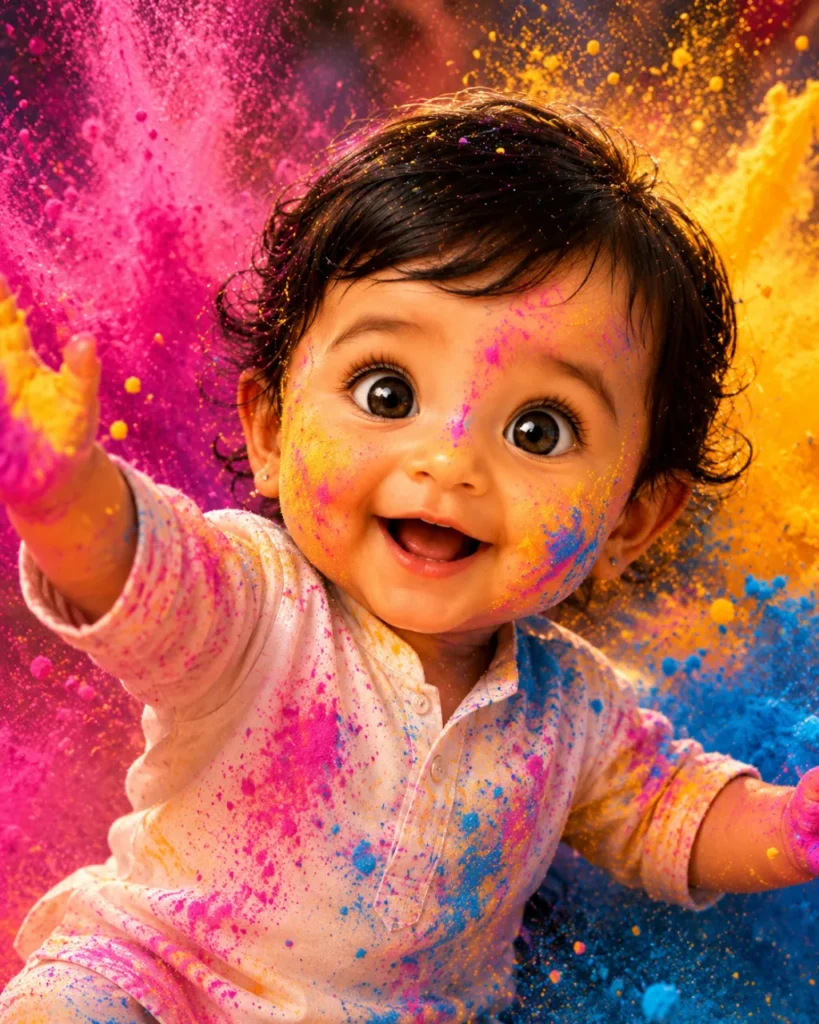
Pixar baby character in a white mini kurta surrounded by exploding gulal color powder clouds — magenta, turmeric yellow, sky blue — in vibrant Pixar 3D style. Warm Indian skin tone preserved in 3D subsurface scattering. Joyful open-mouth laugh.
Rajasthani Pixar Royal
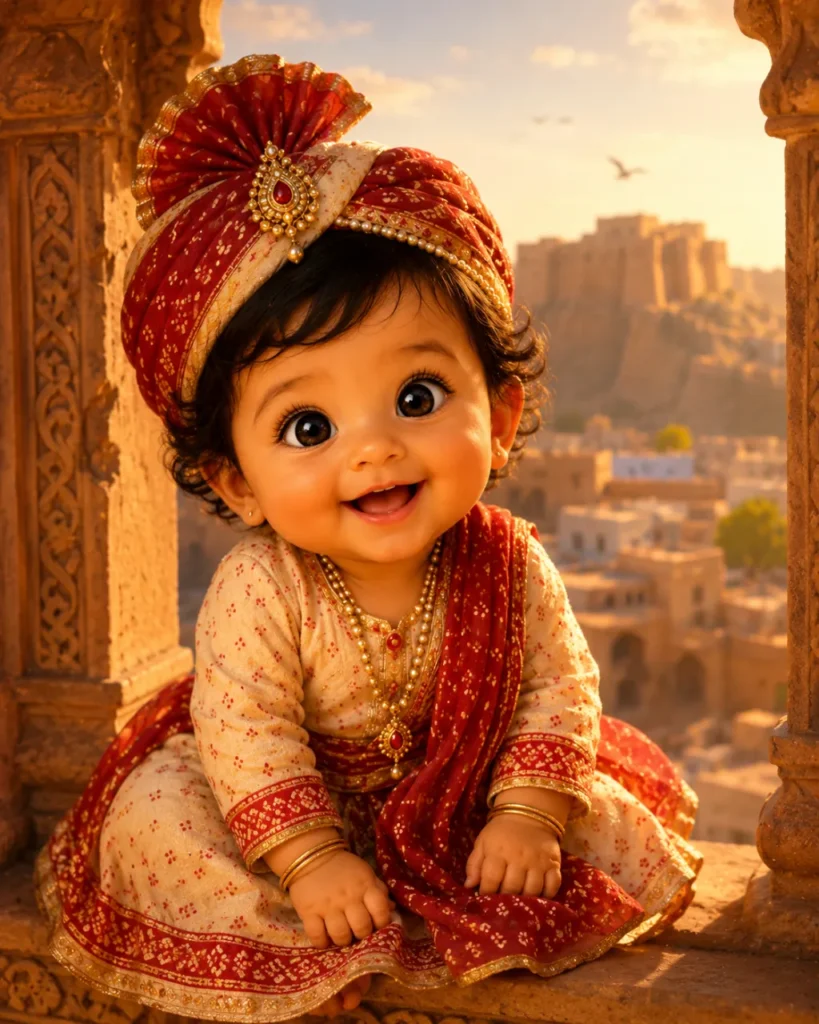
Pixar baby character dressed as a tiny Rajput prince or princess — bandhani mini outfit, tiny pagdi turban — seated at a carved Jodhpur stone jharokha. Desert golden hour Pixar color palette. Rich warm brown Indian skin in 3D render.
Why Baby Pixar Prompts Are Different From Adult Pixar Prompts
The #1 mistake users make: copying a generic adult Pixar prompt and applying it to a baby photo. The result looks like a small adult, not a baby. Here is exactly what must change:
Adult Pixar Prompts
- Standard head-to-body ratio (1:6–1:7)
- Defined jawline, chin, neck visible
- Proportional nose and ears
- Eye size: normal Pixar proportion
- Slim arms and legs
- Expressive adult emotion range
Baby Pixar Prompts (This Guide)
- Head is 40–50% of total body height
- Soft round chin, short neck, no jaw definition
- Tiny upturned nose, small rounded ears
- Enormous glossy eyes, huge relative to face
- Round pudgy chubby arms and legs
- Wonder, curiosity, joyful innocence expressions
Troubleshooting: 5 Pixar Baby Fails — And How to Fix Each One
Baby looks like a small adult, not a baby
Missing baby proportion cues. Add: “enormous head relative to body (1:3 ratio), plump chubby cheeks, no jawline, tiny upturned nose, huge eyes relative to face, round pudgy arms.” This is the most common fix needed
Face looks realistic, not Pixar animated
The style description is being overridden by the face lock. Add “highly stylized Pixar 3D animation — NOT photorealistic” and reduce –cw to 50–60 in Midjourney. In Gemini/ChatGPT, move the Pixar style declaration higher in the prompt before the face-lock.
Eyes too large, face looks alien or distorted
The “big eyes” instruction was too unspecific. Replace with: “large expressive Pixar eyes — approximately 1.5x the size of realistic eyes, glossy with tiny specular catchlights, matching original eye color.” Avoid “enormous” for very young babies.
Skin looks plastic or waxy
Missing subsurface scattering language. Always include: “smooth 3D skin with subsurface scattering so skin glows warmly like real Pixar characters.” This single phrase transforms plastic-looking renders into warm, lifelike Pixar skin.
Face doesn’t match — looks like a different baby
Face lock command is too weak or buried. Move it to line 1. Use stronger language: “The 3D character MUST be recognizable as the same baby from the reference photo. Preserve all unique facial features.” In Midjourney, increase –cw to 80.
Frequently Asked Questions
This is the most common Pixar baby AI mistake — using adult Pixar prompt formulas on a baby photo. The fix is simple: add “enormous head relative to body (1:3 baby head-to-body ratio), plump chubby cheeks, no jawline definition, tiny upturned nose, huge glossy eyes relative to face, round pudgy chubby limbs” to your character design section. All 10 prompts in this guide already include these baby-specific cues.
Yes — and this guide is the only resource online with Indian-specific Pixar baby prompts. Use Prompt #9 (Diwali Pixar scene) or the three additional Indian scenes in the India section. Always include “warm Indian skin tone preserved in 3D render — natural melanin, warm brown subsurface glow, do not lighten skin” in your face-lock section for accurate Indian skin tone representation in the Pixar 3D style.
For personal use — social media, family sharing, printed keepsakes — these images are free to use on all major platforms. For commercial use (selling prints, using in advertising, or brand content), you must check the specific terms of your AI tool. Midjourney Pro and above allows commercial use. Gemini and ChatGPT have specific commercial licensing terms in their usage policies. Always review these before commercial publication.