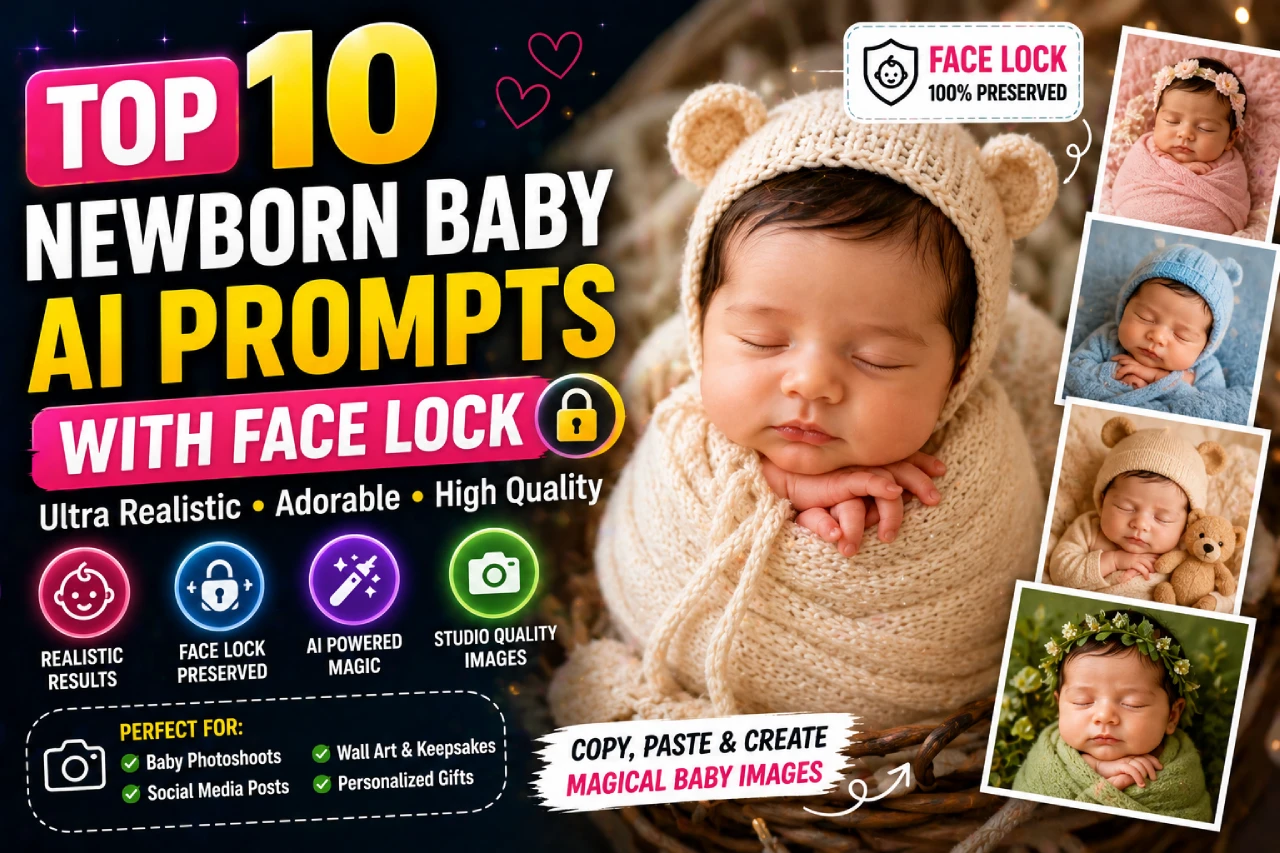
Upload your baby’s photo and get stunning studio-quality portraits — the face stays 100% unchanged. Works with Gemini, ChatGPT, Midjourney, and more.
What is “Face Lock” in AI Photo Prompts?
Face lock is the technique of instructing an AI image generator to preserve your baby’s exact facial identity — every feature, skin tone, eye shape, and expression — while freely changing the background, outfit, setting, and lighting. Without the right face-lock keywords, AI tools often drift and produce a different-looking baby entirely.
This guide gives you 10 battle-tested prompts that include the exact face-preservation language proven to work across Gemini AI, ChatGPT (DALL·E 3), Midjourney, and tools like Media.io and LightX — plus bonus Indian-theme prompts no other guide covers.
The 6-Part Anatomy of a Perfect Face-Lock Prompt
Every high-quality AI baby photo prompt follows this structure. Understanding each part lets you customize any prompt for your own baby’s scene:
Quality Declaration
Sets the output bar. “Ultra-realistic 8K HD” or “Photorealistic DSLR quality” tells the AI this is a serious portrait request.
Face Lock Command
The most important part. Phrases like “Keep the baby’s face 100% unchanged” or “Face lock — preserve all facial features” protect identity.
Scene & Setting
Describes the environment — clouds, forest, palace, flower field. Be specific: “golden-hour light filtering through ancient oak trees.”
Outfit & Props
Clothing style, color, and texture. “Cream muslin swaddle with tiny embroidered stars” is far better than just “wrapped in cloth.”
Lighting & Camera
Specify lens and aperture for realism. “85mm f/1.4 shallow depth of field” gives dreamy bokeh. “Softbox studio lighting” = clean white portraits.
Mood & Finish
Emotional tone and color grading. “Warm golden tone, cinematic, soft shadows” vs “bright airy, editorial clean, pastel palette.”
10 Newborn Baby AI Prompts With Face Lock
Each prompt is copy-paste ready. Click the Copy button on any prompt card, paste it into your AI tool of choice, and upload your baby’s photo as the reference image.
Sleeping Angel on Clouds
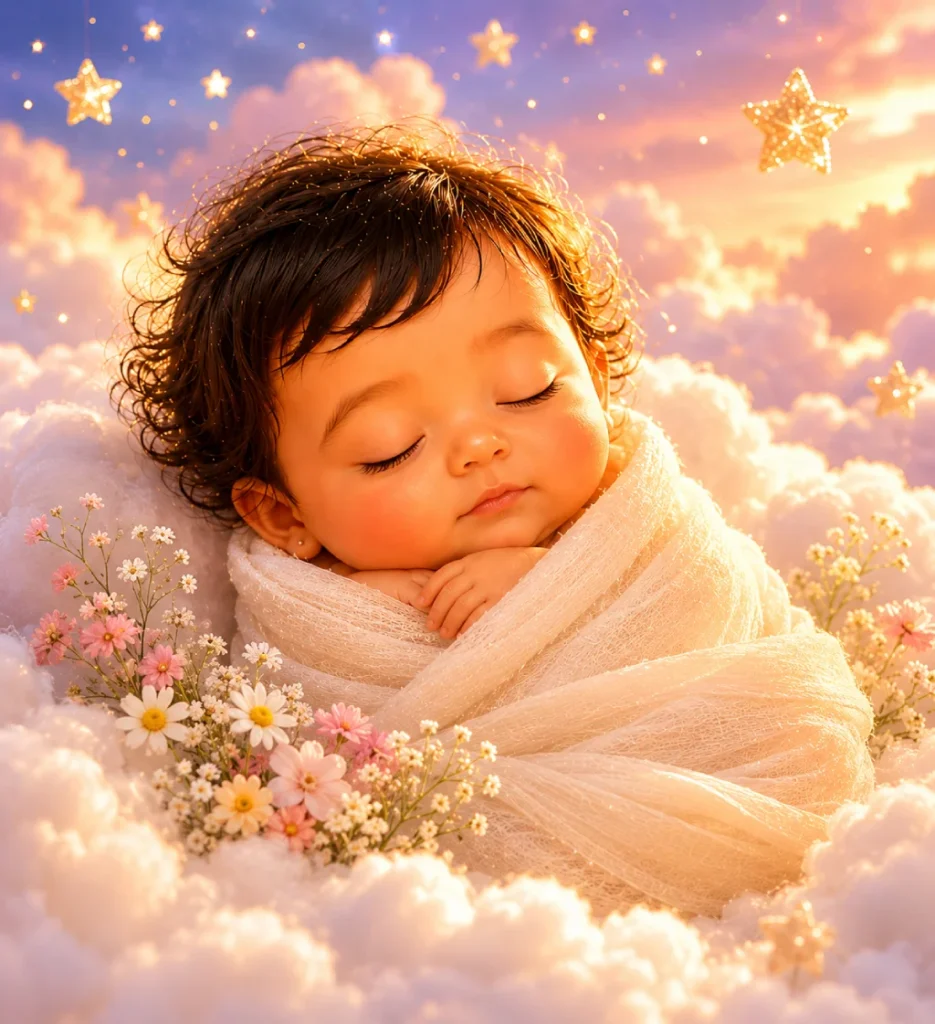
Perfect for a first-week newborn shoot. The cloudscape scene is timeless and works equally for boys and girls. Replace “cream muslin” with any color for personalization.
Ultra-realistic 8K HD newborn portrait using the uploaded reference photo. Keep the baby's face 100% unchanged and true to the original. The newborn is sleeping peacefully on soft, fluffy white clouds in a dreamy pastel sky filled with golden stars. The baby is wrapped in a cream muslin swaddle with tiny wildflowers tucked beside them. Warm golden-hour light glows softly from behind. Photographic quality, 85mm f/1.4 shallow depth of field, studio-grade lighting, pastel warm color grading.
Enchanted Forest Fairy
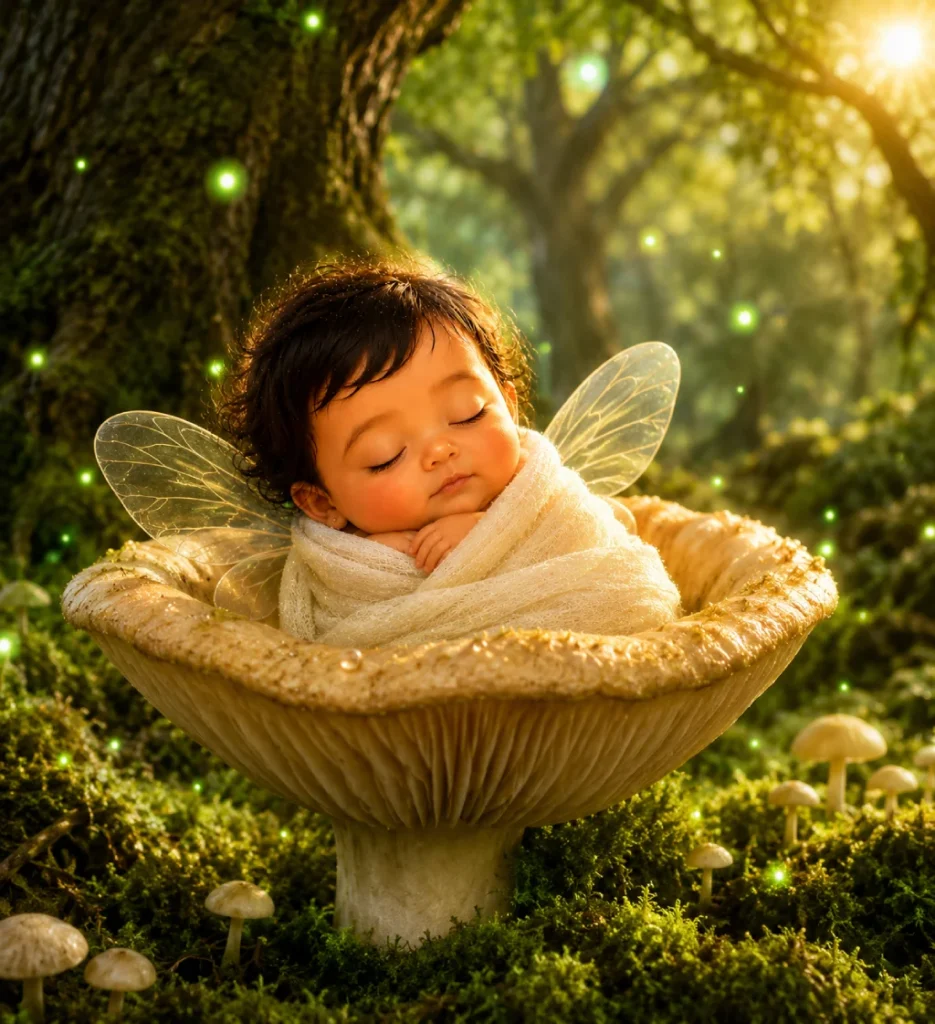
Viral on Instagram for its magical firefly bokeh effect. Works best with babies 0–3 months. The tiny fairy wings add a whimsical touch without changing the face.
Ultra-realistic 8K photo using the uploaded baby reference image. Face must remain 100% identical — do not alter facial features, skin tone, or expression. Place the newborn nestled inside a giant magical mushroom bowl in an enchanted ancient forest. Glowing green fireflies float around them. Tiny translucent fairy wings rest gently on their back. Soft green moss ground, golden dappled light filtering through ancient oak trees. 85mm f/1.6, shallow depth of field, cinematic warm-green color grading, photorealistic.
Royal Prince or Princess Portrait
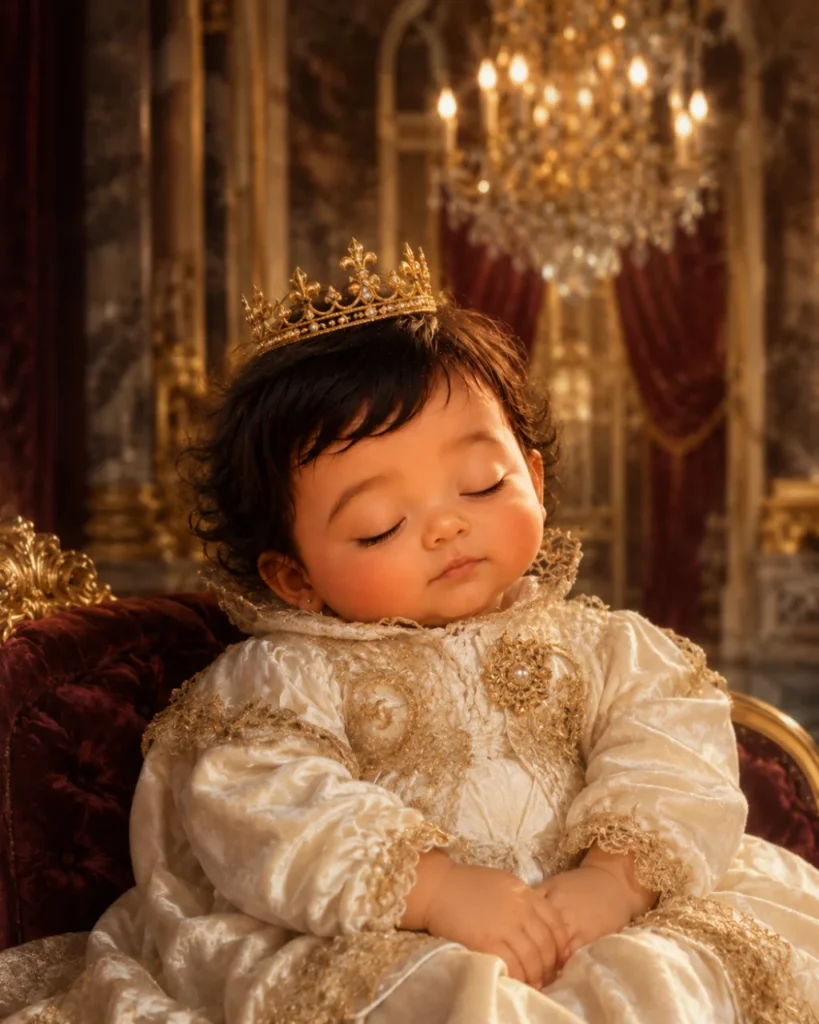
One of the most-searched baby AI themes. Specify “Prince” or “Princess” in the outfit to customize. The baroque palace background makes this feel like a professional heirloom photograph.
Hyper-realistic 8K portrait using uploaded baby photo as face reference. Face lock enabled — preserve all features exactly, no modification to facial structure or skin tone. Dress the baby in a royal Victorian-era ivory velvet outfit with a tiny golden crown resting gently on their head. Backdrop: a grand baroque palace hall with towering marble pillars, deep burgundy velvet drapes, and warm chandelier candlelight. 85mm portrait lens, soft vignette, regal warm tone, cinematic depth of field.
Baby Astronaut on the Moon
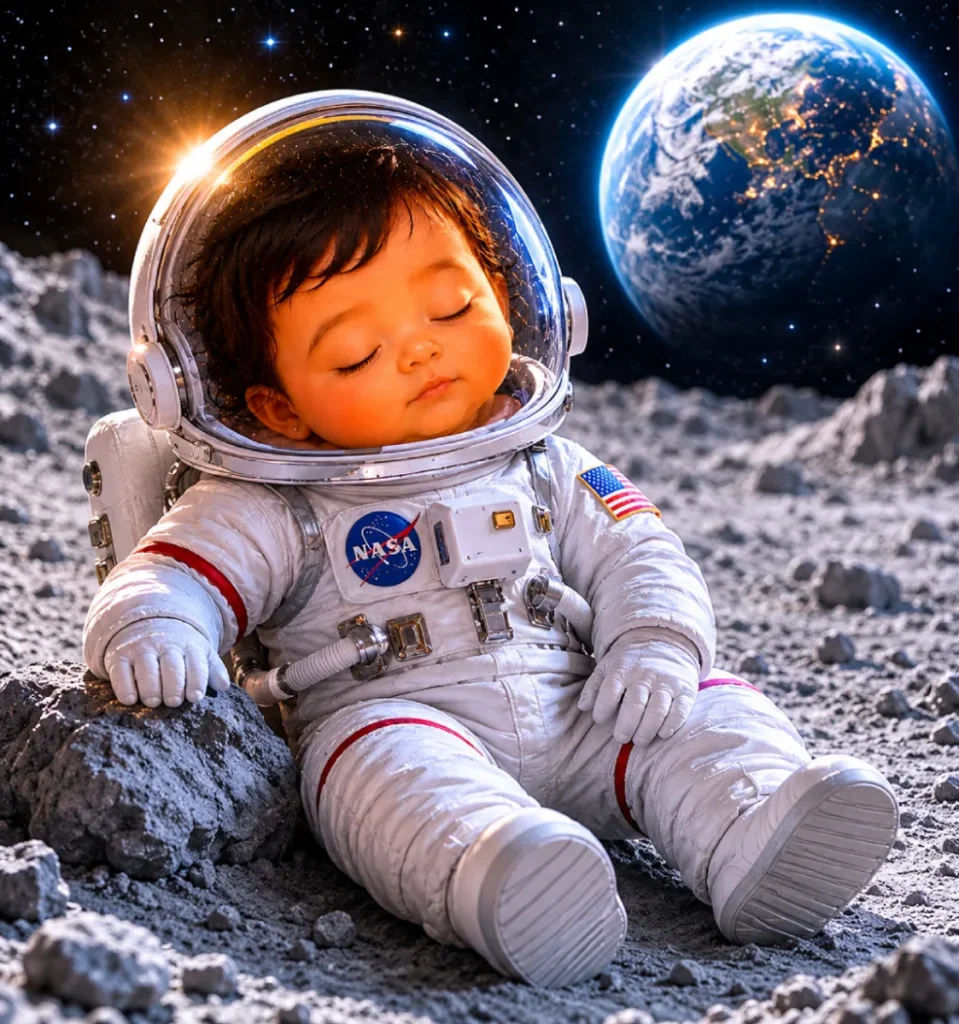
A perennial viral hit. The NASA-style spacesuit makes for a funny, heartwarming image parents love sharing. Works for any age baby from newborn to 1 year.
Photorealistic 8K image based on the uploaded reference picture. The baby's face must be preserved 100% — no changes to features, expression, or skin tone. The newborn is wearing a miniature white NASA-style spacesuit with a clear dome helmet visor, sitting peacefully on the grey rocky surface of the moon. Earth is visible as a glowing blue sphere in the starry black background. Soft cosmic rim light, 50mm lens, cinematic wide shot, hyper-detailed suit texture, award-winning space photography style.
Giant Flower Petal Nest
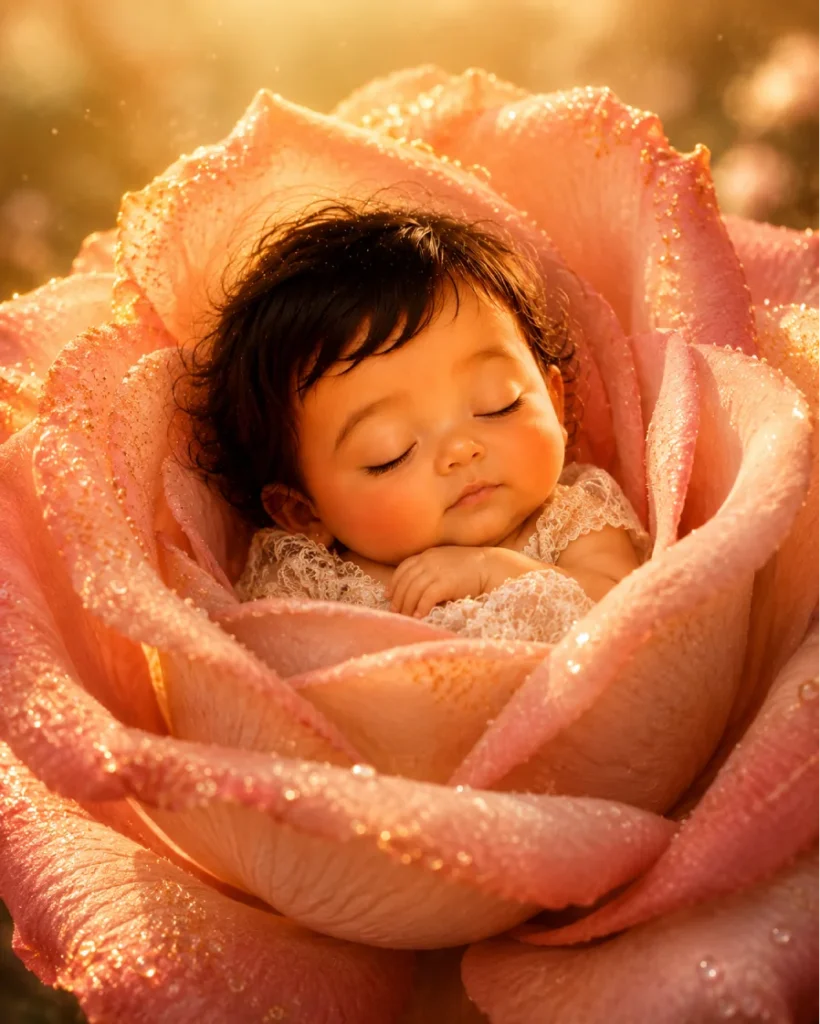
The surreal “baby inside a giant flower” style is among the most shared newborn AI photos in 2026. Hyper-detailed petal texture makes this look like professional macro photography.
Ultra-realistic surreal conceptual portrait using the uploaded baby photo. Face lock enabled — keep all facial details 100% accurate to the reference. Do not alter skin tone, eye color, or facial structure. The newborn is nestled inside a giant blooming rose, the petals forming a natural soft cradle around them. The baby wears a tiny cream lace outfit. Hyper-detailed petal veins, golden pollen dust floating in the air like glitter, soft morning dew droplets on petals. Warm golden backlight, 85mm macro lens, ultra-shallow depth of field, 8K photographic quality.
First Birthday Cake Smash
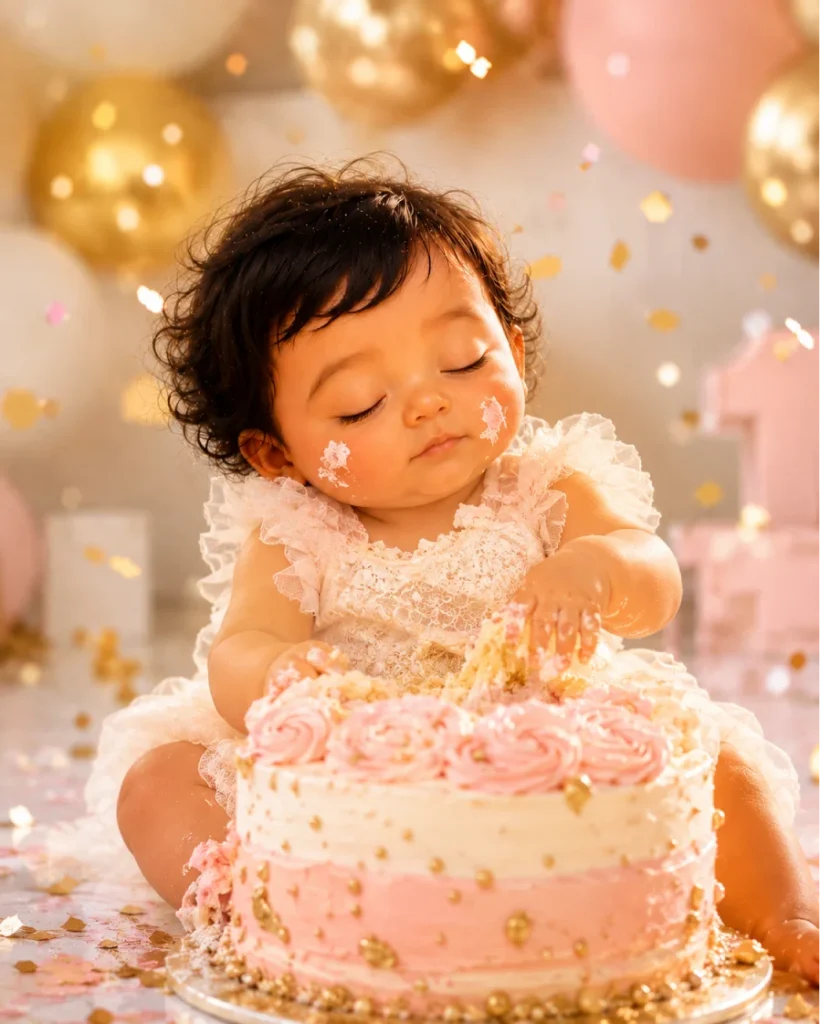
A milestone must-have. The confetti, balloons, and frosting smash scene is a studio staple — now achievable with just a photo and this prompt. Great for 12-month portraits.
Highly realistic 8K AI portrait using the uploaded baby picture as face reference. The child's face must remain 100% unchanged — lock all facial features, skin tone, and expression from the reference photo. Scene: the baby is sitting in front of a beautiful smash cake with pastel pink and gold frosting, tiny hands reaching joyfully into the cake, frosting on both cheeks. Confetti falling from above. Bright studio lighting, white and gold balloon arch in background, 85mm portrait lens, sharp focus on face, warm celebratory color grade, 8K quality.
Cozy Knitted Bear Cocoon
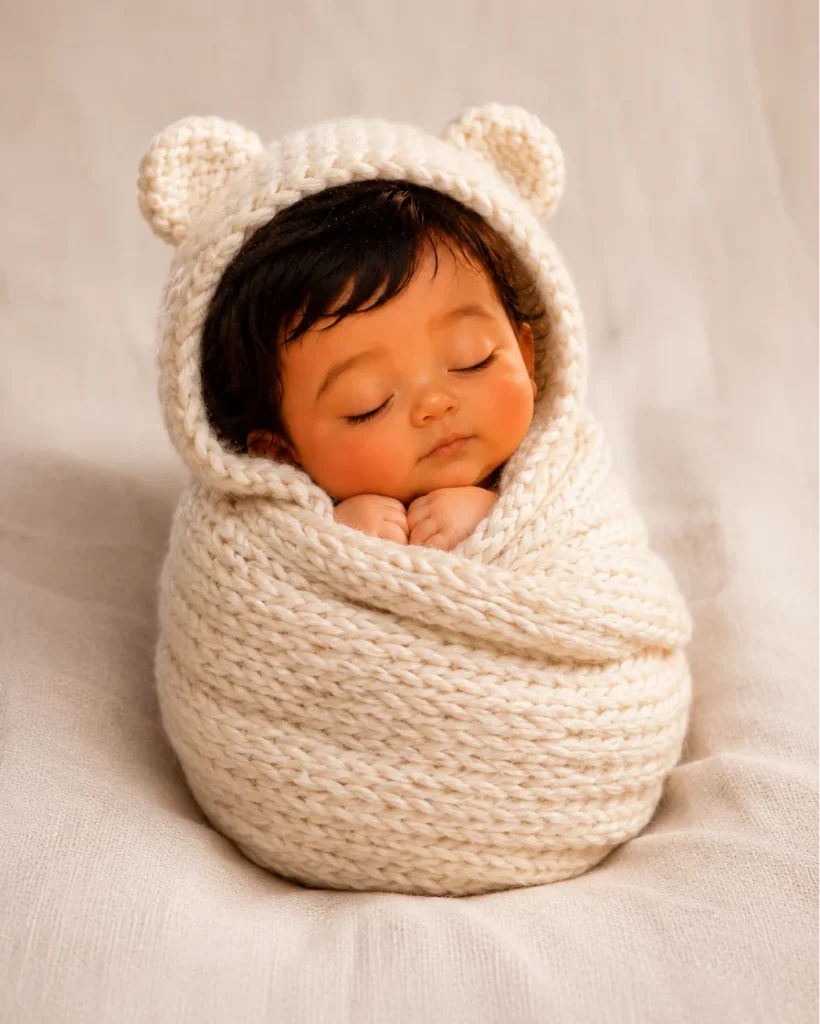
The classic newborn studio look. The chunky knitted cocoon with bear ears is one of the most pinned newborn styles on Pinterest. Clean and professional — great for birth announcements.
Hyper-realistic 8K studio newborn portrait using the reference photo uploaded. The baby's face must stay completely unchanged — copy face exactly like the original photo, no facial modification allowed. The newborn is wrapped snugly in a chunky hand-knitted cream cocoon with round bear ears on the hood. Eyes softly closed, tiny fists visible at top. Neutral linen studio backdrop, professional softbox lighting from above-left, gentle fill from right, 85mm f/1.8, clean white tones, natural skin texture preserved, high-end newborn photography aesthetic.
Pixar 3D Cartoon Style
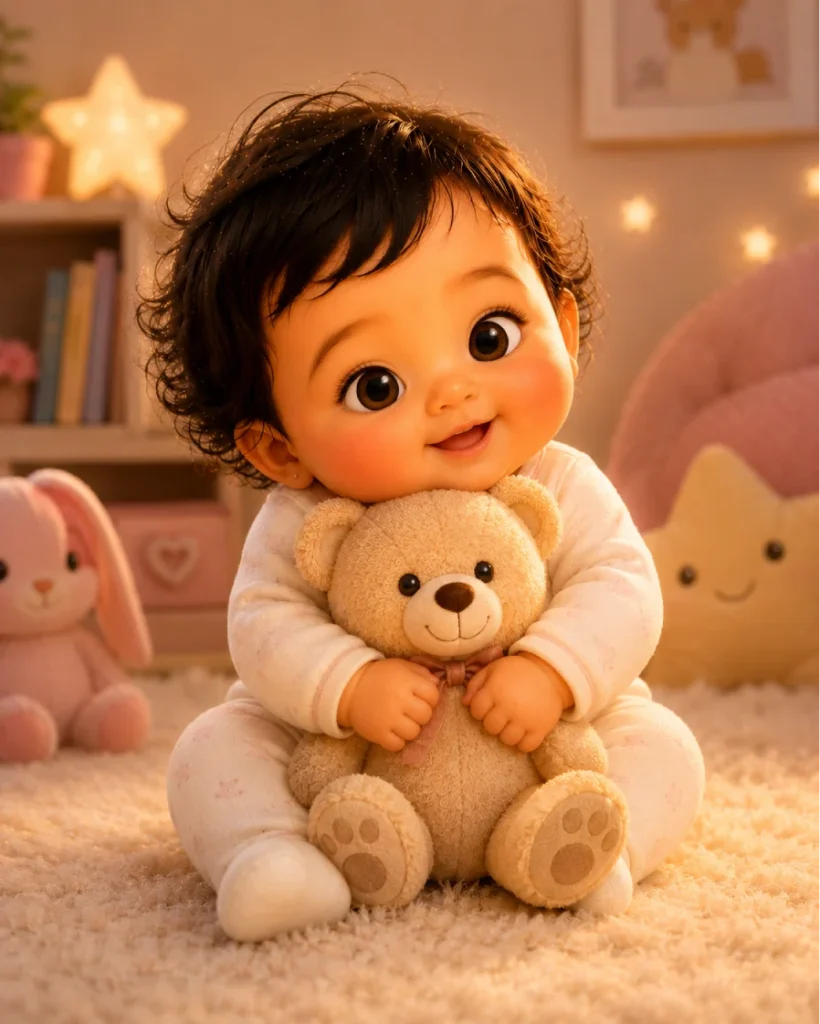
The “Pixar baby” trend exploded in early 2026. This prompt keeps the baby recognizable as a 3D character — parents love comparing the cartoon version to real photos.
Transform the uploaded baby photo into a Pixar-style 3D animated character while keeping the baby's facial identity 100% recognizable — the character must clearly look like the same child from the photo. Big expressive eyes matching original eye color, chubby rosy cheeks, soft round head shape true to reference. Place the baby character in a warm cozy nursery with soft toys. Pixar/Disney 3D render quality, warm studio lighting, clean pastel background, emotionally warm and joyful tone, high detail.
Tiny Chef in the Kitchen
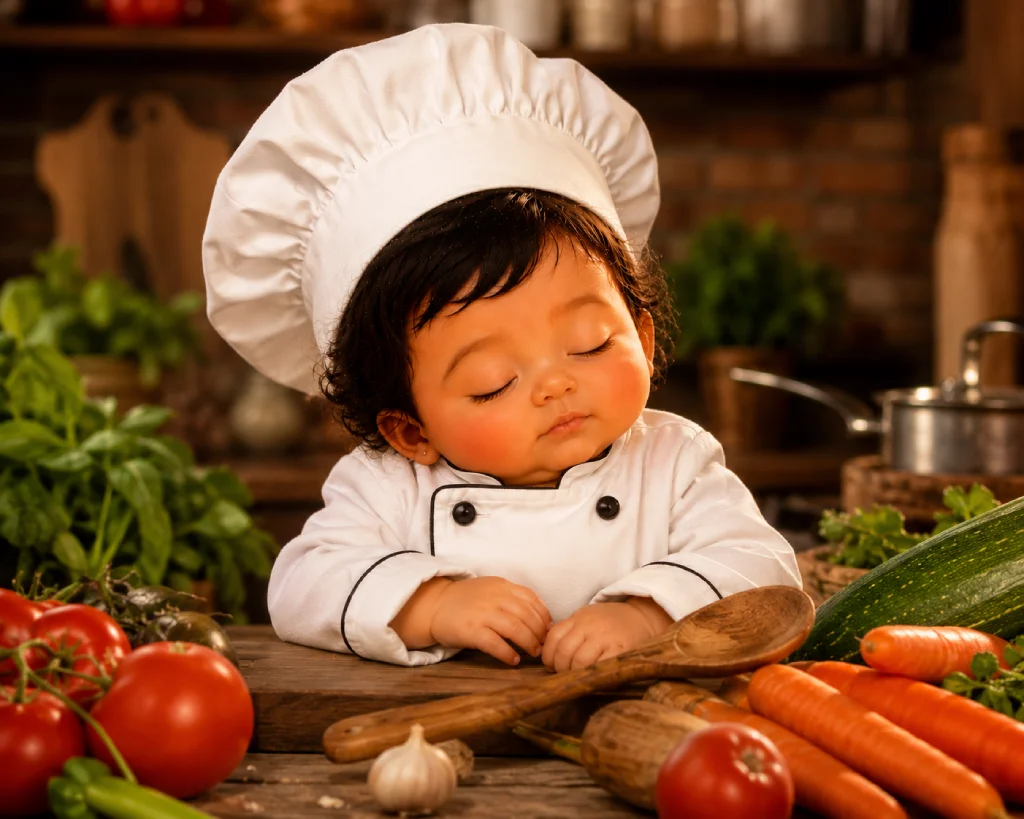
Funny, shareable, and heartwarming. The “baby chef” concept works for any age and generates great reactions on social media. Pair with a real cooking photo for a before/after post.
Ultra-realistic 8K DSLR image using the uploaded newborn reference photo. Keep the baby's face completely unchanged — preserve exact facial identity, no facial modification. The baby is dressed in a miniature white chef's jacket with a tall toque hat, sitting on a rustic wooden kitchen countertop. Tiny hands resting near an oversized wooden spoon. Surrounded by colorful oversized vegetables — red tomatoes, orange carrots, green zucchini. Warm rustic kitchen lighting, 35mm lens, vibrant tones, shallow depth of field on the baby's face, cinematic composition.
Vintage Floral Bath Portrait
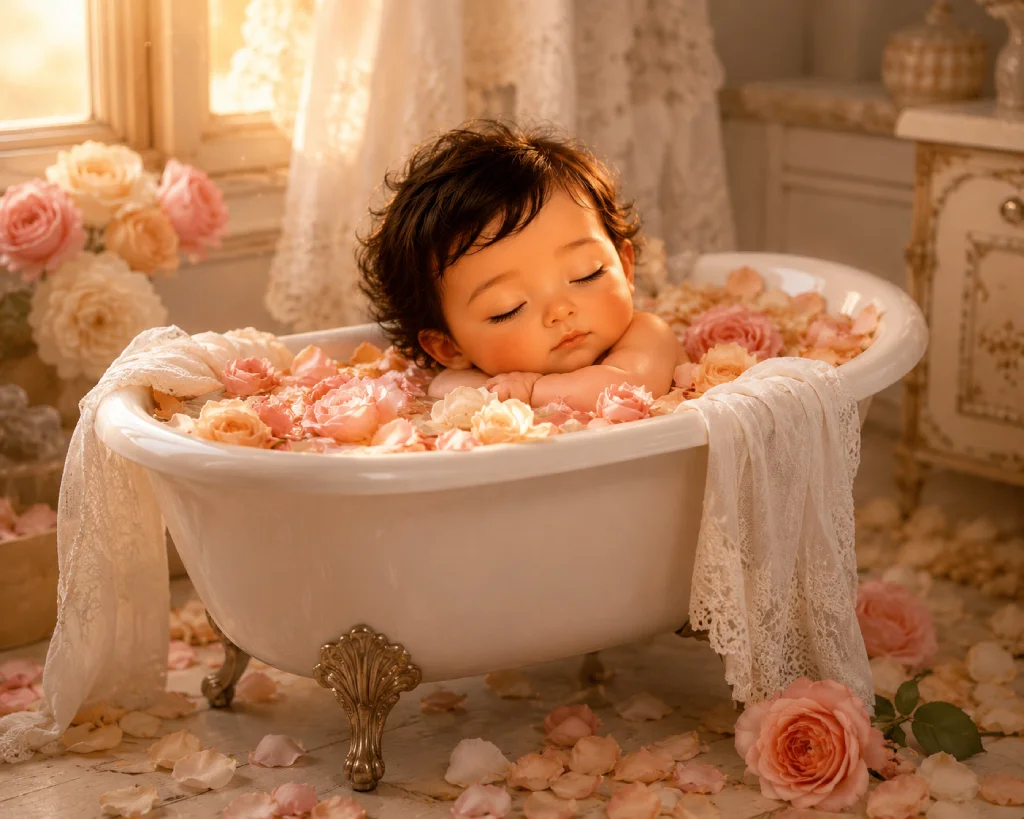
The rose petal bath portrait is a timeless newborn photography style. Film-toned with warm peach grading, this generates images that look like they were taken on an expensive medium format camera.
Ultra-realistic vintage-inspired newborn portrait using the uploaded baby photo as facial reference. Preserve the baby’s natural identity, facial features, skin tone, hair texture, and peaceful sleeping expression exactly as in the original image. The newborn is gently resting inside an elegant vintage white porcelain clawfoot bathtub filled with soft pink, cream, and peach rose petals. Cozy white linen fabric drapes naturally over the tub edges. Warm golden afternoon sunlight streams softly through a nearby window, creating a dreamy pastel peach atmosphere with subtle cinematic film grain. Luxury newborn photography styling, soft shadows, delicate highlights, ultra-detailed rose petals with dew drops, shallow depth of field, 50mm f/1.8 DSLR look, timeless fine-art composition, soft elegant mood, photorealistic 8K quality.
Best AI Tools for Baby Photo Prompts (Compared)
Not all AI tools handle face-lock the same way. Here is how the top tools compare for newborn baby photo generation:
| AI Tool | Photo Upload | Face Lock | 8K Quality | Free Tier | Best For |
|---|---|---|---|---|---|
| Gemini AI | ✓ Yes | ✓ Strong | ✓ Yes | ✓ Yes | Best overall for babies |
| ChatGPT (DALL·E 3) | ✓ Yes | ✓ Good | ✓ Yes | ✗ Limited | Themed & cartoon styles |
| Midjourney | ✓ –cref | ✓ Best | ✓ Yes | ✗ Paid | Highest realism |
| Media.io | ✓ Yes | ✓ Good | ✓ Yes | ✓ Yes | Quick results, easy UI |
| LightX | ✓ Yes | ⚠ Moderate | ✓ Yes | ✓ Yes | Fantasy & themed styles |
Troubleshooting: When the Face Still Changes
Even with face-lock language, some AI generations drift. Here is how to fix the most common problems:
Baby looks like a different child entirely
Your face-lock command may be too weak or buried in the prompt. Move “Keep the baby’s face 100% unchanged” to the very beginning of your prompt, right after the quality declaration. Also try using stronger language: “COPY FACE EXACTLY LIKE THE ORIGINAL PHOTO. No facial modification allowed.”
Skin tone looks wrong
Add “preserve original skin tone exactly” and “no skin color alteration” to your prompt. For darker skin tones, also add “natural melanin-rich skin, warm undertones preserved” to help the AI understand the reference correctly.
Eye color changed or looks unnatural
Describe the eye color explicitly: “dark brown eyes matching the reference photo” or “original eye color preserved.” In Midjourney, increase –cw value to 90–100 for stronger feature lock.
Face is blurry or out of focus
Add “sharp focus on baby’s face, shallow depth of field on background only” to your prompt. Specify “tack-sharp focus on facial features.” The face should always be the sharpest element in the frame.
Generated image looks AI/unrealistic
Add “professional DSLR photography, natural skin pores visible, photorealistic baby skin texture, no AI artifacts, shot by professional newborn photographer” to push the AI toward realism. Also run outputs through an AI upscaler for more detail.
Frequently Asked Questions
Face lock means instructing the AI image generator to preserve your baby’s real face — every feature, skin tone, eye color, and expression — exactly as it appears in your uploaded reference photo. Only the background, outfit, setting, and lighting change. Without face-lock language, AI tools tend to generate a different-looking baby with each generation.
Gemini AI (Google), ChatGPT with DALL·E 3, Midjourney (using –cref), Media.io Nano Banana Pro, LightX, and CyberLink MyEdit all support image-to-image generation where you upload a reference photo and instruct the AI to preserve the face. Midjourney’s –cref parameter gives the strongest face consistency across multiple generations.
Yes — always include face-preservation language in every single prompt. Strong options include: “Keep the baby’s face 100% unchanged,” “Face lock — preserve all facial features exactly,” “No facial modification allowed,” or “COPY FACE EXACTLY LIKE THE ORIGINAL PHOTO.” Place this command near the beginning of your prompt for maximum effect.
Upload a clear, well-lit, front-facing photo of your baby against a simple background. The face should be fully visible with no heavy shadows, extreme angles, or obstructions. Natural daylight or soft indoor light works best. Avoid backlit photos, extreme filters, or photos where the face is very small. The higher the reference photo quality, the better the AI can preserve facial features.