
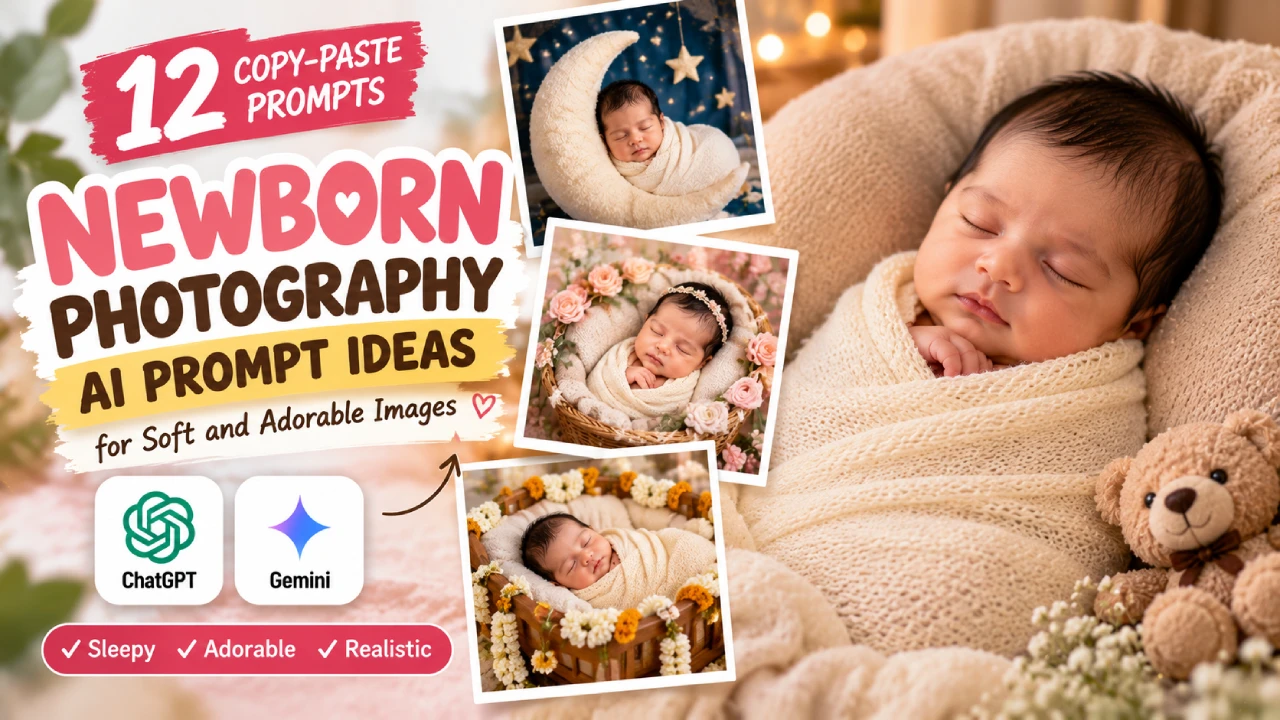
Upload one clear photo of your baby, paste a prompt, and ChatGPT or Gemini can turn it into a studio-style newborn portrait in about a minute. The catch is that AI redraws the picture instead of editing it, so the face can drift. Below are 12 copy-paste newborn photography AI prompts, written to keep your baby’s likeness as close as possible, plus fixes for when it still goes wrong. Nothing here is locked behind an email.
How to use these prompts
1. Pick the right photo. A sleeping baby with the whole face visible works best. Use even light, no filters, no heavy crop. A front-facing shot gives the AI more to hold on to than a side profile.
2. Attach it and paste. Open ChatGPT or Gemini, attach the photo, and paste a prompt from below. Both accept a reference photo. Run the same prompt in each and compare, because which one keeps your baby’s face better depends on the photo.
3. Zoom in before you fall in love. Check the eyes, nose, mouth, hairline and fingers against the original. Then ask for one change at a time, like “keep everything, only change the wrap to sage green.”
The identity-lock line
Add this to the start of any prompt in sections A to C:
Use the uploaded photo as the identity reference. Keep the baby's face, skin tone, hair and expression exactly as in the photo. Do not smooth the skin, add a smile, open the eyes or change the baby's age. Keep the baby fully wrapped or clothed.
It is a request, not a guarantee. It reduces drift; it doesn’t remove it.
Prompts from your baby’s photo
Newborn Baby Classic cream wrap prompt
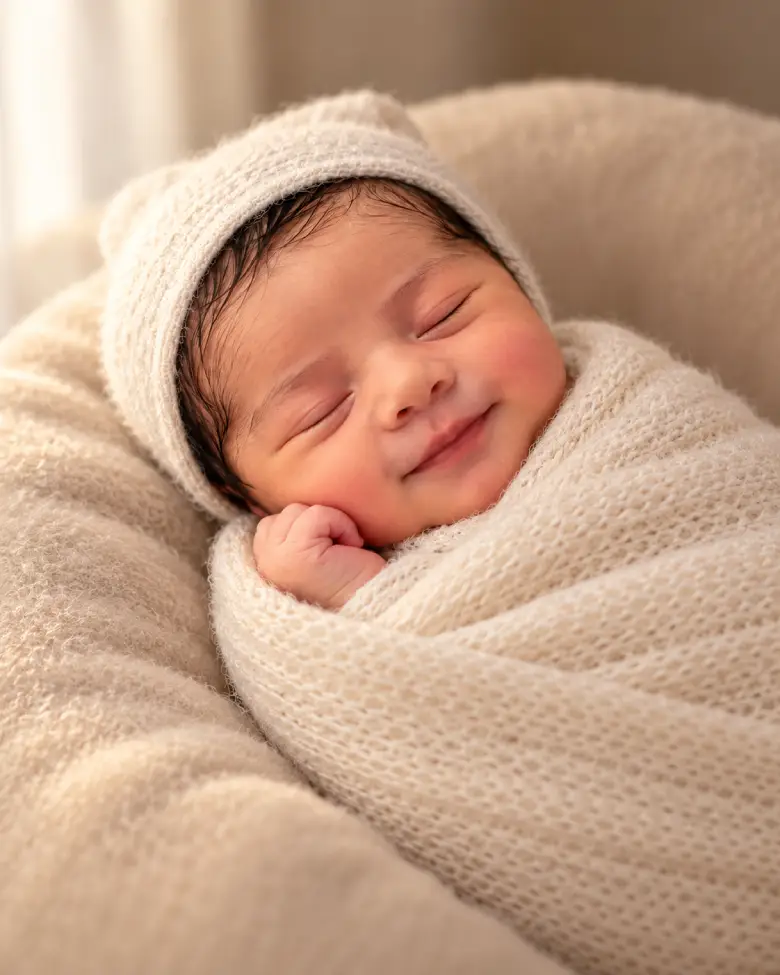
Turn the uploaded photo into a studio newborn portrait: the baby asleep, snugly wrapped in a cream knit swaddle, resting on a soft beige beanbag. One soft window-style light from the side, warm neutral tones, gentle shadows, shallow depth of field. Only the face and one tiny hand are visible. Vertical 4:5 portrait.
Swap “cream” for dusty sage or soft blush to match the nursery.
Moon and stars newborn baby ai prompt
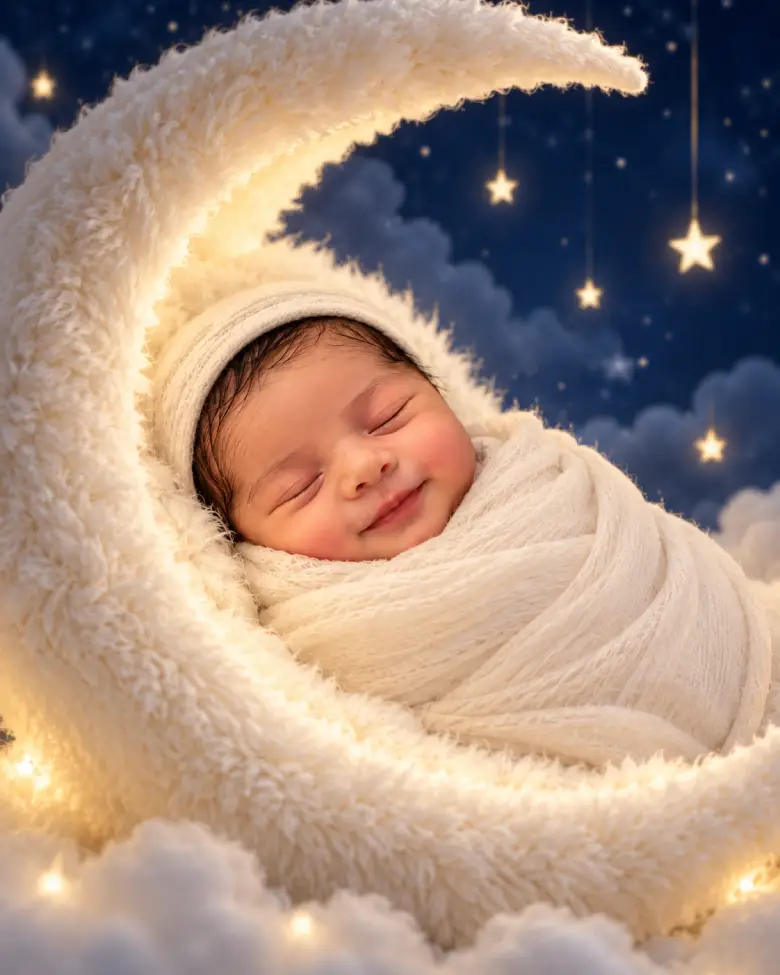
Place the baby from the uploaded photo asleep inside a soft white fur-lined crescent moon, wrapped in cream muslin with only the face showing. Deep blue night sky behind, a few small soft stars, a gentle warm glow on the baby's face. Dreamy, calm, photorealistic, vertical 4:5.
This is an AI composite. Don’t try to recreate it with a real baby.
Floral basket newborn baby ai prompt
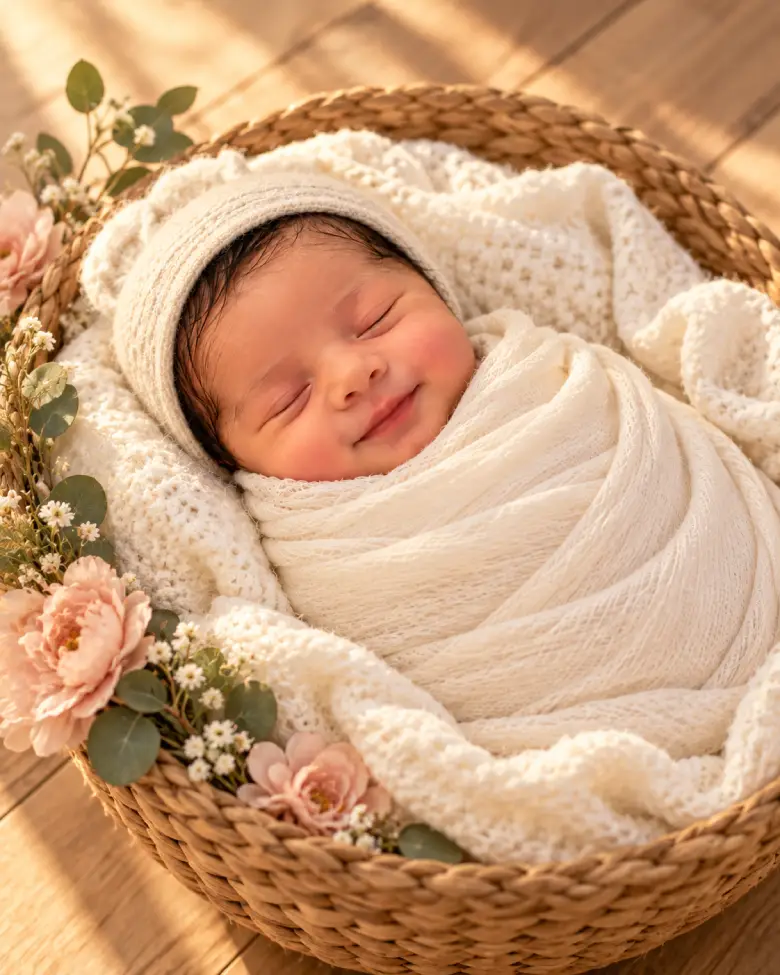
Show the baby from the uploaded photo asleep in a shallow woven basket lined with a soft cream blanket, set on a light wooden floor. A few blush-pink flowers and small green leaves rest on the basket's outer edge, nothing near the baby's face. Warm golden window light, soft shadows, natural colours.
Minimal white studio baby prompt
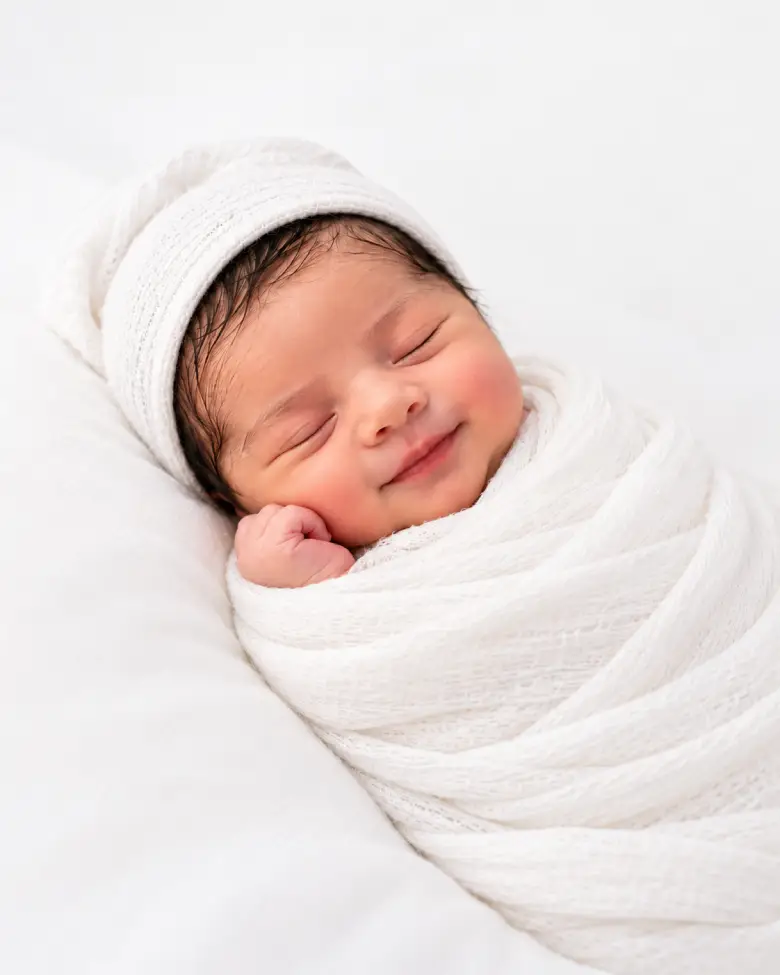
Create a bright, airy studio portrait of the baby from the uploaded photo wrapped in white muslin on a white surface. Even, diffused light with almost no shadows, a clean white backdrop, plenty of empty space around the baby. Quiet, minimal, fine-art newborn look.
Baby Birth announcement card prompt
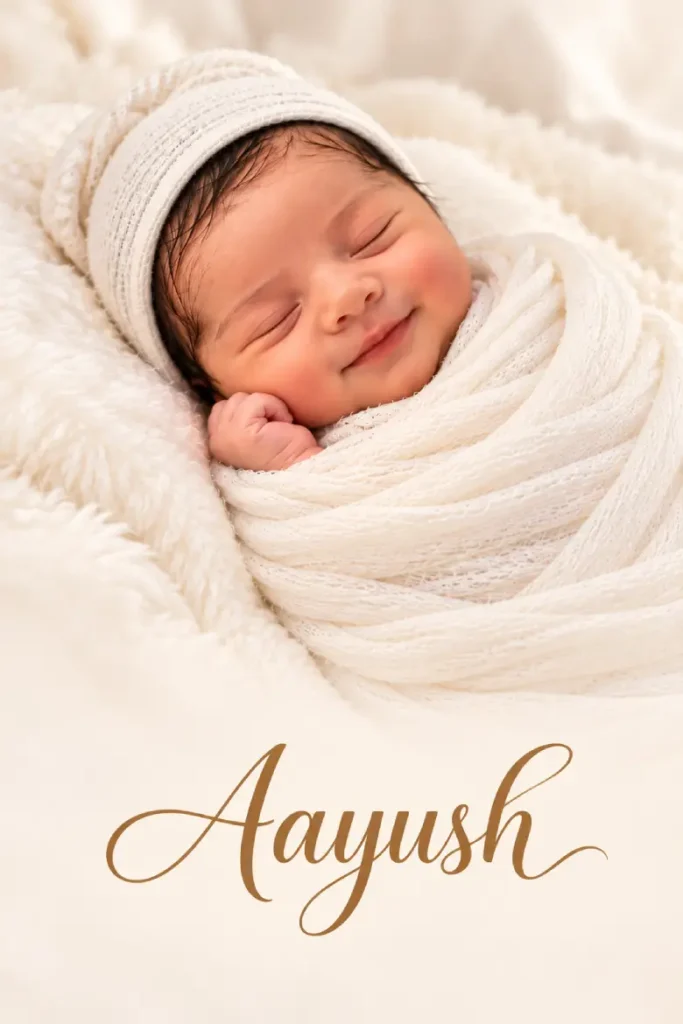
Create a vertical birth announcement card using the uploaded photo. Place the baby in the upper two-thirds on a soft ivory background with gentle, natural lighting. Leave the bottom third with a clean, elegant layout. Add only the baby's name "Aayush" centered in the bottom third using a beautiful, modern calligraphy or serif font in a soft warm brown or gold color. Do not include any other text, numbers, dates, icons, logos, or symbols. Maintain a premium, minimal, timeless newborn photography aesthetic with plenty of white space.
The empty space matters. Add the name, date and weight yourself (more on that below).
Monthly milestone baby ai prompt
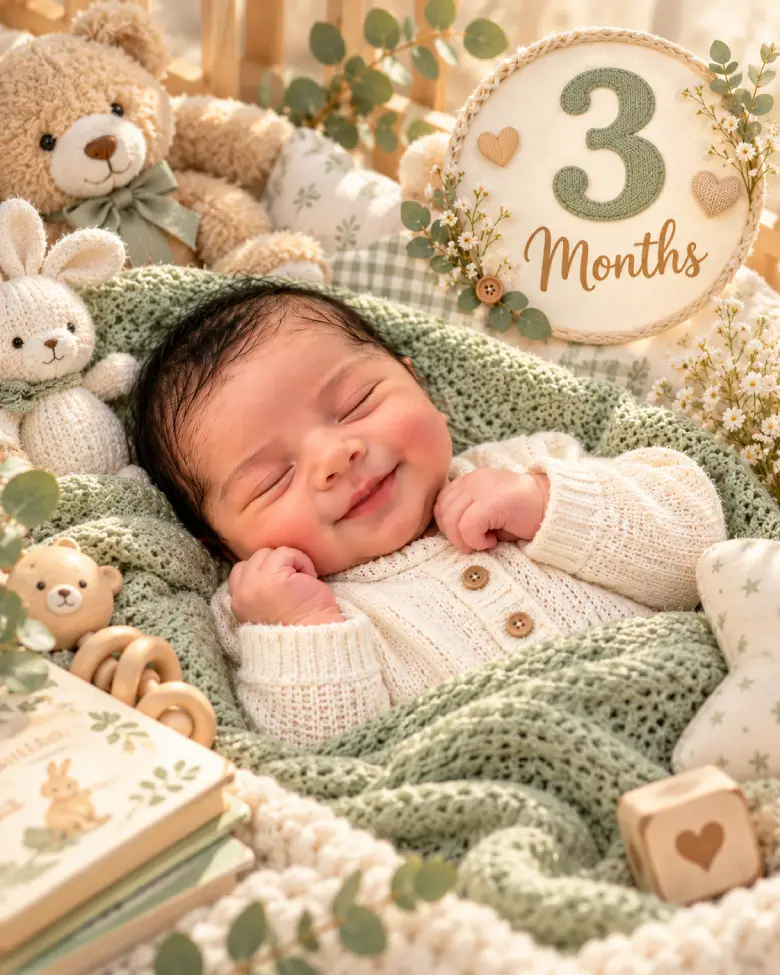
Use the uploaded photo of my baby at [AGE_MONTHS] months as the identity reference. Create a premium vertical (4:5) baby monthly milestone card. Preserve the baby's identity and exact age. Do not make the baby appear older or younger.
Design the image like a professional monthly milestone photoshoot. Place the baby naturally on a soft knitted blanket inside a beautiful nursery with warm natural light.
Surround the baby with elegant milestone props including knitted toys, teddy bears, wooden milestone blocks, dried flowers, baby books, eucalyptus leaves, soft pillows, and cozy blanket textures.
Display a beautiful milestone badge in the upper-right corner that reads:
"[AGE_MONTHS] Months"
using elegant modern typography in pastel colors.
The milestone text should be a prominent design element while keeping the baby as the main focus.
Style: Luxury baby milestone photography, Scandinavian nursery, pastel aesthetic, editorial quality, ultra realistic, soft lighting, high detail, premium keepsake card.
Change the bracket to the real age. Reuse the same wording every month so the series matches.
Festive and ceremony prompts
New Born baby Diwali glow Prompt
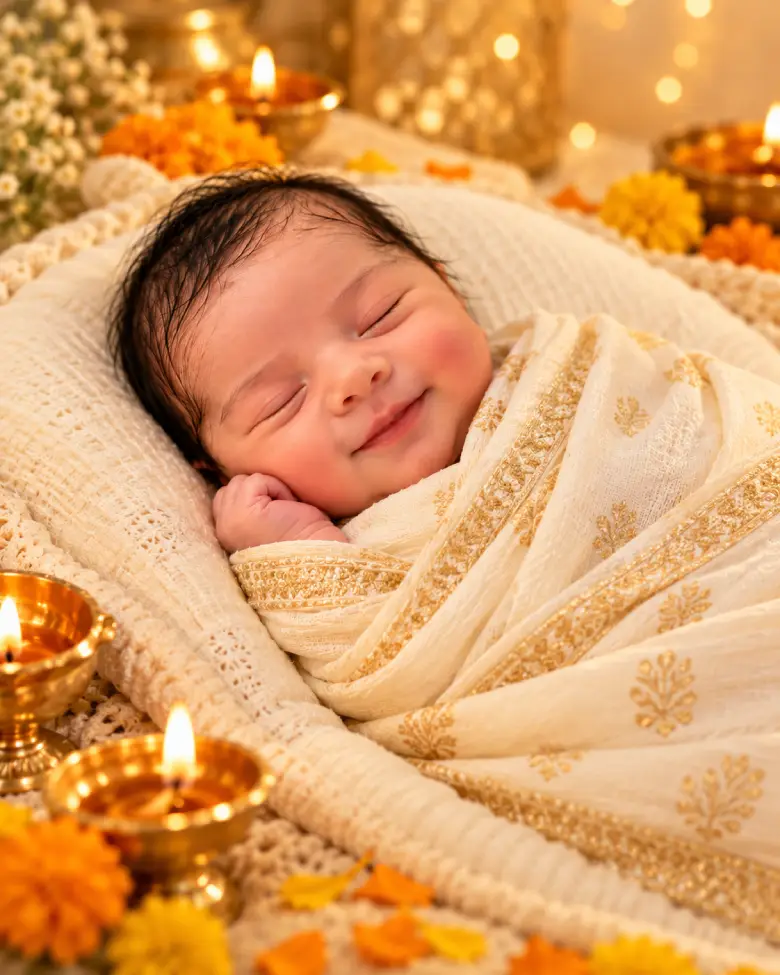
Show the baby from the uploaded photo asleep in a cream-and-gold cotton wrap on an ivory cushion. A few softly glowing brass diyas and marigold petals sit at a safe distance around the cushion. Warm golden bokeh lights behind, a gentle glow on the baby's face, festive but calm.
The flames exist only in the image. Never put a real diya near a baby.
Baby Namkaran Ceremony Cradle Prompt
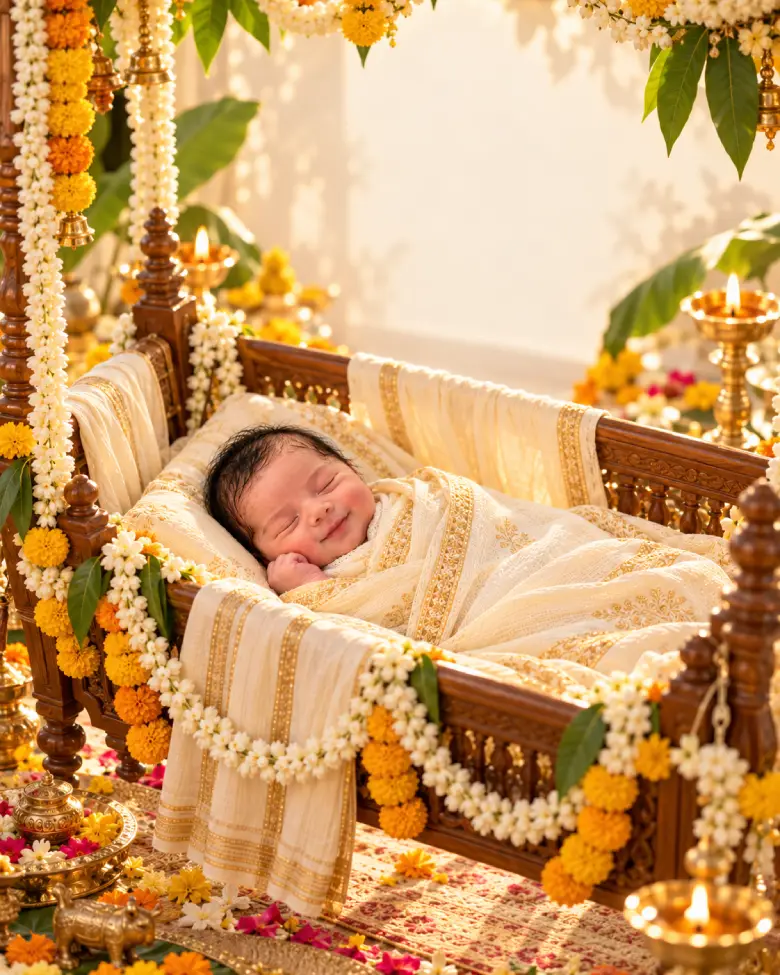
Use the uploaded photo of my baby as the identity reference. Create a premium vertical (4:5) Namkaran (Hindu Naming Ceremony) portrait. Preserve the baby's exact facial features, skin tone, hair, expression, and age. Do not make the baby appear older or younger.
Place the baby peacefully sleeping inside an elegant traditional handcrafted wooden cradle (palna) decorated with soft ivory, cream, and pale-yellow cotton fabrics. The cradle should be richly adorned with fresh jasmine, marigold, and mango-leaf garlands hanging gracefully around the outer frame, while keeping all flowers and decorations at a safe distance from the baby's face.
Surround the cradle with tasteful Indian ceremonial decorations including brass diyas, banana leaves, brass kalash, subtle rangoli patterns, flower petals, and delicate traditional ornaments arranged around the scene without overwhelming the baby.
Warm golden morning sunlight streams softly through the room, creating a calm spiritual atmosphere with beautiful natural highlights, creamy bokeh, and a gentle shallow depth of field.
Leave a clean, uncluttered area in the upper portion of the composition for adding the baby's name later. Do not render any text, letters, numbers, logos, or watermarks.
Family and sibling prompts
baby Parent’s hand, close-up Prompt
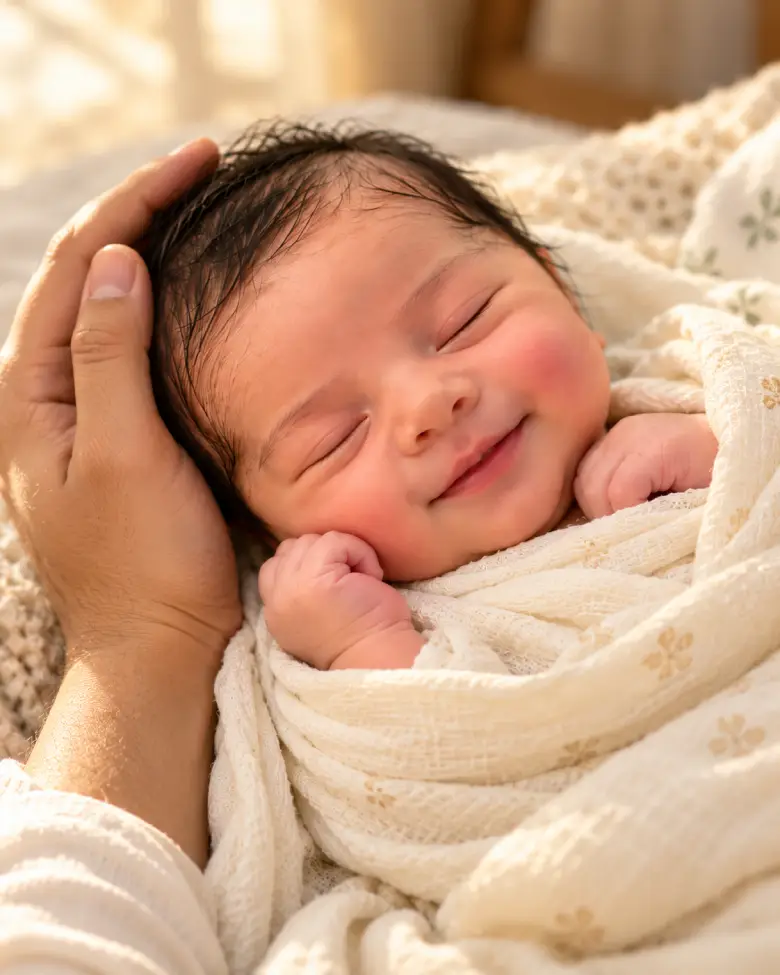
Create an intimate close-up using the uploaded photo: the baby asleep in cream muslin, a parent's hand gently supporting the baby's head. Natural hand anatomy with five fingers, soft window light, warm skin tones, shallow depth of field.
AI often gets fingers wrong. If they look off, regenerate before editing anything else.
baby Big sibling kiss Propmt
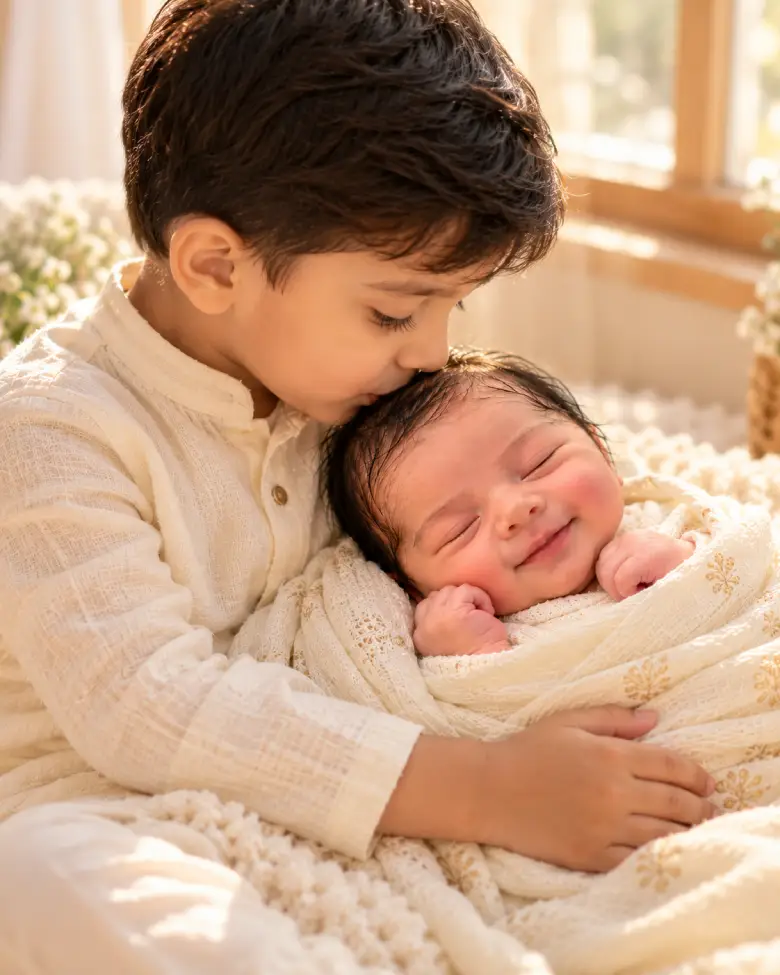
Using both uploaded photos, the newborn and the older sibling, create a gentle portrait of the older child softly kissing the newborn's forehead. Both wear soft cream clothing and sit on a light rug near a window. Keep each child's face, hair and skin tone as in their own photo. Do not blend their features.
Family and sibling prompts
These describe a baby instead of using a reference, so the result won’t be your baby. That suits mood boards, nursery ideas and design mockups.
Sleeping newborn studio style Prompt
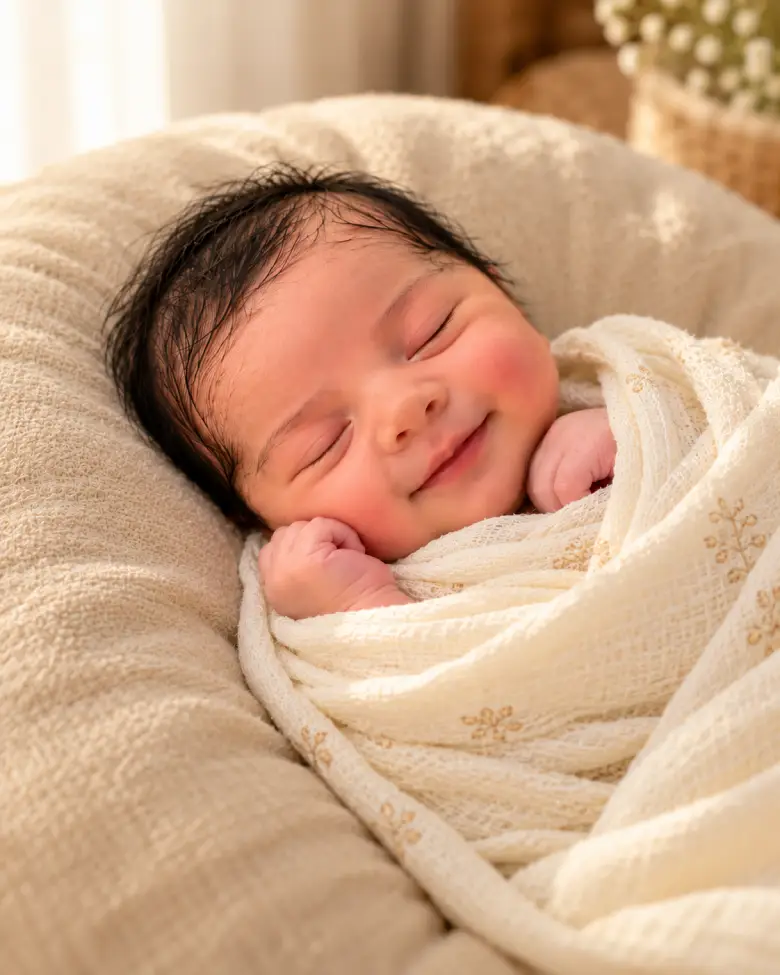
Photorealistic professional newborn portrait of a sleeping baby about ten days old, wrapped in cream muslin on a beige beanbag. Natural newborn skin with slight redness and fine baby hair, eyes closed. One large softbox from camera left, warm cream palette, 85mm lens at f/2, shallow depth of field with the face in sharp focus.
baby Window-light lifestyle prompt
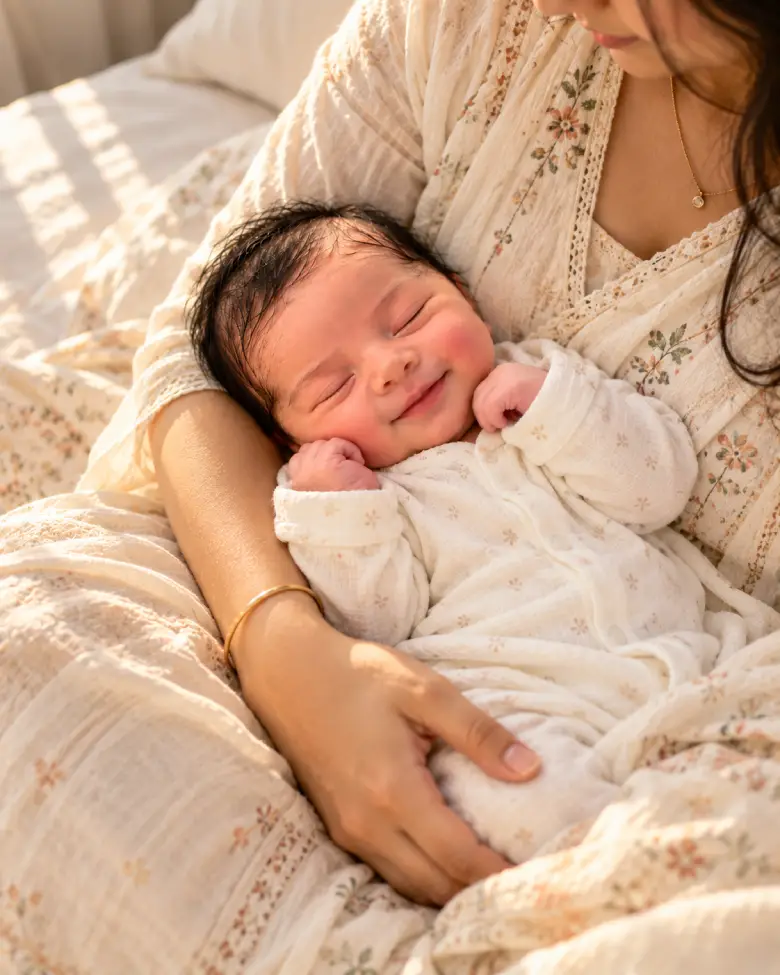
Photorealistic overhead lifestyle photo of a newborn asleep in a mother's arms on a sunlit bed, the baby in a soft white cotton onesie. Natural daylight from a side window, linen bedding, warm skin tones. Crop the mother from the chin down so the focus stays on the baby. 50mm lens at f/2.
Why the baby’s face changes (and what fixes it)
The AI isn’t cutting your baby out and moving them. It generates a new image guided by your photo, so features like eye shape or the nose can shift. A few things help:
- Use the identity-lock line and keep the rest of the prompt short. Long, adjective-heavy prompts pull the face toward “generic beautiful baby.”
- Don’t ask for things the photo contradicts. Requesting “big smile” or “wide blue eyes” from a sleeping baby forces a redraw of the face.
- Change one thing per follow-up. Asking for a new wrap, a new background and new lighting at once resets more than you meant to.
- Start a fresh chat if it keeps drifting. A clean chat with the original photo often works better than a fifteenth correction.
- Try a sharper, front-facing photo. More facial detail in gives more likeness out.
If the exact face matters most, a background-replacement editor that keeps your original photo may serve you better than any prompt.
Safety and privacy before you upload
Check the tool’s photo policy first: whether images are stored, shared or used for training. Share a copy without location data, and think twice before posting a baby’s full name, birth date or hospital next to an image. These images look real, so consider saying they’re AI-made when you post them.
Also, an AI picture is not a posing guide. Bowls, moon props and cradles surrounded by flowers are only safe in a composite. Real newborn shoots use trained handlers, and nothing here shows safe sleep, so don’t copy the setups with a real baby.
Turning the image into a keepsake
AI tends to garble text, which is why the announcement prompt leaves the bottom blank. Add the name, date, time and weight yourself in Canva or any editor, and print from there.
Frequently Asked Questions
Attach a clear photo of your baby in ChatGPT or Gemini, paste the identity-lock line plus one prompt, then zoom in and compare the result with your original. Refine one change at a time.
It regenerates the image rather than editing your photo, so small features can drift. Shorter prompts, a sharper source photo and one change per follow-up reduce it.
Yes. Upload the photo, paste the prompt, and adjust the wording if the first result misses the mood. Results vary by photo, so try both tools.
Personal cards and announcements are fine in most cases. For anything commercial, read the tool’s current terms and get the parents’ written consent if a real baby’s photo is involved. This isn’t legal advice.