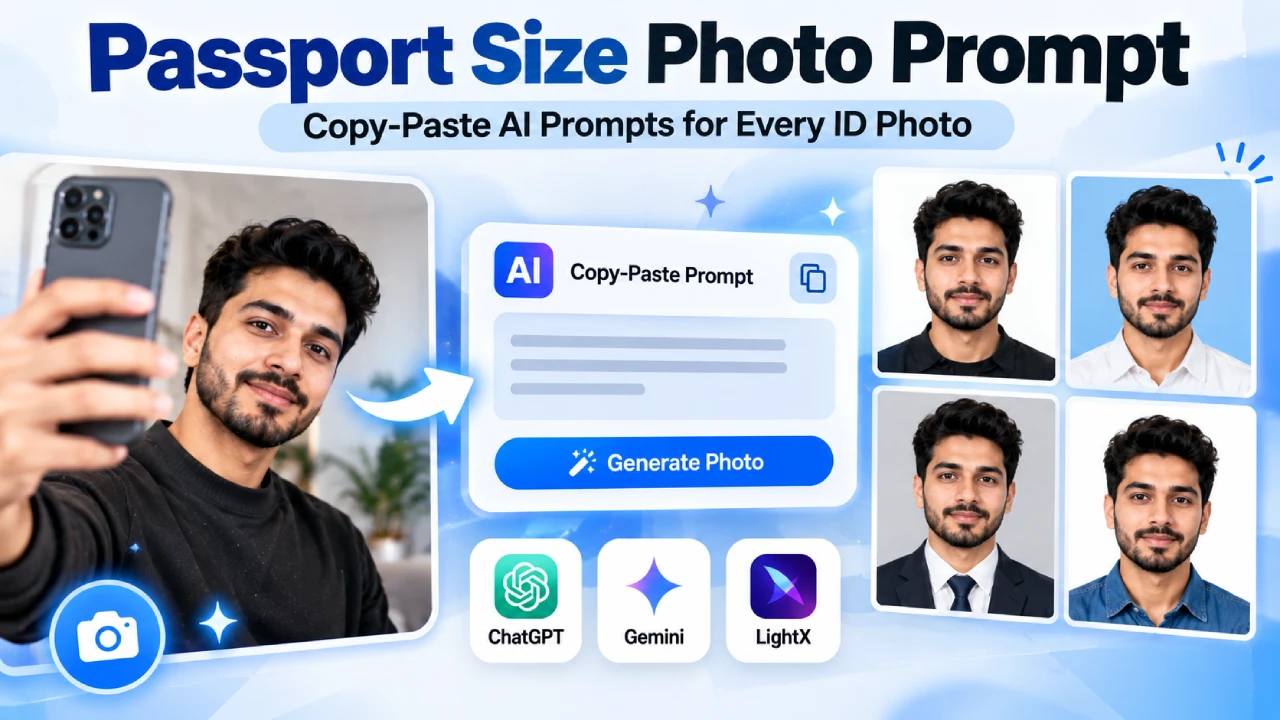
Skip the photo studio queue. Upload a clear selfie, paste one of the prompts below into ChatGPT, Gemini, or a tool like LightX, and you’ll have a compliant passport, visa, Aadhaar, or PAN-size photo in under a minute — with your actual face, not an AI-smoothed stand-in.
Start here: the go-to passport photo prompt
This one prompt covers most official photo needs on its own. Everything after this section just adjusts it for a specific person, country, or format.
Universal passport / ID photo prompt
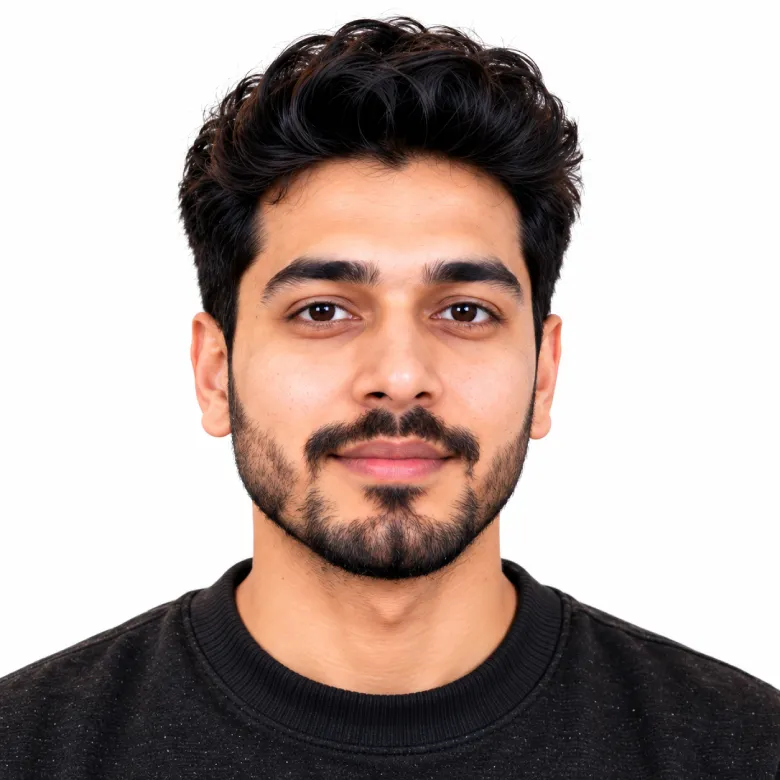
Works for passport, visa, Aadhaar, PAN, and most government ID photos
Turn this photo into a passport-ready portrait. Keep the person's face, skin tone, hairline, and identity exactly as they appear in the uploaded photo — no reshaping, no age change, no added features. Face the camera directly, neutral expression, mouth closed, eyes open and clearly visible. Set a plain white background with soft, shadow-free studio lighting. Head centered, shoulders level, filling roughly 70–80% of the frame height. Output as a sharp, high-resolution 2×2 inch (51x51mm) image at 300 DPI, ready to print or upload for any official ID application.
Prompts by person
Same base rules, adjusted for who’s actually in the photo. Every prompt here carries a face-lock line on purpose — most free AI tools will quietly soften or “improve” a face unless you explicitly tell them not to.
Adult man (business formal) Photo Prompt
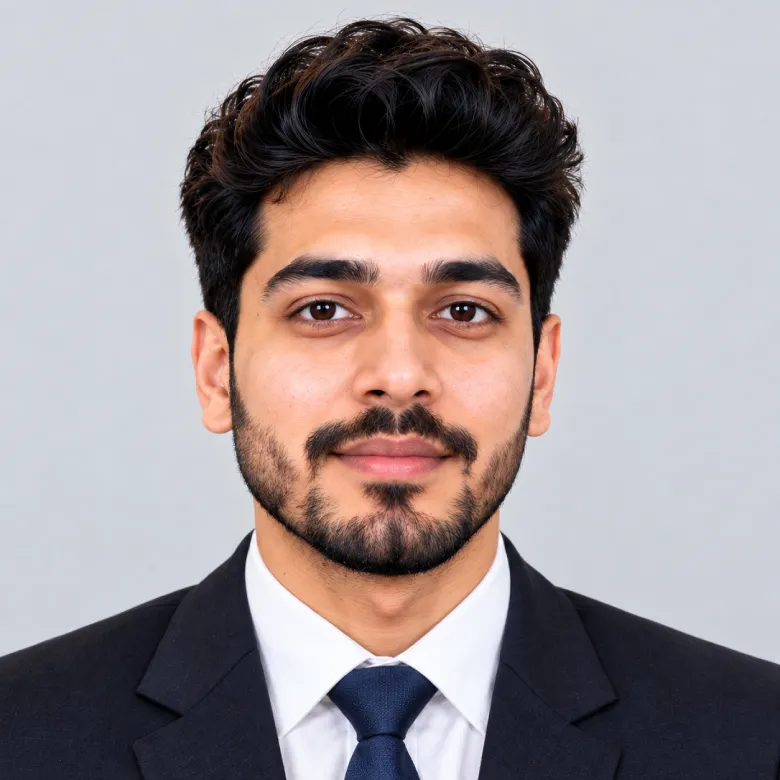
Job applications, corporate ID, LinkedIn-adjacent formal use
Generate a passport-style photo of the man in this photo wearing a plain dark suit, white shirt, and navy tie. Preserve his real facial structure, skin tone, and expression style — this should still look like him, not a stylized version. Neutral expression, mouth closed, direct eye contact, ears visible. Light grey background, even studio lighting with no harsh shadows. Head and upper shoulders in frame, sharp focus, natural skin texture, no filters or retouching.
Adult woman (professional) Photo Prompt
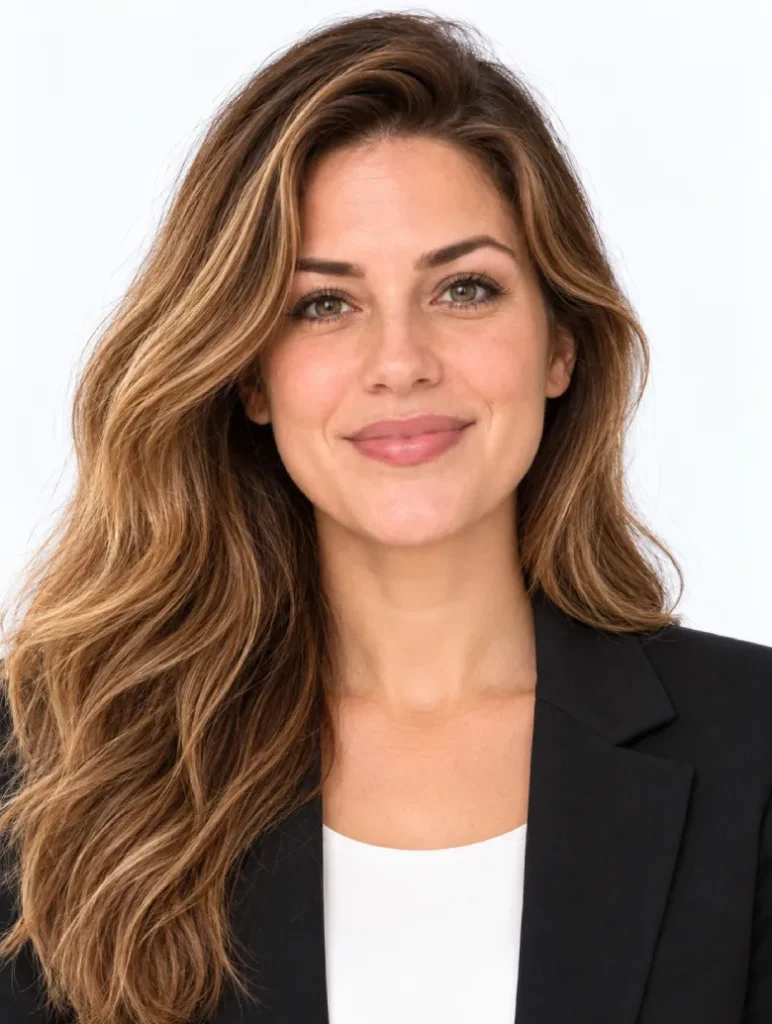
Passport, visa, professional ID cards
Create an ID-style photo of the woman in this photo in a smart blazer over a plain blouse. Keep her exact facial features, hairstyle, and skin tone unchanged from the original image. Front-facing, neutral expression, closed mouth, both ears visible, hair away from the eyes. Plain white or pale blue background, soft even lighting, no shadows on the face. High-resolution, print-ready, no beauty filters.
Child or toddler Passport Size Photo Prompt
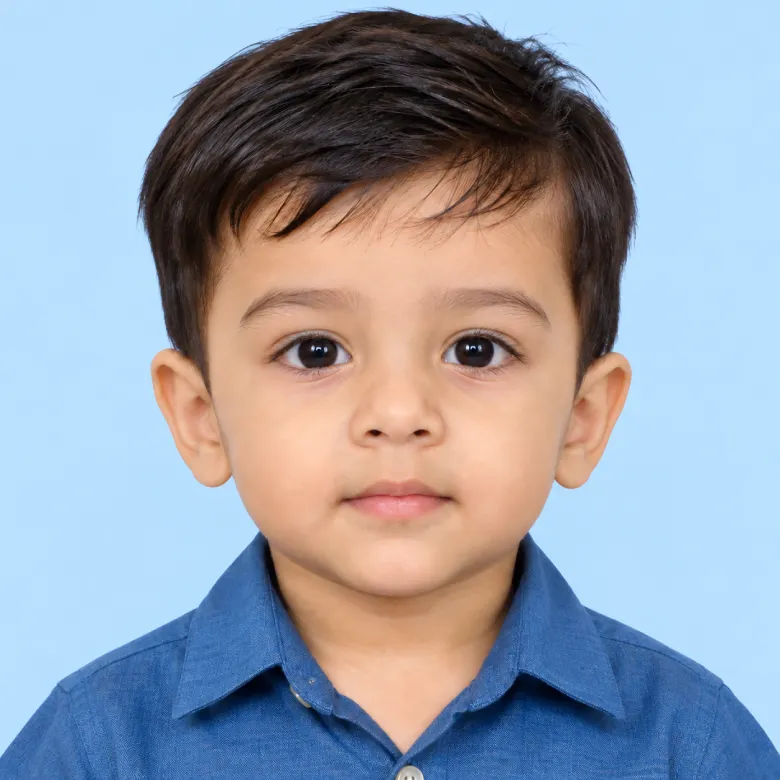
Child passport, school ID, minor’s visa application
Generate a passport photo of the child in this photo, keeping their real face, expression style, and current age exactly as shown — do not age them up or alter their features. Plain light blue background, gentle even lighting, no shadows. Eyes open, face fully visible, a neutral or naturally relaxed expression is fine for a child. No toys, no pacifiers, no hands visible in frame. Sharp focus, natural colors, print-ready quality.
Old Men Passport Size Photo Prompt
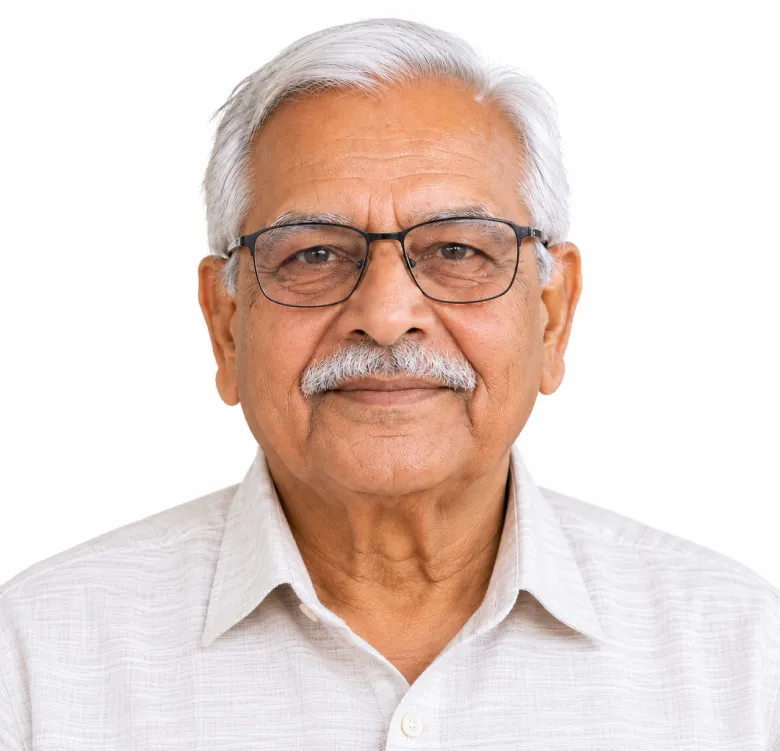
Create a passport-style portrait of the elderly person in this photo. Keep their real wrinkles, hair color, and facial structure — this should look like an honest, current photo of them, not a smoothed or de-aged version. Neutral, calm expression, direct eye contact, mouth closed. Plain white background, soft shadow-free lighting that doesn't flatten out their natural texture. High-resolution, no retouching, no filters.
Wearing a hijab or turban Photo Prompt
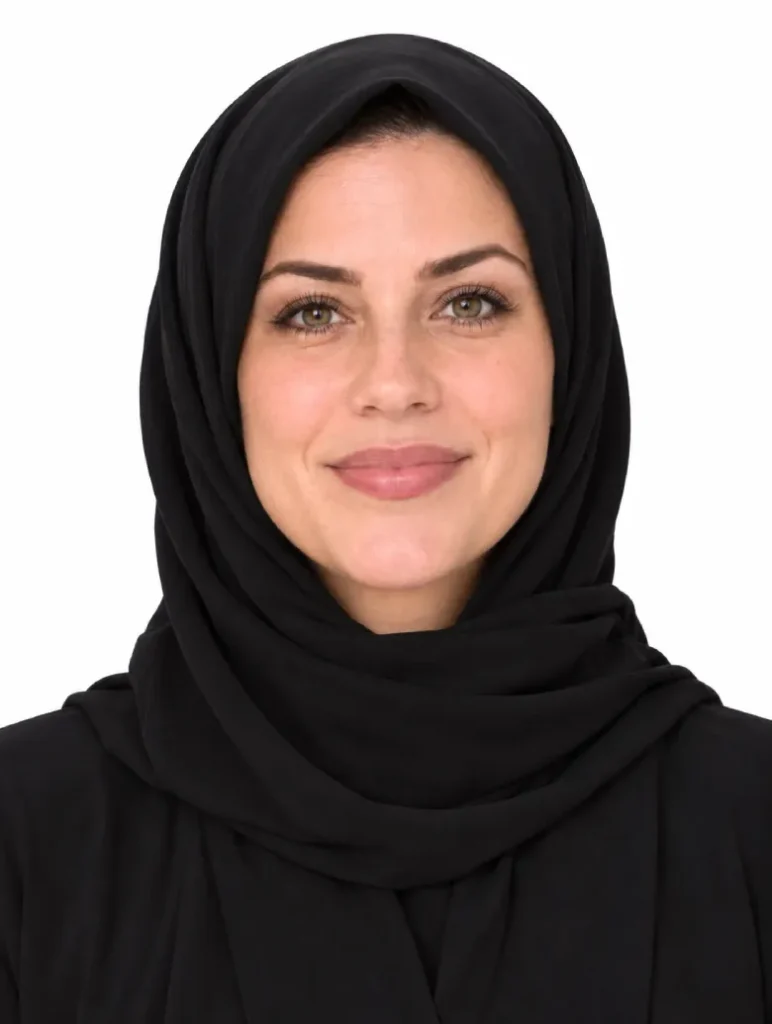
Passport and visa photos with religious headwear
Generate an ID-compliant photo of the person in this photo wearing their hijab or turban exactly as shown, with the full face visible from chin to forehead and no shadows across the cheeks. Preserve their real facial features and skin tone. Front-facing, neutral expression, eyes clearly open and visible, plain white background, even studio lighting. Modest clothing at the shoulders, no jewelry or extra accessories. High-resolution, compliant with standard passport and visa guidelines for religious headwear.
Country-wise passport photo sizes
The prompt logic doesn’t change much between countries — mostly just the size and background. Use this table for quick reference, then the four prompts below for exact wording per country.
| Country / use | Photo size | Background |
|---|---|---|
| India (passport, Aadhaar, PAN) | 2 x 2 in (51 x 51 mm) | Pure white |
| USA (passport, visa) | 2 x 2 in (51 x 51 mm) | White or off-white |
| UK (passport, visa) | 35 x 45 mm | Light grey or cream |
| Canada (passport, visa) | 50 x 70 mm | Plain white |
India — passport / Aadhaar / PAN Size Photo Prompt
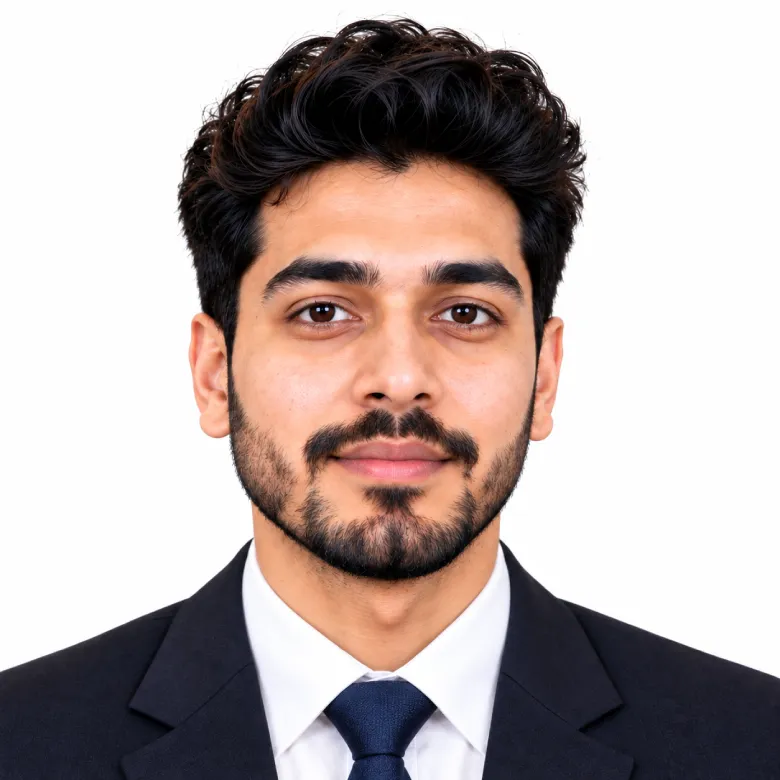
Create a biometric passport-style photo for Indian documents (passport, Aadhaar, PAN card) using this photo. Face centered, occupying about 70–80% of the frame height, eyes open and clearly visible, neutral expression, mouth closed. Pure white background, even studio lighting, no shadows. Preserve the person's real facial features and skin tone exactly. Output at 2×2 inch (51x51mm), minimum 600×600 pixels, 300 DPI, print-ready.
USA — passport / visa Size Photo Prompt
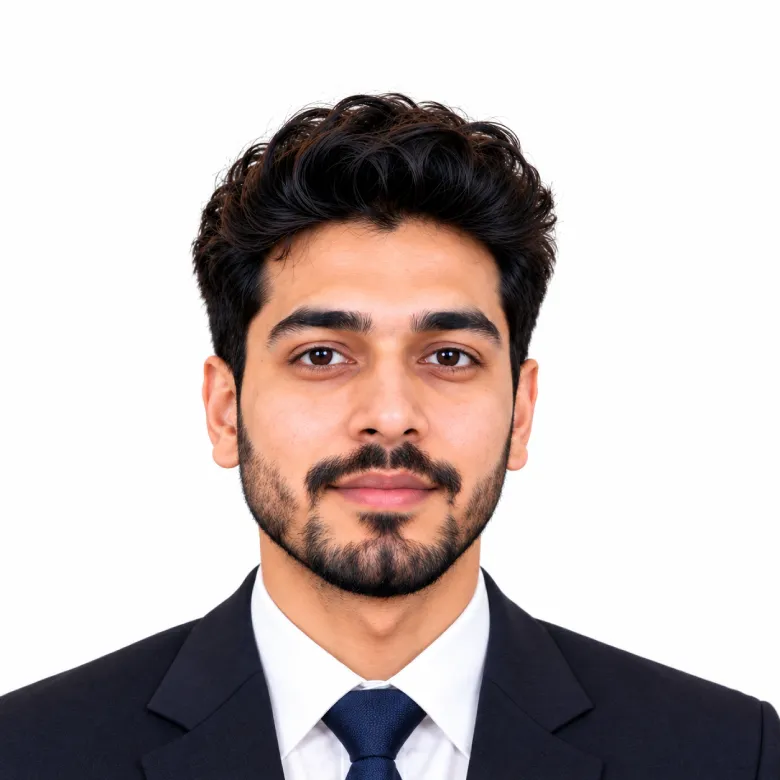
Create a US passport and visa-style photo from this photo. Head size following US guidelines, occupying roughly 50–69% of frame height, direct eye contact, neutral expression, mouth closed. Plain white or off-white background, professional lighting with no shadows or red-eye. Keep the person's actual facial features unchanged. Output at 2×2 inch (51x51mm), minimum 600×600 pixels.
UK — passport / visa Size AI Prompt
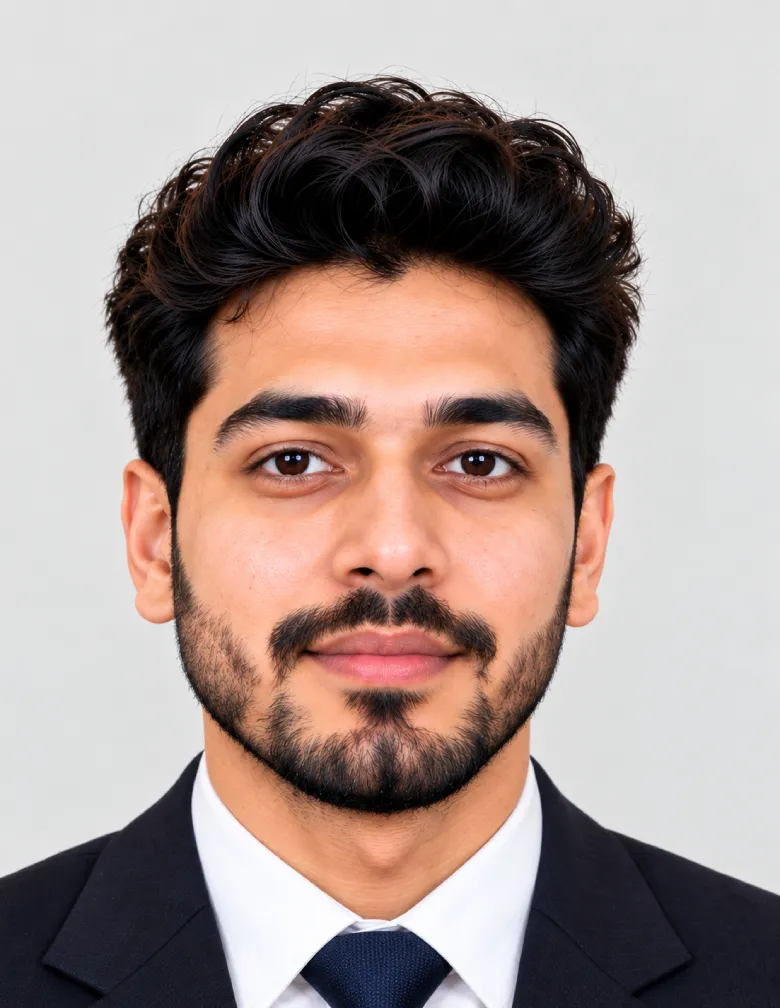
Create a UK passport or visa-style photo from this photo. Preserve the person's real facial features, skin tone, and expression exactly as captured — no smoothing, no reshaping. Front-facing, neutral expression, mouth closed, both ears visible, eyes open and looking straight ahead. Plain light grey or cream background, even studio lighting with no shadows or glare. Output at 35 x 45 mm, high-resolution, meeting standard UK passport photo format.
Canada — passport / visa Size Ai Prompt
Create a Canadian passport or visa-style photo from this photo. Keep the person's actual facial structure and skin tone unchanged — this must still look like a genuine photo of them, not a stylized render. Front-facing, neutral expression, mouth closed, eyes open and clearly visible. Plain white background, even lighting, no shadows. Head centered with shoulders visible and a proper passport crop. Output at 50 x 70 mm, high-resolution, meeting Canadian passport photo requirements.
Bonus: a 9-photo passport sheet in one prompt
Most studios print a 3×3 sheet anyway. This prompt gets you the same layout at home, with a few outfit and background variations across the squares.
3×3 passport photo grid AI Prompt
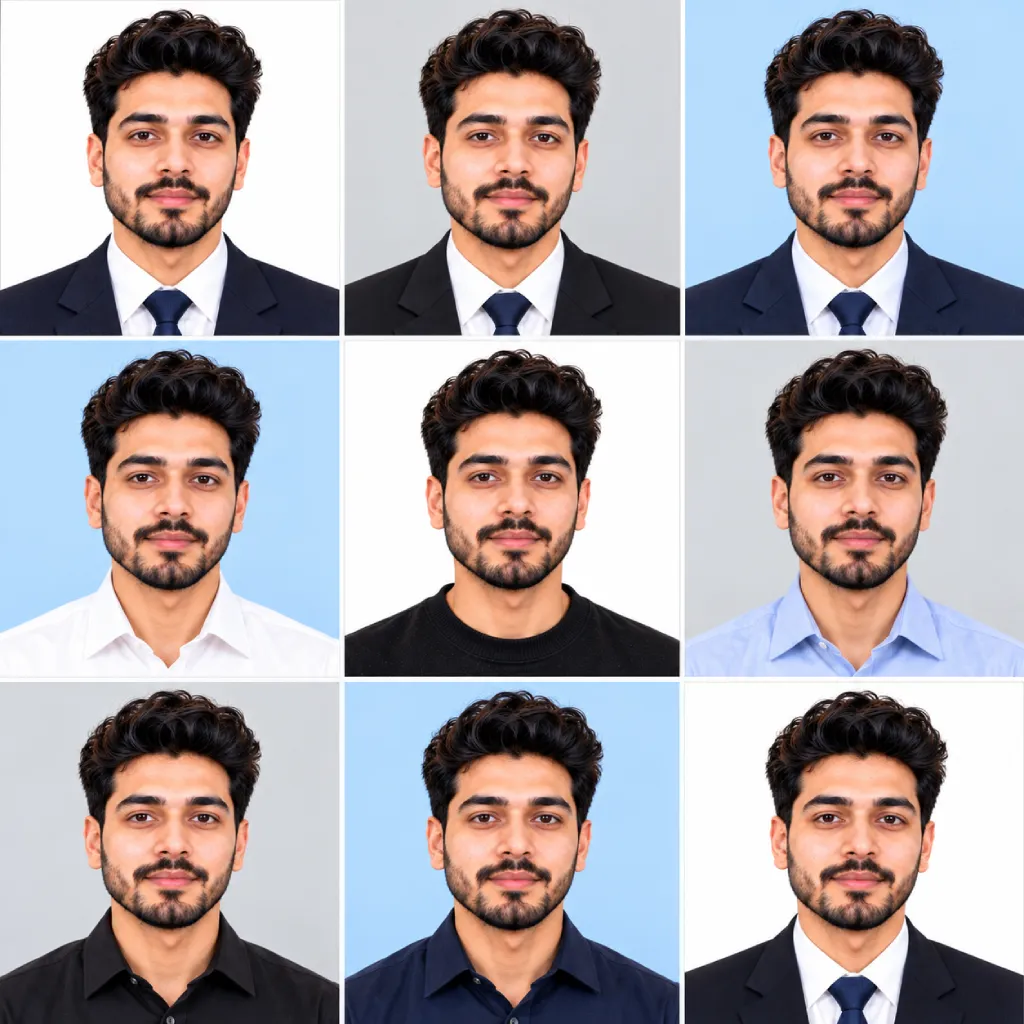
One printable sheet, nine ready-to-cut photos
Generate a 3×3 grid of 9 passport-style portraits of the person in this photo, arranged as a single printable sheet. Keep their identity, facial features, and skin tone identical across all 9 squares — only vary the background (white, light grey, light blue) and outfit (formal shirt, blazer, suit) between squares. Each square 600×600 pixels at 300 DPI, neutral expression, direct eye contact, even studio lighting in every square, no shadows. Clean grid layout, no text or watermark.
Special cases: glasses, beards & old photos
A few details throw off most AI passport photo attempts — glasses glare, facial hair changing on its own, or starting from an old, low-quality photo. These prompts handle each one directly instead of leaving the AI to guess.
Passport photo with glasses Prompt
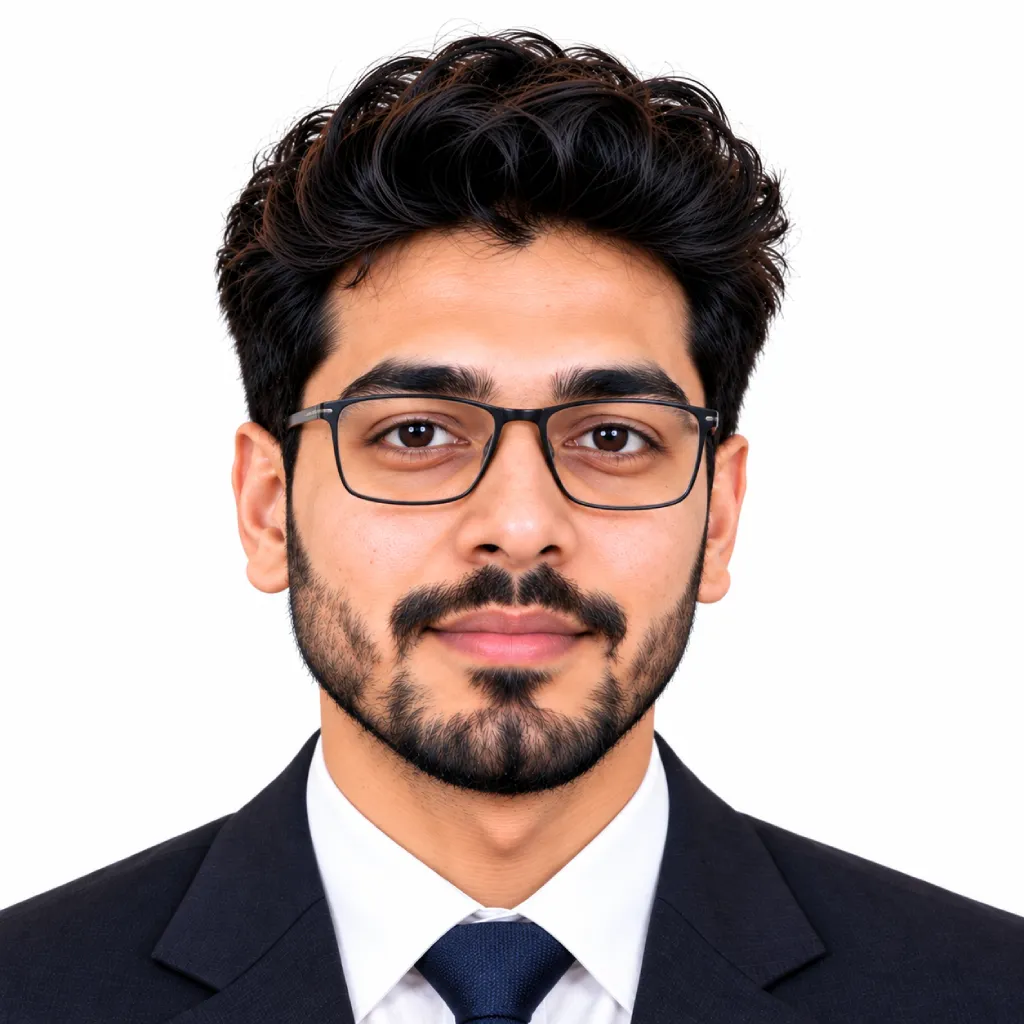
Keeps glasses on without lens glare or reflection
Create a passport-style photo of the person in this photo, keeping their glasses on exactly as shown, with no glare or reflection across the lenses and both eyes still clearly visible behind them. Preserve their real facial features and skin tone unchanged. Neutral expression, mouth closed, direct eye contact, plain white background, even studio lighting angled to avoid any glass reflection. High-resolution, print-ready, no retouching.
Passport photo with a beard Prompt
Keeps facial hair exactly as it is, not trimmed by the AI
Create a passport-style photo of the man in this photo, keeping his beard or facial hair exactly as it currently is — same length, shape, and grey or dark patches, with no trimming or reshaping. Preserve his real facial structure and skin tone. Neutral expression, mouth closed, direct eye contact, plain white background, even lighting with no shadows across the jawline. High-resolution, natural texture, no filters.
Passport photo from an old or blurry photo Prompt
Rebuilds a sharp ID photo from a low-quality source
Using this old or low-quality photo as the only reference, recreate the same person as a sharp, high-resolution passport-style photo. Keep their real facial features, face shape, and identity exactly as shown in the source photo — do not invent details or change their apparent age. Front-facing, neutral expression, mouth closed, eyes open. Plain white background, even studio lighting, no shadows. Output at 2×2 inch (51x51mm), 300 DPI, sharp and print-ready despite the lower-quality source image.
Prompts tuned for a specific AI tool
The core instructions work everywhere, but naming the tool’s own reference behavior helps it stick to the rules more consistently.
Passport photo prompt for ChatGPT
Written for ChatGPT’s image editing tool
Using the uploaded photo as the exact identity reference, generate a passport-style photo of this same person — same face, same skin tone, same features, no artistic reinterpretation. Front-facing, neutral expression, mouth closed, eyes open, plain white background, even studio lighting, no shadows. Crop to head and shoulders, centered composition. Output as a high-resolution 2×2 inch (51x51mm) image suitable for direct download and printing.
Passport photo prompt for Gemini
Written for Gemini’s Nano Banana image model
Using the uploaded photo as the identity reference, generate a passport-style photo of this exact person with full facial consistency preserved — same face shape, skin tone, and features as the original. Neutral expression, mouth closed, direct eye contact, plain white background (#FFFFFF), even studio lighting with zero shadows. Head occupying 70–80% of frame height, centered composition. Output at 2×2 inch (51x51mm), 300 DPI, photorealistic quality.
Beyond official documents: a softer headshot prompt
Same identity-lock logic, minus the strict document rules — for a LinkedIn photo, Instagram profile picture, or any clean headshot that doesn’t need to pass a government check.
Aesthetic passport-style headshot
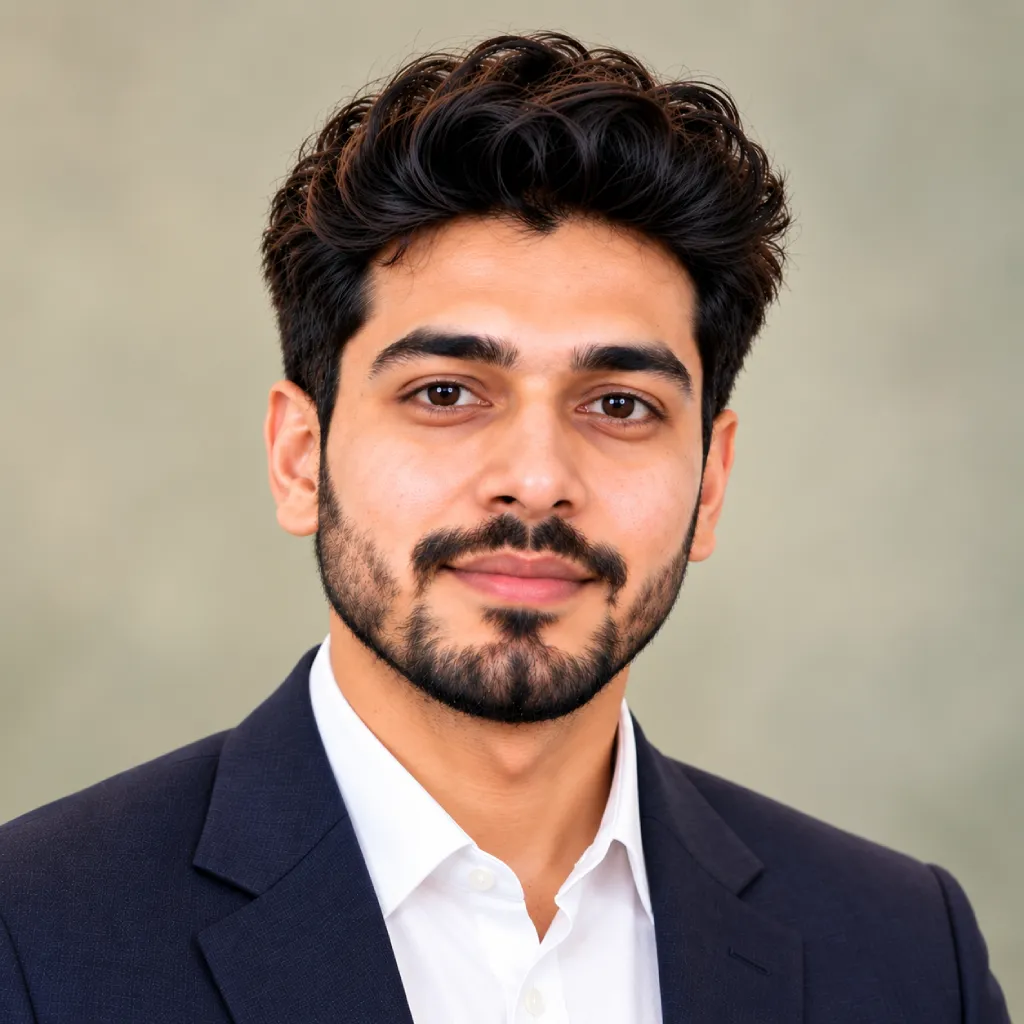
LinkedIn, Instagram, and general profile photos
Create a clean, professional headshot of the person in this photo, styled like a passport photo but softer. Preserve their real facial features, skin tone, and expression — this should still look exactly like them. Front-facing or a very slight angle, natural closed-mouth smile allowed, direct eye contact. Soft muted background (sage green, warm beige, or soft blue), gentle studio lighting with a slight glow, no harsh shadows. High-resolution, natural skin texture, suitable for LinkedIn, Instagram, or a professional profile photo.
Getting a clean result on the first try
The prompt does most of the work, but the photo you start with matters just as much.
Choosing your base photo
- Use a recent photo where your whole face is clearly visible and in focus
- Face the camera directly rather than at an angle
- Skip filters, heavy makeup, or sunglasses — the AI keeps whatever it sees in the source
- Keep hair away from your eyes and forehead
- A plain background helps, though most prompts above override it anyway
Mistakes that ruin the output
- Leaving out “preserve facial features” — some tools soften or subtly change faces by default
- Forgetting the exact size in mm or inches — output defaults to a generic square otherwise
- Skipping “no shadows” — indoor phone photos often add a shadow under the chin
- Starting from a group photo or a tightly cropped selfie
Frequently Asked Questions
Yes. Paste any prompt above into ChatGPT’s image tool along with your photo. It follows the sizing and background instructions reasonably well, though for exact print-ready DPI output, Gemini or a dedicated tool like LightX tends to stay more consistent.
Gemini, ChatGPT, and tools like LightX all offer free credits or a free tier that’s enough to generate a handful of passport photos — you don’t need a paid plan just to try one.
2 x 2 inches (51 x 51 mm) on a plain white background, with the face taking up about 70–80% of the frame — the same specification used for passport, Aadhaar, and PAN card photos.
The wording works the same across both. Gemini just tends to follow the exact background color and framing instructions a little more literally, which matters more when a photo needs to pass strict biometric checks.
Keep the face-preservation and lighting instructions, but swap “plain white background” for something softer like a muted sage or warm beige backdrop, and allow a very slight, natural smile — that’s enough to make it feel like a portrait rather than an ID photo.