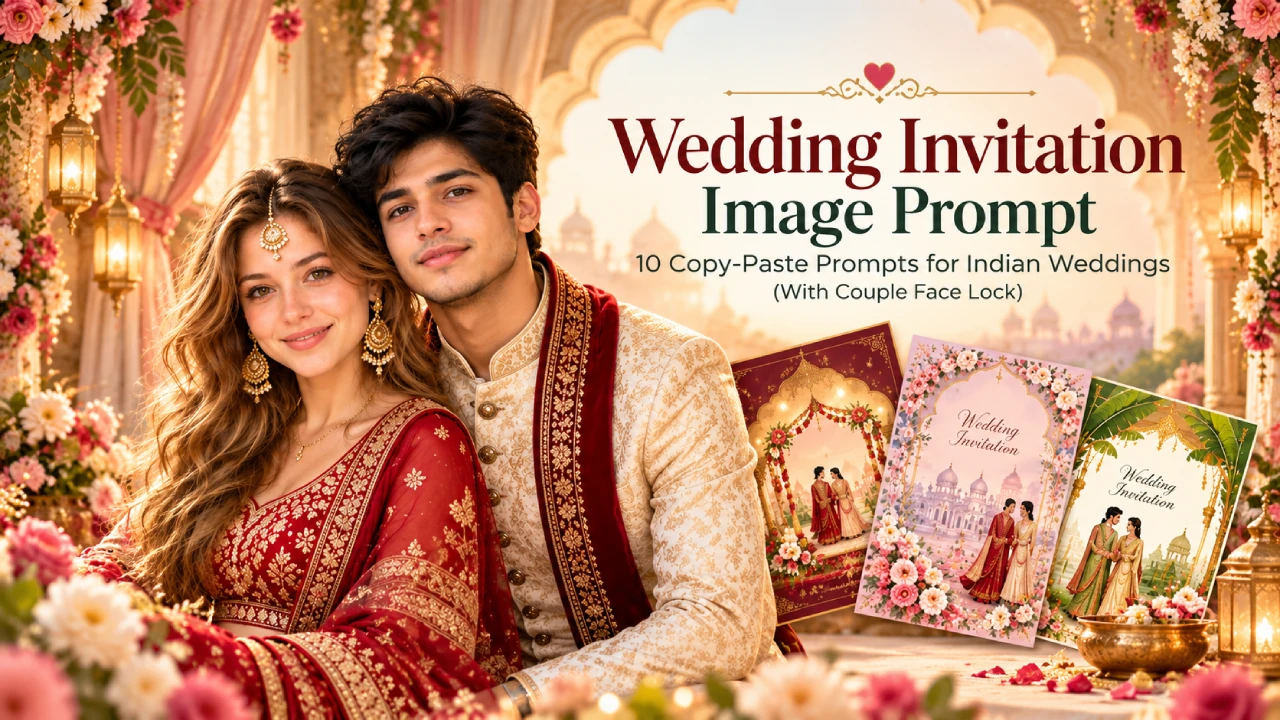
A wedding card used to mean three rounds with a designer and a WhatsApp group full of opinions. Now one good wedding invitation image prompt can give you a finished card in a few minutes, in your own colours, your own outfits, and with your own faces on it.
The catch is that most prompts you find online either ignore the couple’s photo or let the AI quietly change your face. This guide fixes both. You get 10 prompts that are ready to paste: 6 that use your couple photo with a face lock built into every prompt, and 4 that make text-free card art you can finish in Canva.
Every prompt works in Gemini and ChatGPT. Replace the [brackets] with your details and you are done.
How a good wedding invitation prompt is built
AI image tools follow the order you write things in, so a messy prompt gives a messy card. Keep this order and almost every prompt behaves:
- Format first. Say vertical, 4:5 or 9:16, and that it is a wedding invitation card.
- Scene and style. Mandap, church, Mughal arch, watercolor, cartoon. One style per card.
- Outfits and colours. Name the colours. “Maroon and gold” works. “Nice colours” does not.
- Exact text. Put names, date and venue inside quotation marks so they are copied as written.
- What to leave out. End with “no other text, no watermark”.
One rule saves more reprints than any other: keep the text short. Names, date, time and venue are fine. A full paragraph of blessings will almost always come out garbled, so add that yourself afterwards.
Why the couple photo goes wrong (and what the face lock does)
When you upload a photo and ask for a wedding scene, the AI often “improves” you. The jawline gets sharper, the skin gets lighter, the beard disappears, or the groom suddenly looks ten years younger. Your family will notice before you do.
The fix is simple. Tell the tool, in plain words, which features must not change and what is allowed to change. Every photo prompt below carries its own face lock, so you can copy any one of them on its own without hunting for a separate block.
Before you upload, pick the right photo:
- Front-facing or slightly angled, both faces clearly visible
- Good daylight, no heavy filter, no sunglasses or masks
- Sharp image. A blurry photo gives a blurry, unrecognisable face
- If you only have two separate photos, upload both and mention “the bride is the person in the first photo, the groom is the person in the second”
Couple photo wedding invitation prompts (face lock included)
Upload your couple photo first, then paste the prompt.
Hindu mandap invitation
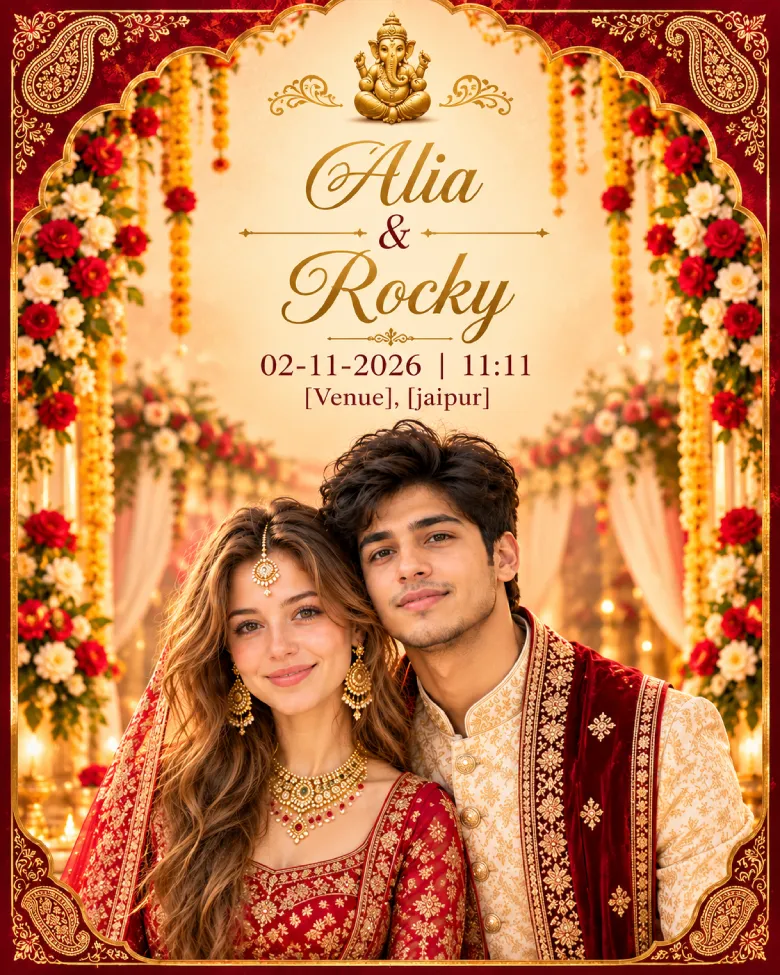
A warm, traditional card with marigolds and a Ganesh at the top. Works for most North and West Indian weddings.
Upload the couple's photo first. Create a vertical 4:5 wedding invitation card using this photo. Keep both faces exactly as they appear in the photo: same face shape, eyes, nose, lips, skin tone, hairline, beard and age. Do not smooth, slim, lighten or beautify them, and keep their natural smiles. Only the outfits and the background may change. Scene: the couple stands in front of a decorated mandap with marigold and rose garlands, warm golden evening light, soft background blur. Groom in a cream sherwani with a maroon stole, bride in a red bridal lehenga with gold jewellery. Blend them into the scene with matching light and shadows so it does not look pasted. A small gold Ganesh illustration sits at the top centre. Text, exactly as written, centred: “[Bride Name] & [Groom Name]” in gold calligraphy; “[Date] | [Time]” and “[Venue], [City]” in a small clean serif font. Deep maroon and gold border with paisley corners. No other text, no watermark.
Royal Mughal pastel invitation
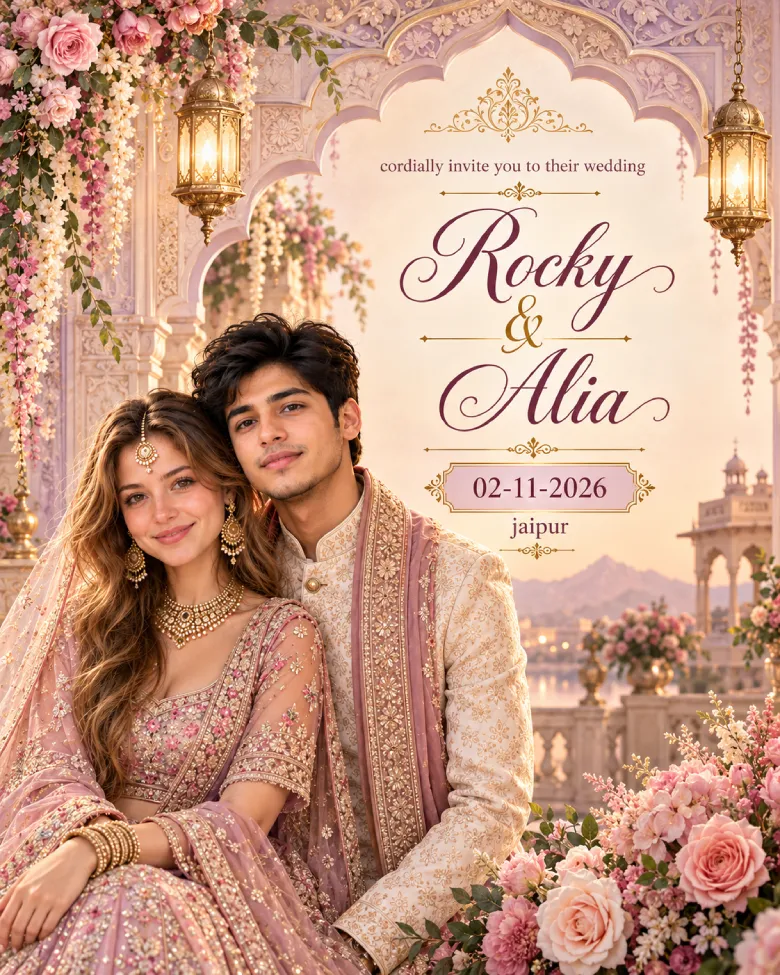
Soft lavender and blush instead of the usual heavy red. Good for evening receptions and palace venues.
Using the uploaded couple photo, design a vertical 4:5 royal wedding invitation. The faces must stay true to the photo: copy the exact facial structure, eye shape, skin tone, hairstyle and expression of both people, with no retouching and no change in age. Style: soft lavender, blush pink and beige palette, a carved Mughal arch framing the couple, two hanging brass lanterns near the top, a faint floral pattern on the paper. Place the couple at the bottom left, standing close, groom in a pastel sherwani, bride in an embellished pastel lehenga. A large bouquet of roses and peonies sits in the bottom right corner. Soft studio lighting, gentle vignette. Text, exactly as written: “[Groom Name] & [Bride Name]” large in elegant script, “cordially invite you to their wedding” small above it, “[Date]” highlighted, “[City]” below. No other text.
South Indian silk and temple-border invitation
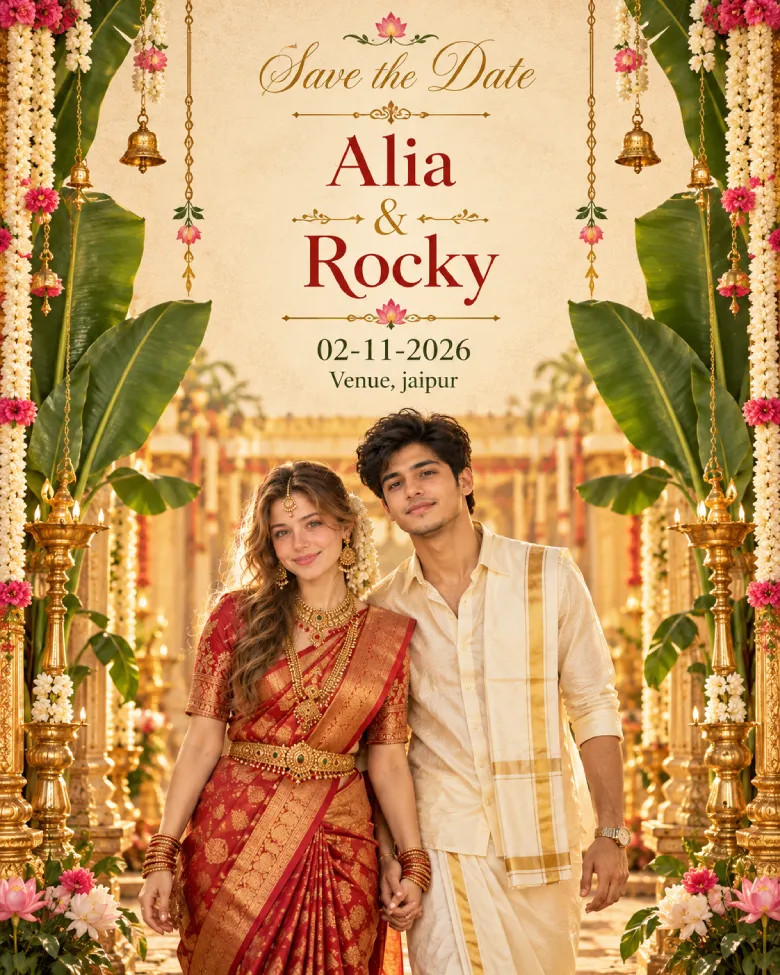
Banana leaves, jasmine, gold borders and silk. Change the saree and veshti colours to match your family tradition.
Create a vertical 4:5 luxury Nikah invitation using the uploaded couple photo as the ONLY identity reference. Preserve both faces exactly, including facial features, skin tone, hairstyle, beard, and natural expressions. Do not beautify, age, or change their identity. Dress the groom in an ivory sherwani with subtle embroidery and the bride in a modest pastel bridal outfit with a dupatta and delicate jewelry. Place the couple centered in front of elegant ivory drapes, white roses, soft candlelight, an arched frame, and a refined emerald-and-gold geometric border. Leave the top 20–25% completely empty with a plain ivory background for adding the Bismillah later. Add only this text exactly as written: "[Rocky] & [Riya]" in elegant script, "[02-11-26] | [11:11]" and "[Venue], [jaipur]" in a clean serif font. Do not add any other text, Arabic calligraphy, logos, or watermarks. Premium, elegant, realistic, print-ready invitation design with soft lighting and balanced composition.
Nikah invitation (Muslim wedding)
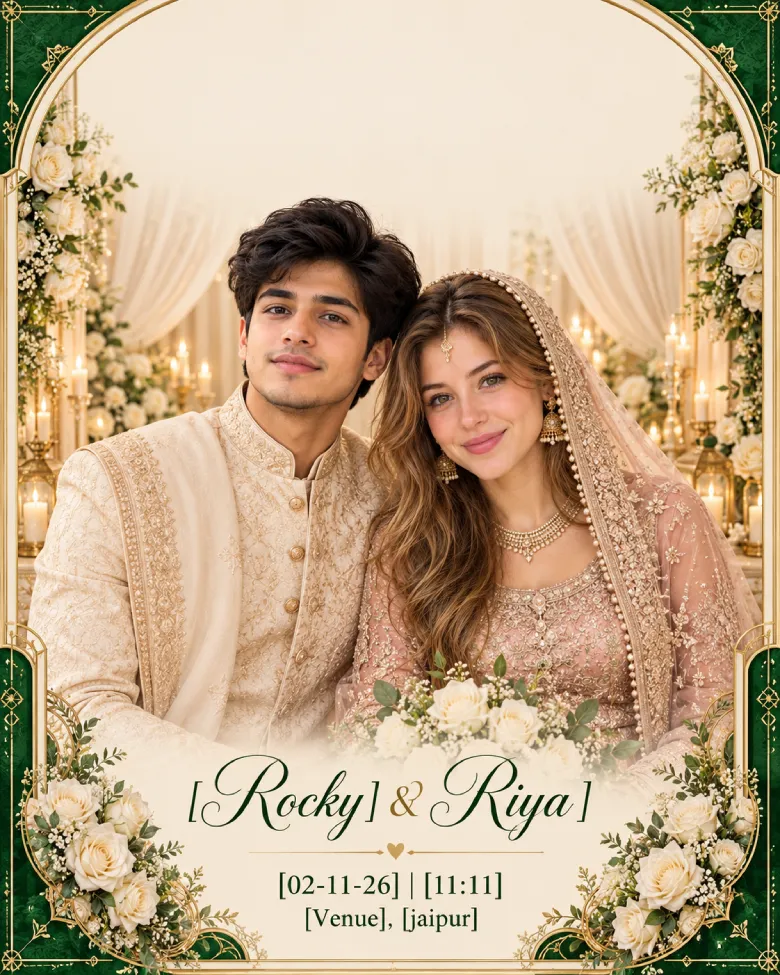
This one leaves an empty band at the top on purpose. The Bismillah and any verse are sacred text, so type them yourself from a verified source rather than letting the AI invent Arabic-looking letters.
Create a vertical 4:5 nikah invitation using the uploaded couple photo. Preserve both faces exactly: face shape, eyes, nose, skin tone, beard or hairline and natural expression must match the photo, with no beautifying or ageing changes. Dress the groom in an ivory sherwani with subtle embroidery and the bride in a modest pastel bridal outfit with a dupatta drape and soft jewellery. Setting: ivory drapes and white roses with soft candlelight, an arched frame, an emerald and gold geometric border. Keep a wide empty band across the top with no writing in it, because the Bismillah will be added separately. Text, exactly as written: “[Groom Name] & [Bride Name]” in elegant script, “[Day], [Date] | [Time]” and “[Venue], [City]” in a clean serif font. No Arabic-looking marks, no other text.
Church wedding invitation (Christian)
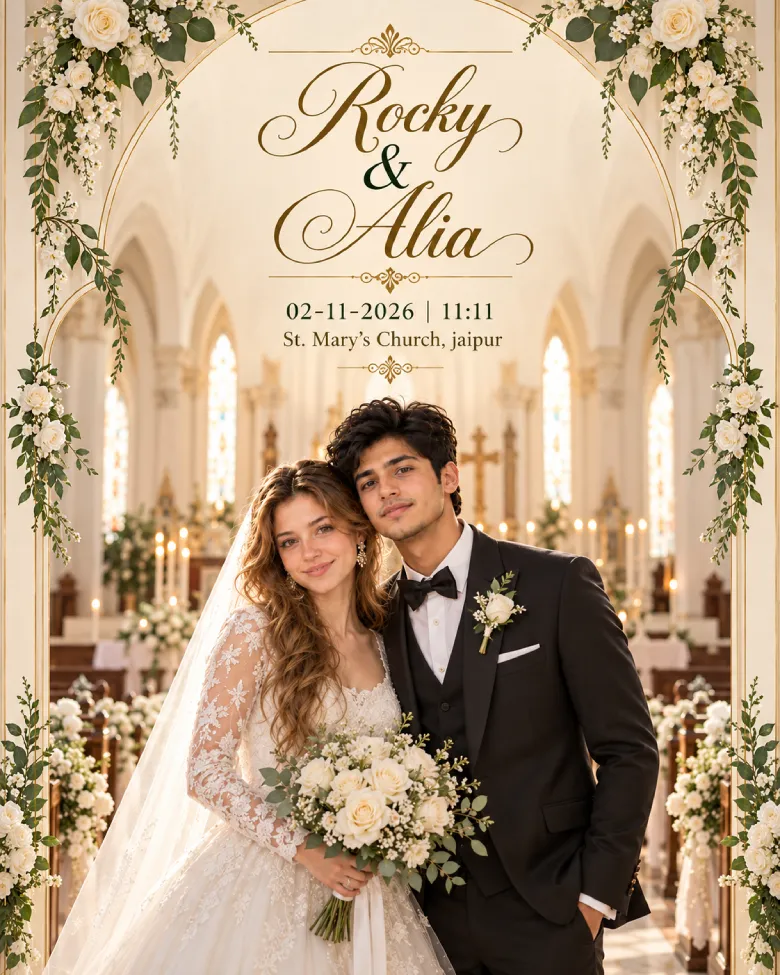
Calm, ivory and green, with the couple in the middle of the aisle.
Design a vertical 4:5 church wedding invitation from the uploaded couple photo. Hold both faces identical to the photo: same face shape, features, skin tone and expression, no smoothing and no change in age. Only the clothes and the scene may change. Scene: a quiet church interior with tall arches, ivory and beige tones, wooden pews, white roses and greenery along the aisle, soft window light. Groom in a black tuxedo, bride in a white gown with a veil and bouquet, standing together in the centre of the aisle, smiling gently. Blend them in naturally with correct light and shadow. Text, centred, exactly as written: “[Groom Name] & [Bride Name]” in script, “[Date] | [Time]” and “[Church Name], [City]” in a refined serif font. Small floral frame, no other text.
Cartoon “Save the Date” invitation
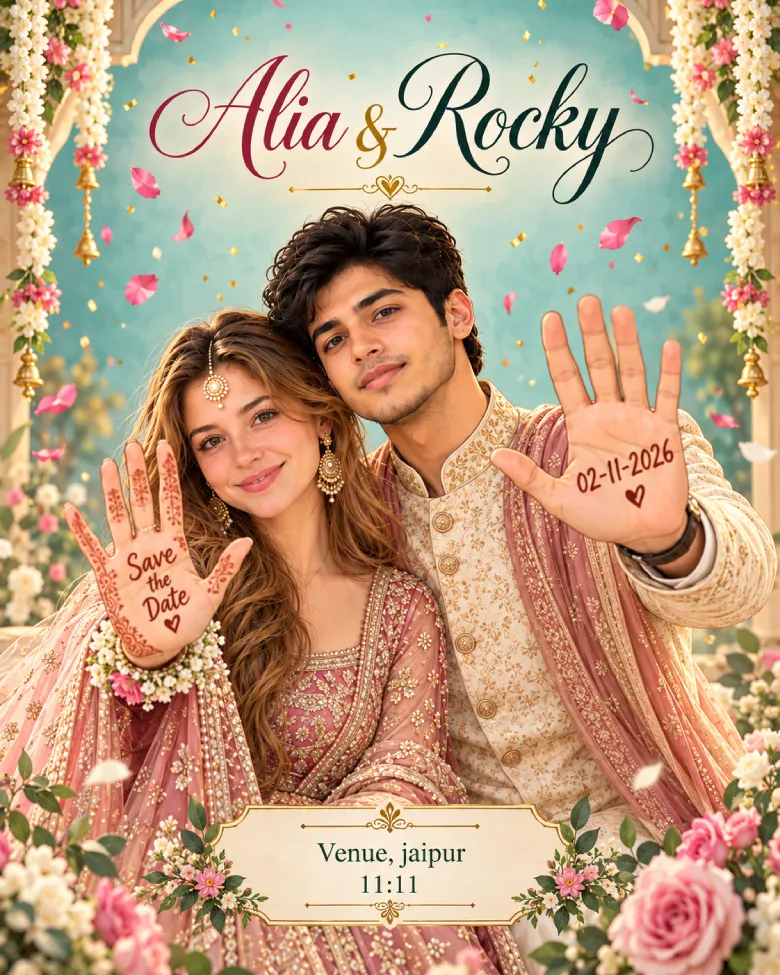
Popular for WhatsApp and Instagram. The couple is drawn, but still has to look like the two of you.
Turn the uploaded couple photo into a cheerful cartoon wedding invitation, vertical 4:5. The characters must clearly look like these two people: keep their face shape, eyes, hairstyle, beard or glasses, and skin tone recognisable, only drawn in a clean digital illustration style with soft shading and friendly smiles. Pose: half-body, standing side by side, both holding up their palms to the camera. Write “Save the Date” on the bride's palm and “[Date]” on the groom's palm in handwritten letters. Outfits: festive Indian wedding wear in coordinated colours. Background: soft teal gradient with falling petals and a little confetti. Text, exactly as written: “[Bride Name] & [Groom Name]” at the top, “[Venue], [City]” and “[Time]” at the bottom in a neat modern font. No other text.
Text-free invitation art prompts (finish the text yourself)
These four do not need a photo. They ask for the artwork only, with an empty panel in the middle. You then add names, date and venue in Canva, Figma or Photoshop. It sounds like extra work, but it is the safest way to get spellings right, and it is the only practical way to get clean Hindi, Gurmukhi or Tamil text on the card.
Rajasthani royal palace art prompt
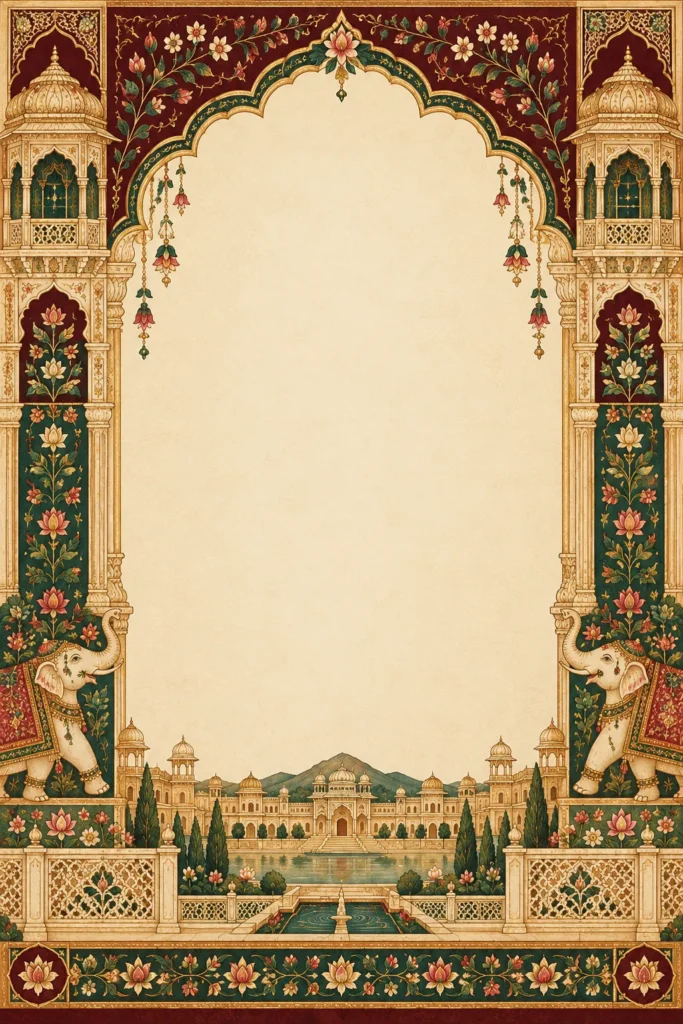
Vertical 2:3 flat wedding invitation artwork, front view, not a mockup. Style: Rajput miniature painting, flat colour with fine gold linework, on aged cotton paper. Palette: deep maroon, emerald, ivory and antique gold. A scalloped Mughal arch with jharokha windows frames the card, a palace silhouette sits along the base and two elephants walk in the side borders. Keep a large, empty ivory panel at the centre with no text, so names and dates can be added later. No people, no letters, no symbols that look like writing, no watermark.
Minimal floral watercolor prompt
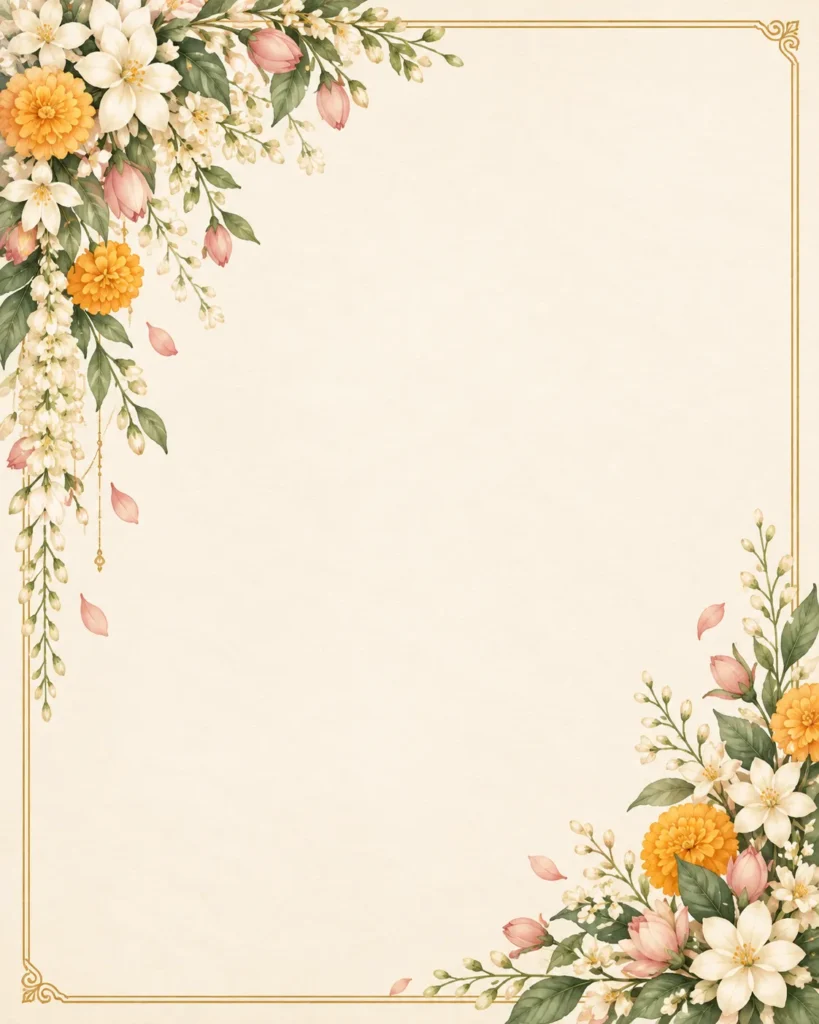
Vertical 4:5 flat invitation artwork in a soft watercolor botanical style. Blush, sage and ivory colours, with jasmine and marigold sprigs only in the top-left and bottom-right corners and one thin gold line frame. About 70 percent of the card stays empty ivory for text. Flat front view, no mockup, no table, no shadow. No text, no letters, no watermark.
Neutral fusion design (good for interfaith or modern weddings)
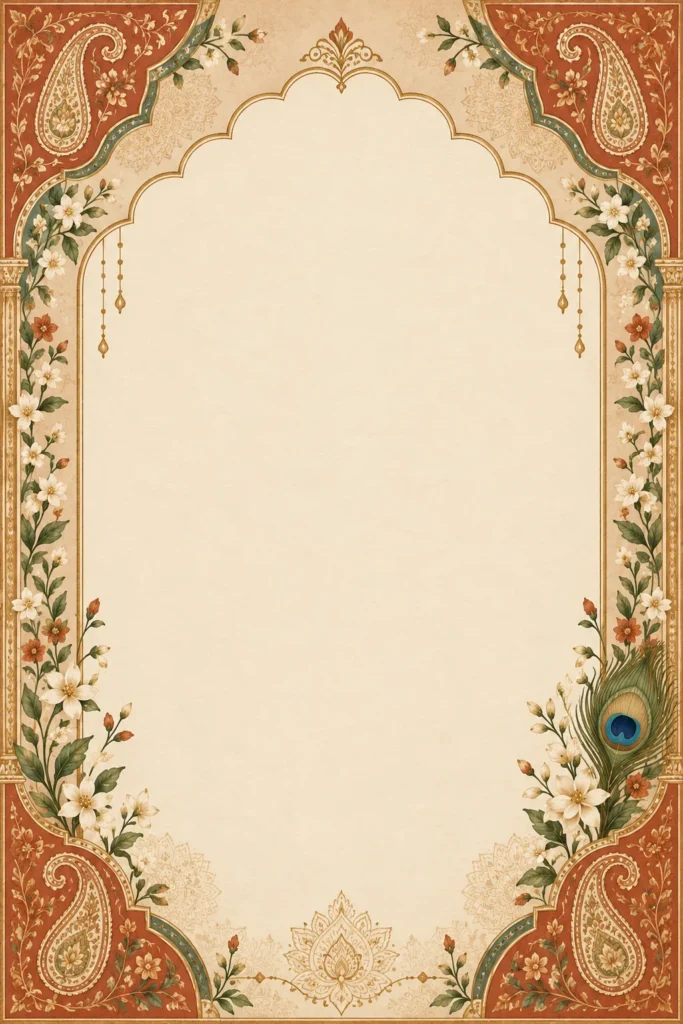
Vertical 2:3 flat invitation artwork, front view, matte paper. Earthy palette of terracotta, sand, sage, ivory and antique gold. A slim arch frames an empty central panel, with subtle mandala geometry, small paisley corner accents and one peacock feather. No religious symbols, no people, no text of any kind, no watermark. Keep the arch symmetrical and the centre empty.
WhatsApp-size vertical e-invite
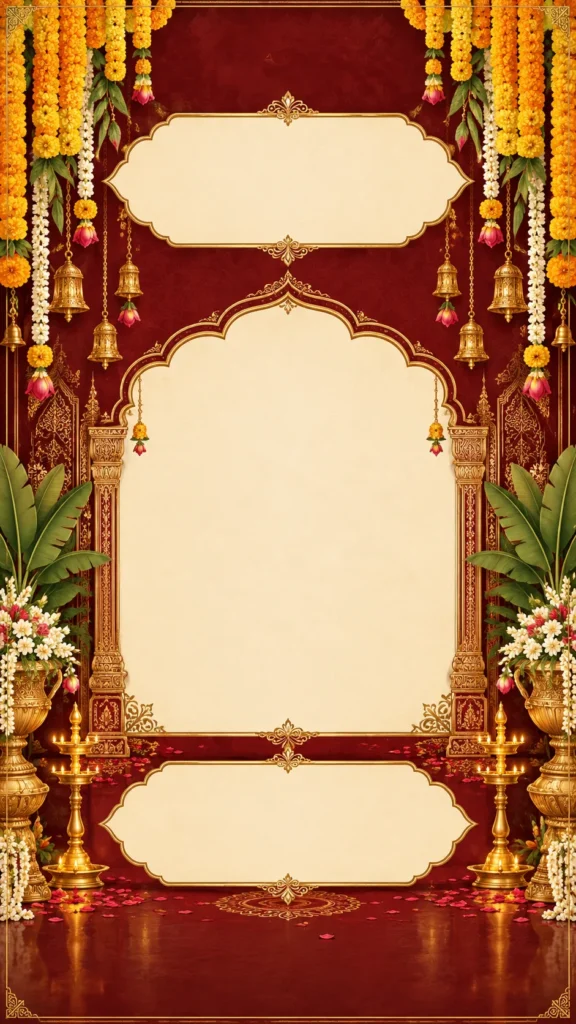
Vertical 9:16 invitation artwork made for a phone screen, flat front view. Deep maroon and gold, with large bold marigold garlands hanging from the top and a simple gold border. Keep the top 12 percent and bottom 12 percent free of important art. Leave three clear empty bands for text later: title at the top, names in the middle, date and venue at the bottom. No text, no letters, no people, no watermark.
Names, Hindi text and sacred symbols: what to do yourself
Spelling. AI copies whatever you type, mistakes included. Read your names, date and venue twice before you press generate, then once more on the finished card.
Hindi and regional scripts. AI tools are getting better at Devanagari, but names are where they slip, usually a dropped matra or a broken conjunct. If your card carries Hindi, Gujarati, Gurmukhi or Tamil, use the text-free prompts above and type the script yourself with a proper Unicode font. Have someone who reads that script check every name.
Sacred symbols. Ganesh, Om, Ik Onkar, the Bismillah, a Bible verse. These matter to your family, so do not leave them to chance. Either leave a clear space and add a correct, ready-made version, or check the AI version with a family elder or your priest before anything is printed. Do not mix symbols from different traditions on one card.
Several events. If your wedding has Haldi, Mehendi, Sangeet and a reception, make one master card first, then ask for the other event cards one at a time with: “Use this approved card as the reference. Keep the border, colours and paper texture the same. Change only the central motif to [henna patterns / marigolds and a brass kalash / tabla and sitar].”
Best size for WhatsApp, Instagram and print
| Where it goes | Ratio to ask for |
|---|---|
| WhatsApp status or Instagram story | 9:16 |
| Instagram post or chat share | 4:5 |
| Printed 5×7 or 6×9 card | 2:3 |
Two things to remember. WhatsApp compresses photos, so send the final invitation as a Document if you want it to stay sharp. And for printing, the AI file is usually too small on its own: upscale the artwork first, add your text after, and ask the print shop for a proof before the full order. Gold in a file will not look like real foil, so tell the printer if you want an actual foil finish.
Common mistakes and quick fixes
The faces changed. Re-upload a clearer, front-facing photo and shorten the prompt. Keep only the face lock, the outfits and the background. If it still drifts, ask for one change at a time instead of everything at once.
The couple looks pasted on. Add: “match the lighting, colour and shadows of the scene so the couple looks photographed there.”
The text came out wrong. Cut it down to names, date and venue in quotes. Anything longer, add yourself afterwards.
Random extra letters in the border. Finish the prompt with “no other text, letters or writing-like marks anywhere”, and if it keeps happening, switch to a text-free prompt.
Every regeneration looks different. Save the version you like straight away. Edits and retries can drift, so work from the saved image instead of regenerating from scratch.
A style clash. A royal palace background with a playful cartoon font will not work. Pick one mood and keep the colours, fonts and decorations in that mood.
FAQs
Yes. Copy them, change the brackets and use them as many times as you like. The tool you paste them into may have its own free limits.
Both can handle these prompts. Try the same prompt in both with your own names and your own photo, and keep the one whose faces and spellings come out cleaner.
Yes. Use prompts 7 to 10, or remove the face lock and photo lines from any of the first six and describe an illustrated couple instead.
Usually only after upscaling. Check the file at full size, ask for a printed proof, and keep a 3 mm margin around the edges.
Make one master card, then reuse it as the reference and change only the central motif for each event.
Final tip
Before you commit to a design, run one test: generate it with your real names and read every letter. If it passes, great. If not, switch to the text-free version and add the words yourself. Either way, show the final card to your parents before it goes to the printer.