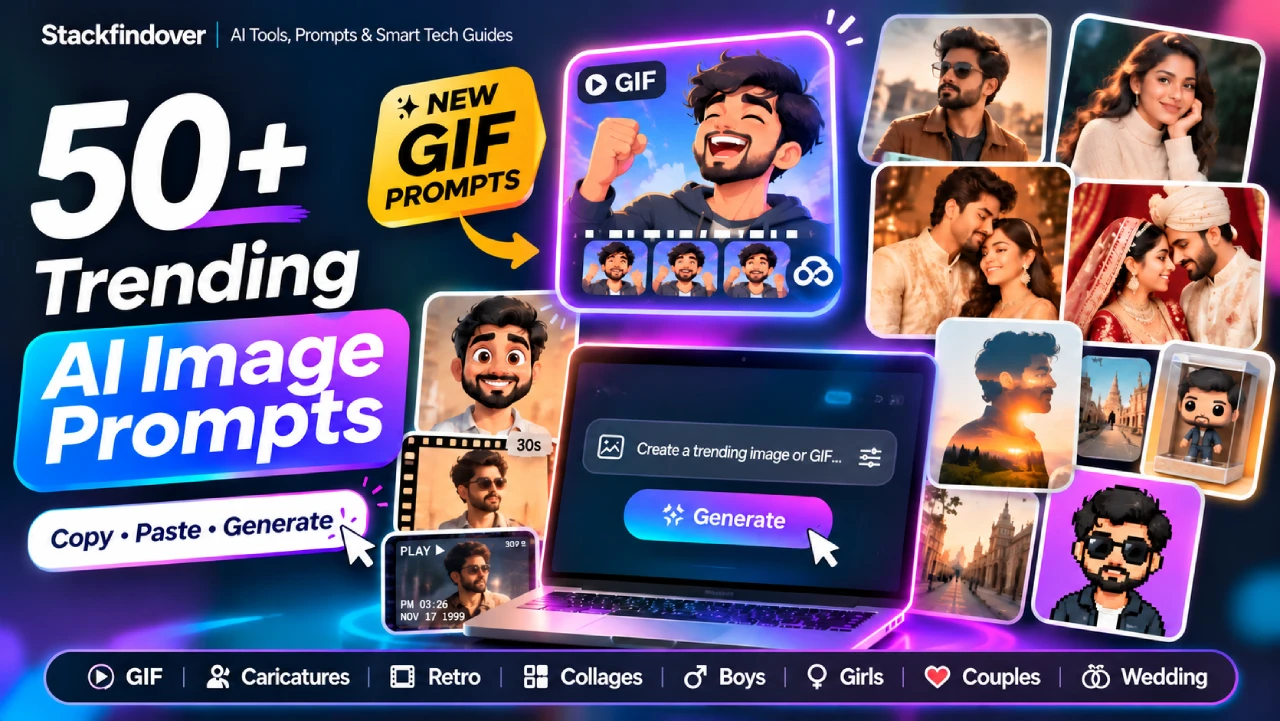
ChatGPT’s image trends move fast. Caricatures opened the year, the “how would I look in the 80s” photo wave hit in September, and on 4 November ChatGPT added something new: it can now make looping GIFs from a text prompt or your own photo. That is why this list starts there.
Below are 50+ copy-paste prompts built around the styles people are actually posting right now: GIFs, caricatures, toy figures, retro film looks, collages, double exposures, and portraits and couple shots for Instagram. Upload one clear, well-lit photo and paste a prompt. Every prompt carries its own face-lock line, so you can copy a single one without the rest of the page.
ChatGPT slash commands that actually help with image prompts
Let’s clear something up before the prompts. You will see lists online of “secret” ChatGPT codes like /headshot or /actionfigure. Those are not on OpenAI’s own command list; they are prompt shorthand that people share around.
The official slash commands live in the ChatGPT desktop app. Click the message box, type /, and pick from the menu, or keep typing to filter it. The menu varies with your app version and account access, so if one of the commands below is missing for you, that is normal. None of them creates an image style by itself. What they do is keep your prompt testing tidy, which matters when you are trying a dozen looks in a row.
| Command | What it does | Why it helps with image prompts |
|---|---|---|
| /new | Starts a blank chat | Use a fresh chat for each style so the last image does not bleed into the next one |
| /side | Opens a temporary side chat | Test a risky prompt without wrecking your main thread |
| /project | Chooses a project for new chats | Keep every prompt experiment in one place |
| /memories | Controls whether the chat can use or create memories | Switch it off when you want a result based only on your photo and prompt |
| /model | Picks the model for the current chat | Handy when a result looks off and you want to compare |
| /pin | Pins or unpins the current chat | Keep your best-performing prompt chat at the top |
| /rename | Renames the current chat | Name chats by style, like “80s look – v2” |
| /archive | Archives the current chat | Clear the clutter after a test run |
| /status | Shows the chat ID, context use and rate limits | Check how much room you have left before a long run of generations |
How ChatGPT GIF prompts work
ChatGPT’s GIF generation arrived on 4 November 2026 with Images 2.6. You describe the animation, or upload a photo and say what should move, and ChatGPT returns a looping GIF. Afterwards you can ask for tweaks in plain language, change the playback speed, and save or share the file. One limit to know: ChatGPT cannot edit a GIF you upload, so always start from a photo or a prompt. If your account does not show GIF output yet, the rollout may not have reached you.
Loop prompts work a little differently from still-image prompts. Three habits make them cleaner:
- Say exactly what moves, and keep that list short.
- Say what must not move, which is usually the face.
- Tell it to end where it started, so the loop does not jump.
ChatGPT GIF prompts for boys
90s anime reaction loop
Start with this one, because it is interactive. ChatGPT asks how you want to react before it generates anything, so each run comes out different.
Turn my uploaded photo into a seamless looping GIF in 90s anime style: big expressive eyes, simplified facial planes, flat cel shading and soft pastel colours. Keep my face, hairstyle and skin tone recognisable in every frame. Before you generate anything, ask me "How do you want to react?" and offer a few emoji choices. Once I pick one, start the GIF already mid-reaction, build to an exaggerated peak with playful anime effects like sweat drops, sparkles or speed lines, then ease back to almost the starting pose, never fully neutral, so the loop closes smoothly. Keep line-work and framing consistent. No photorealism, no text.
Reply with an emoji such as 😂, 😱, 😍 or 😤 and it builds the peak reaction around that mood. Girls can use this prompt as it is.
Gully cricket celebration loop
A very desi celebration that also happens to loop well: bat up, grin at the camera, bat down.
Create a looping GIF from my uploaded photo: a gully-cricket celebration at golden hour. I have just hit a six, so the bat goes up with both hands, I turn my head to the camera with a wide grin, then the bat drops back to the ready stance where the loop began. A few torn paper confetti pieces drift across the frame. My face, beard and hair must match the photo exactly, and the outfit stays as uploaded. Warm evening light, slightly stylised sticker-like finish, thick soft outlines, a narrow lane with blurred walls behind me. Exactly one celebration per loop, about three seconds, no scoreboard text.
Change the lane for a terrace or a beach if you like. The up, grin, down structure is what keeps the loop clean.
Motorcycle headlight cinemagraph
Cinemagraph loops, where almost everything stays frozen, tend to look the most polished because there is less that can go wrong.
Make a cinemagraph-style looping GIF from my uploaded photo, placing me beside a parked motorcycle on an empty road at blue hour. Everything stays still except three things: the headlight glow pulsing slowly, a faint heat shimmer above the exhaust, and my jacket collar moving in a light breeze. Face, expression and posture stay frozen exactly as uploaded, no blinking, no head movement. Cool teal-and-amber grade, shallow depth of field, a little film grain. The last frame must match the first so the loop is invisible. No logos on the bike, no readable text.
Seated in your photo? Say “sitting on the bike” instead of “beside” it.
16-bit arcade power-up loop
For anyone who grew up near an arcade: your own pixel sprite, collecting a coin and celebrating.
Convert my uploaded photo into a 16-bit arcade sprite GIF. The pixel character must still read as me: same hairstyle, same beard line, same outfit colours. Loop: a small idle bob, a coin spinning into the air, a bright power-up flash around the character, a quick victory jump, and back to the idle pose. Plain dark-purple game-stage background with a pixel skyline, crisp edges, limited colour palette, no anti-aliasing blur. About two seconds, seamless loop, and no on-screen text of any kind, including score or 1UP.
Keep it to four actions at most. Pixel loops get messy when you ask for more.
ChatGPT GIF prompts for girls
Balcony hair-in-the-breeze loop
The calmest loop in this set. Nothing on your face moves, only the air around you.
Create a calm looping GIF from my uploaded photo: me standing on a sunlit balcony at golden hour with a soft curtain behind me. Treat my face as locked to the original photo; nothing on it changes, and I do not blink or turn. Only the environment is animated: strands of hair lifting in a slow breeze, the curtain swaying, and tiny dust specks floating in the backlight. Warm honey tones, gentle lens glow, natural skin texture. Motion settles back to the exact starting position at the end for an invisible loop. No text, no logos.
If the face starts to drift, add “do not animate the face at all” as a final line.
Clay sticker wink loop
A cute sticker-style loop you can use in chats and Stories.
Turn my uploaded photo into a claymation-style sticker GIF: soft handmade clay texture with faint fingerprints, rounded shapes and a pastel peach background. Keep my face shape, hairstyle and earrings recognisable under the clay look. Animation: a small head tilt, a playful wink, a tiny clay heart popping above my shoulder, then back to the starting pose. Stop-motion frame rate, slightly uneven, like real clay being nudged. Seamless loop, around two seconds, no text or stickers with words.
Follow up with “make two more versions, surprised and laughing” and you have a small sticker pack from one photo.
Instant photo develop-and-fade loop
This one animates the photo itself rather than the person in it. The slow develop and fade is the whole trick.
Create a looping GIF of an instant photo of me developing. It starts as a milky blank square, my portrait slowly emerges in warm faded colour, holds for a beat, then softly clouds back to blank so the loop restarts. The fully developed frame must match my uploaded face exactly: same features, same skin tone, same hair. White instant-film border with no handwriting, resting on a pale wooden table in soft window light. Slow, smooth fade in both directions, no text.
Once it is ready, ask ChatGPT to slow the playback a little. The developing moment looks better at a gentler speed.
Winter chai steam loop
Made for this time of year in India: chai, a shawl and a foggy morning.
Make a cosy looping GIF from my uploaded photo: me holding a clay kulhad of hot chai on a cold winter morning, wrapped in a shawl, soft fog behind me. My face and expression stay exactly as in the photo apart from one slow blink. Animate the steam curling up from the cup, a faint breath mist, and the shawl fringe stirring slightly. Muted warm-grey palette with an orange glow from a chai stall at the edge of the frame. End on the starting pose so the loop is seamless. No readable signs, no text.
Swap the kulhad for a coffee mug or the shawl for a sweater to localise it.
ChatGPT caricature and toy-figure prompts
Caricatures were the first big ChatGPT trend of 2026, and turning yourself into a toy followed close behind. What makes these feel personal rather than generic is detail: your actual job, your actual habits, the things that sit on your desk.
Job caricature with a messy workday
Trending since early 2026.
Draw a 3D caricature of me from my uploaded photo, based on my job: [YOUR JOB]. Oversized head, small body, a big exaggerated grin, but my face shape, hairstyle and any beard or glasses must stay clearly recognisable. Fill the scene with the tools of my trade, a cluttered desk, a half-finished cup of chai and one small thing going wrong in the background. Glossy animated-film finish, soft studio light, pastel backdrop, square frame, no readable text.
Replace [YOUR JOB] with something specific. “Night-shift nurse” or “wedding photographer” gives a funnier, more personal result than “office worker”.
Friendly “roast me” caricature
Trending since early 2026.
Make a friendly "roast me" caricature from my uploaded photo. Take one funny habit of mine, [HABIT, for example: always late, always on the phone, chai addict], and exaggerate it ten times: the phone grows enormous, the cups pile into a tower, the clock melts. Keep it affectionate and never mean, and do not mock my body or skin. My face, hairstyle and expression stay recognisable under the cartoon style. Bold outlines, bright flat colours, comic-book energy, no readable text.
Only pick a habit you are happy to see on your story. If the result feels too harsh, add “make it gentler” and run it again.
Blind-box collectible series
One of 2026’s most shared AI photo styles.
Design a blind-box collectible series based on me from my uploaded photo: six small vinyl figures in a row on a glossy shelf, each in a different pose, such as waving, laughing, thinking, running, sleeping and cheering. Every figure keeps my face, hairstyle and skin tone recognisable. Add one transparent "secret" variant at the far end. Soft product-photo lighting, shallow depth of field, a small unopened box behind them with a simple icon and no readable text.
Follow up with “add a rare gold edition” if you want a chase figure.
Plush keychain charm
One of 2026’s most shared AI photo styles.
Turn my uploaded photo into a plush keychain charm hanging from a backpack zipper. Stuffed-toy proportions with a big head and tiny arms, stitched seams, and a face that is still clearly mine: same eyes, same hairstyle, same skin tone, simplified in thread. Add a small metal ring and a tiny felt badge shaped like something I love: [HOBBY]. Macro product photo, soft daylight, a blurred college corridor behind it, no readable text.
Pet-to-human family portrait
Pet-to-human edits are among 2026’s viral ChatGPT trends.
Show my pet from the uploaded photo as a human sitting beside the real pet on a sofa, in a warm family-portrait style. Translate the pet's fur colour and markings into the person's hair, and the pet's eye colour into the person's eyes, and give the human the same expression and attitude the pet has in the photo. The real pet stays unchanged, exactly as in the photo. Soft living-room light, realistic skin texture, gentle humour, no text.
Upload a clear photo of your pet, not yourself, for this one.
Mini-Me desk world
One of August 2026’s viral prompt formats.
Photograph a thumb-sized version of me living in a miniature world built on a real wooden desk. The tiny figure is made from my uploaded photo, so the face, hairstyle and outfit stay recognisable even at this scale. The scenery is built from my hobby, [HOBBY]: tiny props, tiny signs with no readable text, a tiny ladder up the side of a coffee mug. A human finger enters the frame for scale. Macro lens, tilt-shift blur, warm afternoon window light.
Name a real hobby for a better result. “Cricket”, “photography” or “baking” all give the scene plenty to build from.
80s, 90s and film-nostalgia prompts
The “how would I look in the 80s” wave from September opened the door to every other retro look. These five go beyond neon and shoulder pads. If you want a full set of 80s or 90s looks, the dedicated 80s and 90s prompt guides on this site go deeper.
1980s hand-tinted studio portrait
The 80s photo trend went viral in September 2026.
Edit my uploaded photo into a 1980s Indian photo-studio portrait: a black-and-white print with delicate hand-tinted colour on the lips and shirt, a painted Kashmir-valley backdrop behind me, a slightly stiff pose and a plastic flower on a small table. My face, hairstyle and expression stay exactly as in the photo; only the era, clothing and colouring change. Soft studio bulbs, visible paper grain, a small crease in one corner, no readable text.
1990s camcorder function still
Make a still frame from a 1990s camcorder tape of me at a family function: slightly soft focus, interlaced scanlines, colour bleeding on bright objects and a thin band of tracking noise along the bottom edge. I am in the middle of laughing, with strings of marigold and tube-light glare behind me. Face, hairstyle and outfit stay recognisable from my uploaded photo, just filmed on bad tape. Handheld, slightly off-centre framing, no readable text or date stamp.
The flaws are the point here, so do not ask ChatGPT to “clean it up”.
Meeting your younger self
A viral ChatGPT photo trend this year.
Create a quiet, cinematic scene of me meeting my younger self. Adult me, matching my uploaded photo exactly, sits on a stone bench at golden hour beside a child version of me, about eight years old, who resembles me and wears simple school clothes. If I have uploaded a childhood photo too, use it for the child's face. Both look at the same fading sky, the child leaning slightly towards me. Soft film grain, warm backlight, gentle expressions, no text.
Upload a childhood photo alongside your current one and the child version will look much more like you.
Expired 35mm happy accident
The beautifully imperfect film look is one of 2026’s big photo-edit trends.
Turn my uploaded photo into a happy accident from a cheap 35mm camera loaded with expired film: a red light leak bleeding in from the left edge, a slightly tilted horizon, soft focus, a finger shadow in the bottom corner and washed-out greens. Keep my face sharp enough to recognise and my hairstyle and skin tone unchanged. Candid mid-laugh, street background in late afternoon, heavy grain, no borders, no text.
Super 8 road-trip frame
Make a frame from a 1970s Super 8 home movie of me on a family road trip by the sea: warm orange cast, rounded corners, visible film gate edges, flickering exposure and heavy grain. I lean out of a car window with the wind in my hair. My face, hairstyle and smile must match my uploaded photo, only the film look changes. Faded blues, a sun flare across one corner, gentle motion blur on the waves behind me, no text.
Collage and scrapbook prompts
Collages keep showing up across Pinterest and Instagram, from vintage scrapbooks to tidy grids and loud maximalist layouts. The four below each commit to one clear theme, which is what stops a collage from turning into random clutter.
Railway journey scrapbook
Vintage scrapbook collages are one of 2026’s steady Pinterest styles.
Build a vintage scrapbook page about a train journey, using my uploaded photo as the central picture. Around it: old railway ticket stubs, a rubber-stamp postmark, a pressed marigold, a torn fragment of a route map, a sketch of a chai kulhad and a strip of film negatives. My face in the central photo must stay exactly as uploaded. Warm cream paper, soft shadows under every piece, a slightly off-angle layout, no readable words anywhere.
4×4 expression grid
The 4×4 grid collage is a documented 2026 trend.
Create a tidy 4×4 grid of sixteen small portraits of me from my uploaded photo, each showing a different expression, from calm to wildly surprised, with the same identity in every cell: same face shape, same hairstyle, same skin tone. Even white gutters, a matching colour grade, soft studio light, and plain pastel backgrounds that change colour cell by cell. No captions, no text. Square format.
Sixteen faces is a lot to keep consistent. If they start to drift, ask for a 3×3 grid with nine frames instead.
Y2K cyber desktop collage
Y2K cyber collages are part of the 2026 collage wave.
Make a Y2K cyber collage in the shape of a messy computer desktop: my uploaded photo sits in the middle of a glossy chrome window frame, surrounded by holographic stickers, pixel cursors, silver stars, burned CDs and glitch bars in electric blue and lime. Keep my face and hairstyle exactly as in the photo, with only a subtle cool tint. Fake interface windows should contain shapes and icons only, no readable text. Square crop.
Truck-art maximalist collage
Chaotic maximalist collages are trending in 2026.
Design a maximalist collage inspired by Indian truck art, with my uploaded photo framed in the centre like a painted panel. Surround it with hand-painted flowers, bold scalloped borders, mirror-work, marigold garlands, parrots and bright red, yellow and teal patterns that fill every inch. My face must remain exactly as uploaded and clearly the focus. Glossy enamel-paint look, slight brush texture, no readable lettering. Vertical 4:5.
Viral ChatGPT concept prompts
These are the formats people keep remaking, because the idea is strong enough to carry any face. Swap the details in square brackets and leave the rest alone.
Double-exposure travel poster
One of August 2026’s viral prompt formats.
Create a tall, minimalist travel poster using a double exposure: my side-profile silhouette, built from my uploaded photo, filled with the skyline, monuments and streets of [DESTINATION]. Keep my profile and hair outline accurate so I am recognisable even as a silhouette. Cream paper background, a soft gradient from sunrise orange to deep blue inside the silhouette, fine grain, lots of empty space around it. No lettering of any kind.
Try a city you love, like Jaipur with its pink sandstone palaces, or somewhere you have always wanted to visit.
Black-and-white manga page
Anime and manga conversions were among August 2026’s viral formats.
Turn me into the lead of a black-and-white manga page, using my uploaded photo for the face. Three panels: a calm close-up, a dramatic wind-swept turn, and a final smirk. Screen-tone shading, sharp ink lines, speed lines and dynamic angles. My face shape, hairstyle and key features stay recognisable in every panel. Leave all speech bubbles empty, no sound-effect lettering, no text, and do not copy any existing manga or character.
The clumsy MS Paint version of you
The deliberately bad MS Paint meme was one of August 2026’s viral prompts.
Draw me as if a nine-year-old made me in MS Paint: wobbly mouse lines, flood-filled flat colours, a stick-like body and one huge crooked smile. Keep the features that make me recognisable from my uploaded photo, like my hairstyle, beard and glasses, and exaggerate them. Plain white canvas, a rainbow sun in the corner, jagged edges, no readable text and no signature.
How ChatGPT sees you
Another of August 2026’s viral prompts.
Based on everything you know about me from our chats, paint a portrait of how you see me. Use my uploaded photo only for my face, which must stay recognisable. Surround me with objects that stand for my interests, habits and goals, and a mood that matches my personality. Thoughtful, slightly poetic composition, soft painterly light, no text.
This one depends on memory. If you have switched it off, ChatGPT only has your photo to go on, so check /memories in the desktop app first.
The 100x copy challenge
A viral ChatGPT experiment this year.
Recreate the uploaded image exactly: same face, same pose, same outfit, same background, same lighting. Do not improve, beautify, restyle or correct anything, including flaws. Output only the copy, at the same aspect ratio and with no text added. Keep my face identical to the original in every detail.
This is a process, not a single image. Feed each result back in as the next upload and repeat. The small errors add up, so screenshot rounds 1, 10, 50 and 100 to see how far you drift.
Winter forest double exposure
The double-exposure format, this time with nature instead of a skyline.
Create a double-exposure portrait of me from my uploaded photo: my head and shoulders in profile, filled with a misty winter pine forest, falling snow and a distant glowing cabin window. My face, hairstyle and skin tone stay recognisable along the profile edge. Soft blue-grey palette with one warm yellow light, a pale foggy background, film grain, lots of negative space. No text. Vertical 4:5.
ChatGPT photo prompts for boys (copy-paste)
Boys’ portrait prompts are one of the most searched corners of this topic. Google’s own suggestions include phrases like “trending boy 2026” and “for men”, yet most results lean on the same handful of poses. These six use Indian settings and a stronger visual hook instead, so your feed does not look like everyone else’s.
Hand-painted cinema hoarding portrait
Think of the huge hand-painted film hoardings that used to tower over old city cinemas. A painted face has a charm that photo filters cannot fake.
Repaint my uploaded photo as a giant hand-painted cinema hoarding from the 1980s: bold brushwork, exaggerated glossy highlights, saturated reds and yellows, and a dramatic sunset sky behind me as the hero. My face, hairstyle and expression must stay clearly recognisable, painted but not changed. Add visible paint drips along the bottom edge, a weathered wooden frame and one slightly sun-faded corner. Leave all lettering areas blank, no readable text, vertical 4:5.
Winter terrace string-light portrait
Place me, from my uploaded photo, on a rooftop terrace at dusk in early winter: a charcoal wool shawl over a plain kurta, warm string lights glowing behind me and the last orange line of sunset over low buildings. My face and hairstyle stay exactly as uploaded, with a calm, steady expression. Waist-up portrait on an 85mm lens, shallow depth of field, soft bokeh from the lights, a faint breath of cold air, natural skin texture, no logos, vertical 4:5.
Stepwell symmetry portrait
Stepwells give you strong geometry for free. The trick is to keep yourself large enough in the frame that your face still reads clearly.
Photograph me from my uploaded photo standing at the centre of an ancient Rajasthani stepwell, seen from straight on so the zigzag stone staircases form a perfectly symmetrical pattern around me. I wear a plain off-white linen shirt, hands relaxed, looking directly at the camera. Keep my face, hairstyle and beard exactly as in the photo. I stand low in the frame, large enough for my face to read clearly. Soft overhead daylight, deep blue shadows, warm sandstone tones, wide-angle lens, no tourists, no signs, no text.
Tailor-shop portrait
Create a portrait of me, from my uploaded photo, sitting on a wooden stool inside a small old tailor's shop, surrounded by shelves of rolled fabric in deep greens, maroons and mustard, with a vintage sewing machine beside me and a measuring tape draped over my shoulder. My face, hairstyle and expression stay exactly as uploaded. Warm tungsten shop light from above, a little dust floating in a sunbeam from the doorway, 50mm lens, rich colour, natural skin texture, no signboards, no readable text.
Highway dhaba night portrait
Make a night portrait of me, from my uploaded photo, sitting on a rope charpai outside a highway dhaba with a steel glass of chai in my hand. Tube-light glow on my face, out-of-focus truck headlights and neon bokeh streaking past behind me, a thin haze of steam rising from the glass. Keep my face, hairstyle and expression identical to the uploaded photo. Plain dark jacket, no logos, 35mm lens, cinematic orange-and-teal grade, fine grain, no readable signs, vertical 4:5.
Long-exposure flyover light trails
Place me, from my uploaded photo, standing perfectly still on a city flyover at night, with long-exposure light trails of passing vehicles streaking red and white on both sides of me. My face, hairstyle and posture stay sharp and exactly as uploaded; only the traffic is blurred. Hands in the pockets of a dark jacket, looking slightly past the camera, a faint skyline glowing in the distance. Deep blue sky, crisp detail on my face, no logos, no text, vertical 4:5.
ChatGPT photo prompts for girls
These six keep the styling modest and let the setting and the light do the work. Each one has a single clear idea, which is what makes a portrait look intentional rather than generic.
Prism-glass light portrait
Create a portrait of me from my uploaded photo in which a glass prism held just outside the frame throws soft rainbow light across my face and shoulder. Keep my face, skin tone and hairstyle exactly as in the photo, with only gentle coloured light falling over them. Plain cream wall behind me, strong window light from the left, dreamy lens flare, a slight haze, calm expression, simple cotton top, natural skin texture, vertical 4:5, no text.
Haveli courtyard at golden hour
Photograph me from my uploaded photo standing in the inner courtyard of an old Rajasthani haveli at golden hour, in a soft pastel dupatta that lifts in a light breeze. Carved arches, a painted wall and a single shaft of low sun behind me create a warm rim light on my hair. My face and hairstyle stay exactly as uploaded, with a serene, direct expression. Medium shot, 85mm lens, shallow depth of field, natural skin texture, no tourists, no text, vertical 4:5.
Marigold field at sunrise
Show me from my uploaded photo walking through a field of orange marigolds at sunrise, the low sun behind me, mist hovering above the flowers and a few petals caught in the light. Wear a simple mustard cotton kurta with a white dupatta. My face, hairstyle and expression must match the uploaded photo exactly. Backlit glow around my hair, warm saturated colour, 70mm lens, soft focus on the flowers in front of me, natural skin texture, vertical 4:5, no text.
Jaipur blue-pottery studio
Create a portrait of me from my uploaded photo in a Jaipur blue-pottery workshop, painting a cobalt flower pattern onto a white ceramic plate with a thin brush. Shelves of glazed tiles and vases behind me, clay dust in a soft window beam. I look up from my work towards the camera with a small smile. Keep my face and hairstyle exactly as in the photo. Apron over a plain top, cool blue-and-white palette with warm skin tones, 50mm lens, natural skin texture, no readable labels, vertical 4:5.
Billowing white sheets on a terrace
Turn my uploaded photo into a cinematic terrace scene: rows of white cotton sheets drying on clotheslines, billowing in the wind at golden hour, with me standing between them in a simple pastel kurta. My face and hairstyle stay exactly as uploaded, partly framed by a sheet blowing past. Soft glowing backlight, gentle motion in the fabric, a rooftop water tank in the distance, dreamy but realistic, 35mm lens, natural skin texture, no text, vertical 4:5.
Venetian-blind noir portrait
Create a black-and-white film-noir portrait from my uploaded photo: sharp diagonal stripes of light from window blinds falling across my face and the wall behind me, the rest of the room in deep shadow. My face, hairstyle and skin tone must stay exactly as uploaded, with a still, thoughtful expression and a loose dark shawl over one shoulder. High contrast, fine film grain, 85mm lens, a faint haze in the light beams, no text, vertical 4:5.
ChatGPT couple photo prompts
A couple prompt needs something a solo prompt does not: a visual hook strong enough to carry two faces. Each of these uses a framing device, a double exposure or a golden-hour set-up to do that. Google’s own suggestions for this topic include “new trending ChatGPT prompts, couple”, so it is clearly something people look for. Upload one clear photo of both of you, or two separate portraits.
Shared-silhouette double exposure
Create a double-exposure couple portrait from my uploaded couple photo: our two side profiles face each other, merging into one shared silhouette filled with a mountain lake at golden hour, pine trees along the shoreline and a low sun between our faces. Both of us must stay clearly recognisable: same face shapes, same hairstyles, same skin tones. Soft peach and teal palette, pale paper-white background, film grain, plenty of empty space around the silhouette, no text, vertical 4:5.
Desert station doorway at dusk
The open carriage door works as a natural frame, which keeps the focus on the two of you.
Photograph the two of us from my uploaded couple photo standing in the open doorway of an old train carriage at a quiet desert station at dusk, the door acting as a natural frame. One of us holds the door rail, the other stands one step below, both looking at each other. Keep both faces, hairstyles and skin tones exactly as uploaded. Amber sky, long shadows, a little dust in the air, 35mm film look, shallow depth of field, no station signs, no text, horizontal 3:2.
Dune golden hour with a flowing scarf
Create a cinematic golden-hour portrait of the two of us from my uploaded couple photo on a rippled sand dune, standing close with a long, flowing cream scarf lifting in the wind between us. Our shadows stretch across the sand and the low sun sits just above the horizon behind our shoulders. Both faces, hairstyles and skin tones stay exactly as uploaded. Warm gold and soft pink tones, wide frame, 40mm lens, fine sand grain in the air, no footprints in sight, no text, horizontal 16:9.
Film-strip triptych
Make a wide horizontal 35mm film strip from my uploaded couple photo, with three frames showing the two of us in different quiet moments: foreheads touching, laughing, and walking away hand in hand. Same faces, hairstyles and skin tones in every frame, exactly as in the uploaded photo. Warm film colour, slight grain, visible sprocket holes along the edges, soft light leaks between frames, no frame numbers, no text.
Candle-lit rooftop with an imagined partner
Ideal-partner couple edits are among 2026’s viral photo trends.
This one needs only your own photo. The partner is invented, so describe them in the brackets, and keep it to an imaginary person rather than a real or famous one.
Create a realistic couple portrait of me and an imagined partner, an invented person who is not based on any real or famous individual: [PARTNER DESCRIPTION, for example: warm smile, short curly hair, kind eyes]. My face, hairstyle and skin tone must match my uploaded photo exactly. We sit at a candle-lit rooftop table under fairy lights, leaning towards each other mid-laugh. Cinematic 35mm look, warm tungsten glow, shallow depth of field, natural skin texture, no logos, no text, vertical 4:5.
Hill-station fog and a shared shawl
Photograph the two of us from my uploaded couple photo on a misty hill-station road in the early morning, sharing one large wool shawl, with a small lantern glowing at our feet. Both faces, hairstyles and skin tones stay exactly as uploaded, with soft, close, quiet expressions. Pine trees fade into thick white fog behind us, a cool blue-grey palette with a single warm lantern glow, 50mm lens, shallow depth of field, fine grain, no signs, no text, vertical 4:5.
Palace mirror reflection
Create a framing-device portrait from my uploaded couple photo: the two of us seen only in the reflection of a tall ornate antique mirror in a quiet palace corridor, while the real corridor in front of the mirror stays empty and softly lit. Both faces, hairstyles and skin tones stay exactly as uploaded. Gilded mirror frame with aged glass, warm lamp light, a long perspective of arches, gentle haze, 35mm film look, symmetrical composition, no text, vertical 4:5.
Overhead red umbrella
Make a top-down photograph from my uploaded couple photo: the two of us standing close beneath one large red umbrella on a wet, empty street, seen from directly above so the umbrella forms a bold circle in the centre. Our faces tilt up towards the camera and both stay exactly as uploaded: same faces, hairstyles and skin tones. Glossy rain reflections, a muted grey street with the red umbrella as the only strong colour, symmetrical composition, soft overcast light, no text, square 1:1.
Wedding-season ChatGPT prompts
Festive and wedding portraits are named in Google’s AI Overview for this search, and it is the right time of year for them. Here are three that go beyond the usual lehenga-and-sherwani pose.
Mehndi-night courtyard
Create a mehndi-night portrait of the two of us from my uploaded couple photo in a lantern-lit courtyard, seen through hanging strings of marigold and tiny fairy lights that frame the shot. We stand close in soft green and gold outfits, hands decorated with fresh henna. Both faces, hairstyles and skin tones stay exactly as uploaded. Warm glowing bokeh, deep green drapes behind us, 85mm lens, shallow depth of field, natural skin texture, no text, vertical 4:5.
Haldi powder burst
Show me from my uploaded photo in the middle of a haldi ceremony moment, laughing as soft yellow turmeric powder bursts through the air around me, frozen mid-motion in bright morning light. I wear a simple white cotton outfit. My face, hairstyle and expression stay recognisable under a light dusting of yellow. Fast-shutter look, golden powder particles in sharp detail, warm green leaves in the background, 70mm lens, natural skin texture, no text, vertical 4:5.
Miniature-painting wedding card
Turn my uploaded couple photo into a Rajput-inspired miniature painting for a wedding card: the two of us seated in a palace garden, flat perspective, fine brush detail, gold-leaf borders, peacocks, lotus ponds and a pale blue sky. Keep both faces, hairstyles and skin tones recognisable from the photo, painted in the miniature style rather than altered. Rich jewel colours, an ornate floral frame, soft paper grain, leave all text areas blank, no readable lettering, vertical 4:5.
FAQs
They are ready-made text instructions for the photo styles people are sharing right now, such as caricatures, toy figures, retro film looks, collages, double exposures and, since November, looping GIFs. You upload a photo, paste the prompt and ChatGPT builds the image around your face.
Start with a sharp, front-facing, evenly lit photo and keep the face-lock sentence in the prompt. If the face drifts, regenerate two or three times, add “keep my face identical to the upload, no beautifying or smoothing”, and open a fresh chat with /new so earlier images do not interfere.
Yes. ChatGPT’s GIF generation arrived on 4 November 2026 with Images 2.6, and we generated GIFs on a ChatGPT Go account. OpenAI has not published plan-by-plan limits for GIFs, so usage caps may change. If you do not see GIF output yet, your account may not have received the rollout.
No. The official slash commands in the ChatGPT desktop app, such as /new, /side, /project and /memories, manage your chats rather than create image styles. Codes like /headshot that circulate online are prompt shorthand, not built-in commands.
The still-image prompts are plain text, so you can paste them into other image tools, but results and face accuracy will vary. The GIF prompts and slash commands are specific to ChatGPT.
Most prompts here end with a ratio. For a feed post, 4:5 vertical is the usual choice, and for Reels covers and Stories, 9:16 fits best. You can change the ratio at the end of any prompt, or ask ChatGPT to recrop the image afterwards.
Use photos of yourself, or of people who have agreed. The couple prompts need both people’s consent. Do not use these prompts to imitate someone or to make an edit meant to mislead.