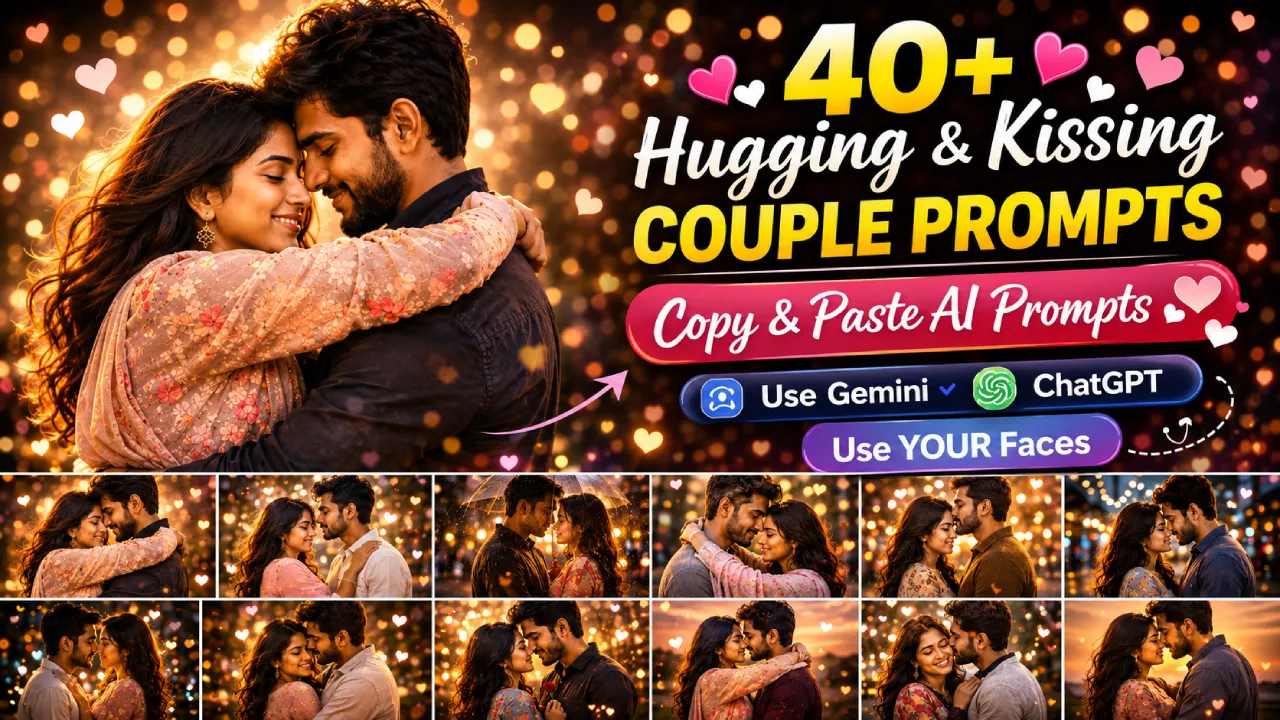
What Are Face-Lock Couple Prompts?
Most AI tools generate random faces when you ask for couple images. Face-lock prompts solve that. By uploading your own photo into Gemini or ChatGPT (with image input enabled), these specially written prompts instruct the AI to use your real face and place it inside a romantic, cinematic scene.
This document contains 25 ready-to-use prompts across 5 romantic categories — all written specifically for Gemini and ChatGPT image upload mode. Simply upload a clear photo of you and your partner, pick a prompt, paste it, and generate.
Couple Hug Prompts — Copy & Paste
These face-lock Gemini prompts are designed for upload-image mode. Upload a real photo of yourself or your partner, then paste the prompt below. Gemini will recreate both faces in a warm, romantic hugging scene. Works best with clear, front-facing photos.
Romantic couple hugging in rainy Mumbai night ( Prompt 1 )
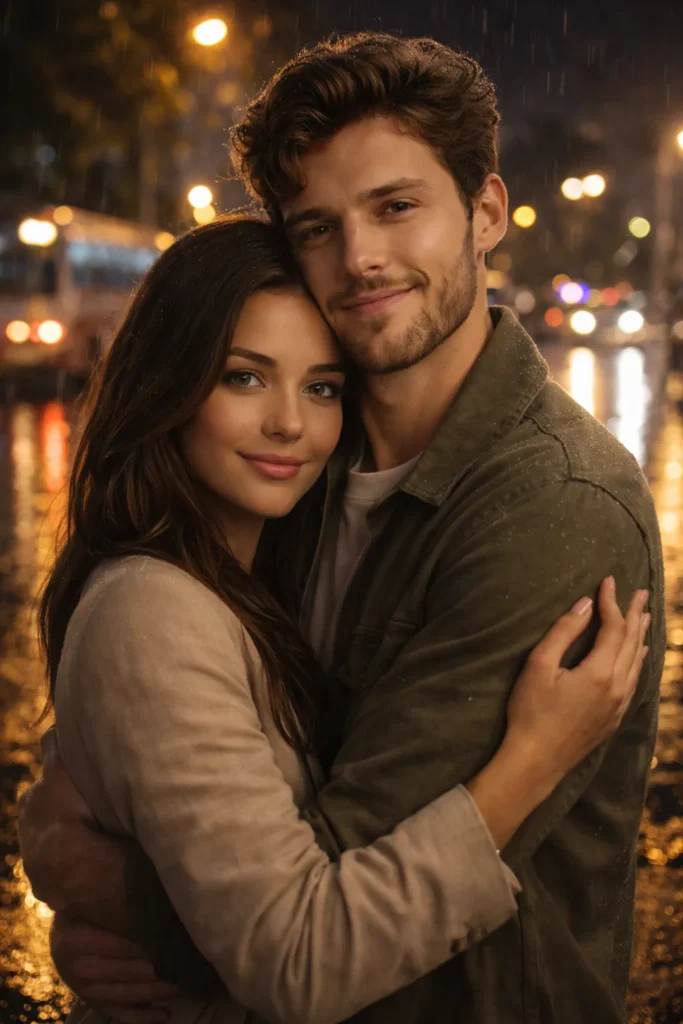
Use the uploaded photo of [Person 1] and [Person 2]. Generate a photorealistic image of them sharing a warm embrace on a rain-soaked Mumbai street at night. Streetlights reflect on wet pavement, soft bokeh background, cinematic mood. Keep both faces exactly as in the uploaded photo.
Couple hugging in mustard field at golden hour Rajasthan ( Prompt 2 )
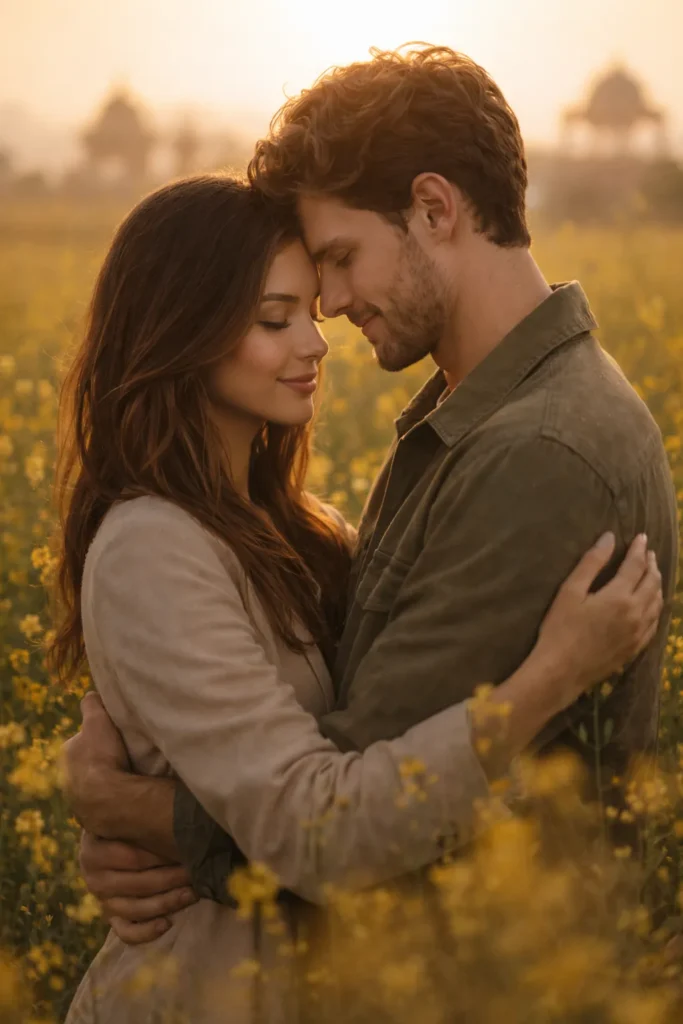
Using the uploaded image, place [Person 1] and [Person 2] in a mustard flower field at golden hour in Rajasthan. They are hugging gently, foreheads almost touching. Dreamy warm tones, soft depth of field. Preserve facial features from the uploaded photo.
Love couple farewell hug at Indian station realistic scene ( Prompt 3 )
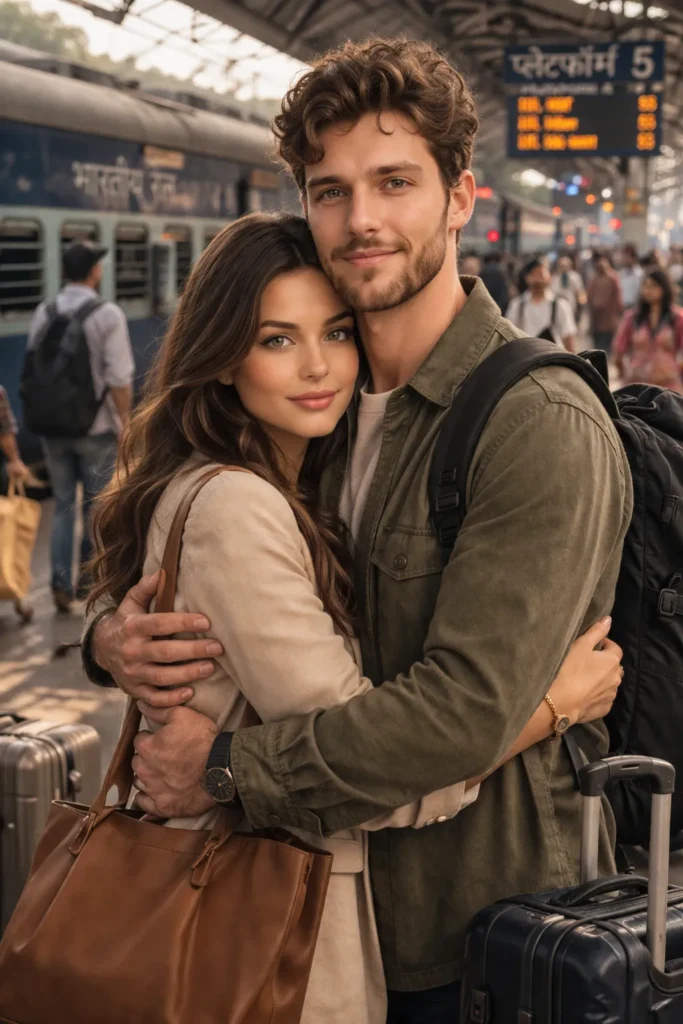
Refer to the uploaded photo for both faces. Generate a realistic image of the couple hugging tightly at a busy Indian railway station, one of them about to leave. Soft natural light, emotional depth, luggage visible in the background. Faces must match the uploaded image exactly.
Indian wedding couple hugging in cinematic golden hour ( Prompt 4 )
Use the uploaded couple photo. Recreate them as a newlywed couple hugging on a rooftop at sunset, wearing traditional Indian wedding outfits. City skyline behind, warm orange and pink tones, ultra HD quality. Maintain original facial likeness.
Couple hugging near diya in Diwali home setting ( Prompt 5 )
From the uploaded image, generate a scene of both people in a long embrace near a lit Diwali diya. Traditional Indian home setting, golden candlelight glow, flower rangoli visible on the floor. Faces must be identical to the uploaded photo.
Couple Kiss Prompts — Copy & Paste
Upload your photo and use these prompts on Gemini or ChatGPT with image input enabled. These prompts generate intimate kissing moments — from forehead kisses to Bollywood-style romantic close-ups — while locking in the real faces from your uploaded image.
Romantic forehead kiss in minimalist Indian home ( Prompt 6 )
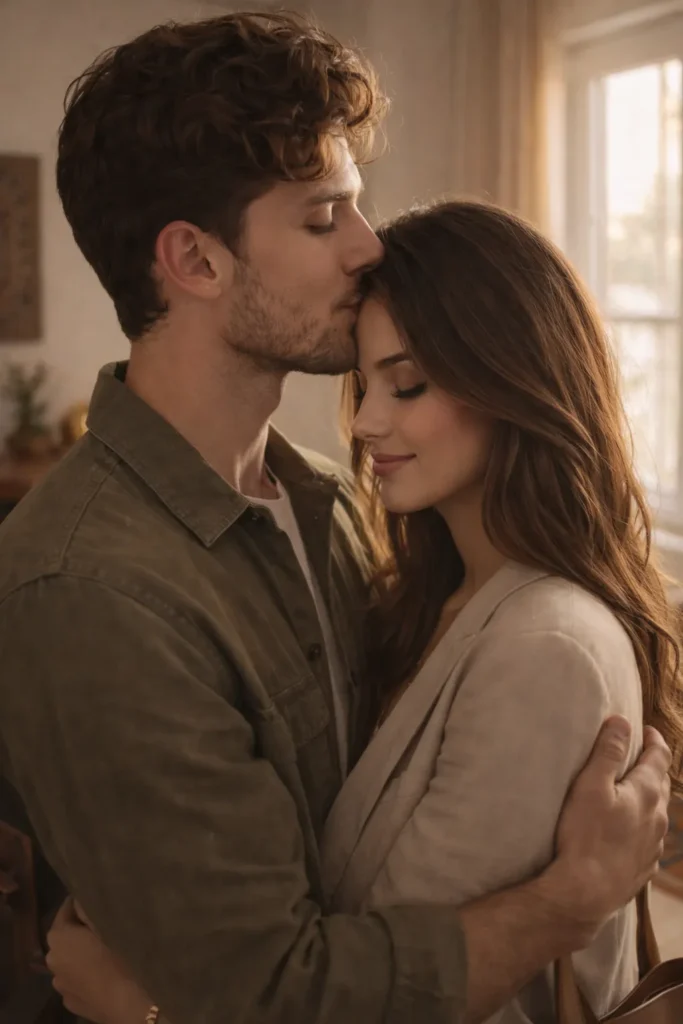
Using the uploaded photo, generate a photorealistic image of [Person 1] giving [Person 2] a gentle forehead kiss. Soft morning light streams through a window. Minimalist Indian home interior. Tender and quiet mood. Both faces must match the uploaded image.
Couple kissing in rain on Goa beach cinematic scene ( Prompt 7 )
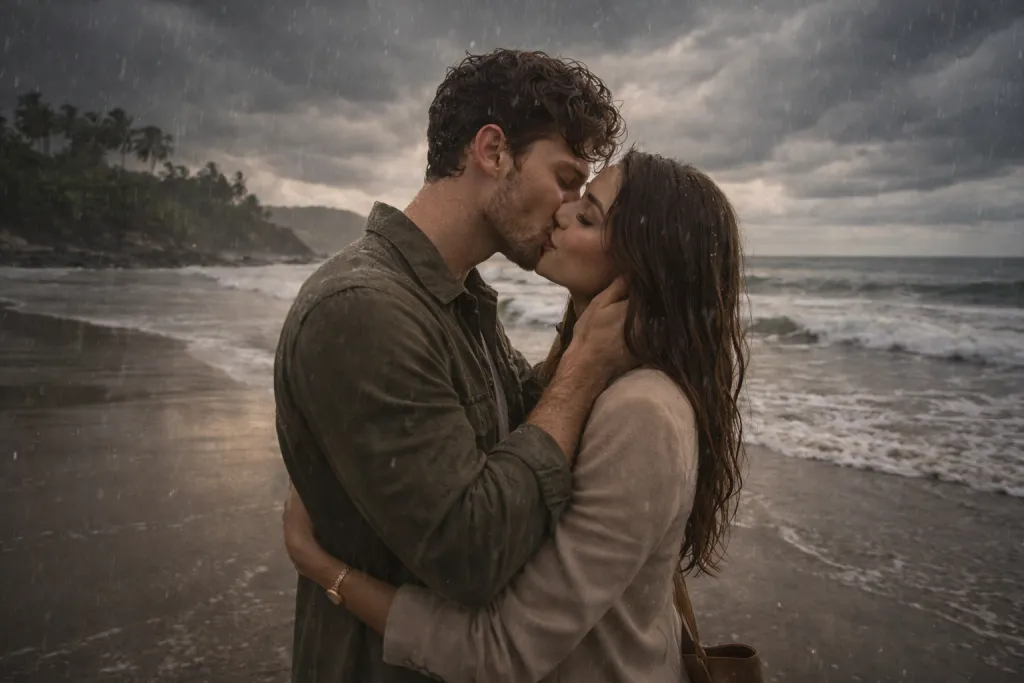
Refer to the uploaded image for both faces. Place the couple sharing a kiss in the rain on a Goa beach. Dramatic clouds, cinematic wide composition, water droplets on skin. Realistic photography style. Preserve both faces exactly as uploaded.
Bride and groom kissing in floral mandap joyful scene ( Prompt 8 )
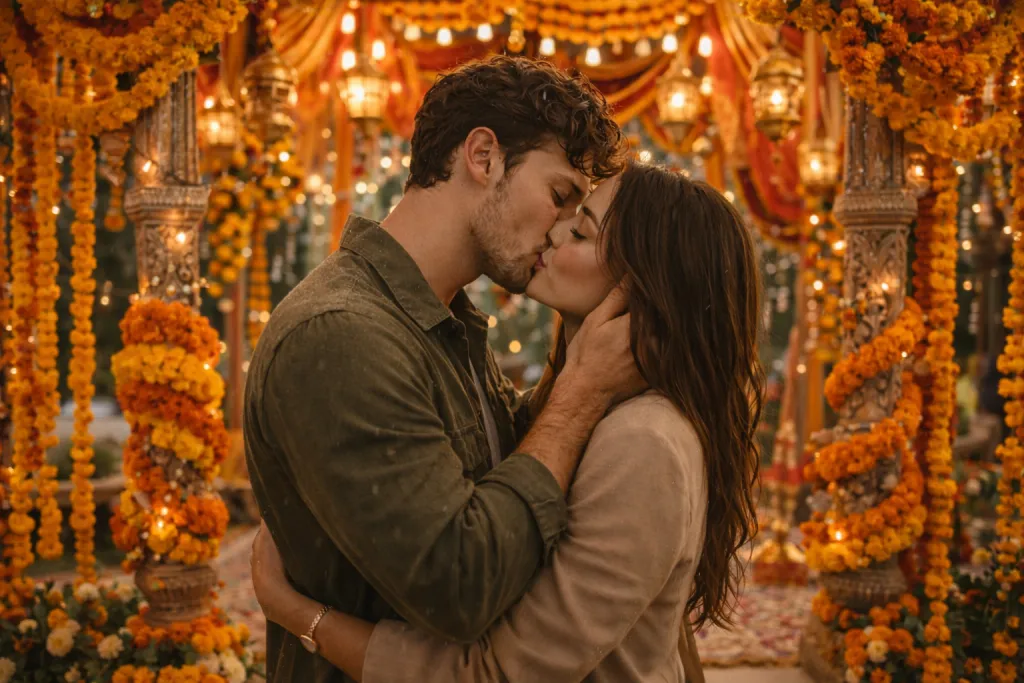
Use the uploaded couple photo. Generate a romantic scene of them kissing under a decorated Indian wedding mandap, surrounded by marigold flowers and string lights. Vibrant colors, joyful atmosphere. Faces must match the original upload.
Love couple intimate moment shallow depth of field ( Prompt 9 )
From the uploaded image, create a close-up shot of the couple, lips almost touching, noses gently pressed together. Shallow depth of field, warm candlelight in the background. Ultra-realistic render. Maintain exact facial features from uploaded photo.
Romantic rooftop kiss with city lights and bokeh effect ( Prompt 10 )
Using the uploaded photo, generate a cinematic image of the couple sharing a kiss on a rooftop under fairy lights. Urban Indian skyline at night, bokeh light effect, soft glow. Both faces must be identical to the uploaded image.
Couple Emotional Close Moments — Copy & Paste
These prompts go beyond kissing and hugging — they capture the in-between moments: a silent gaze, a hand on the cheek, a head on the shoulder. Perfect for generating emotionally rich AI images that feel real and personal. Upload your photo for face-locked results.
More Couple AI Photo Prompts (Must Try)
If you enjoyed these emotional and romantic AI prompts, be sure to check out this detailed guide — it includes more advanced, realistic, and viral-style prompts:
Gemini Couple Photo Prompts (Copy & Paste Ready)
Cozy couple moment with rain outside and warm chai ( Prompt 11 )
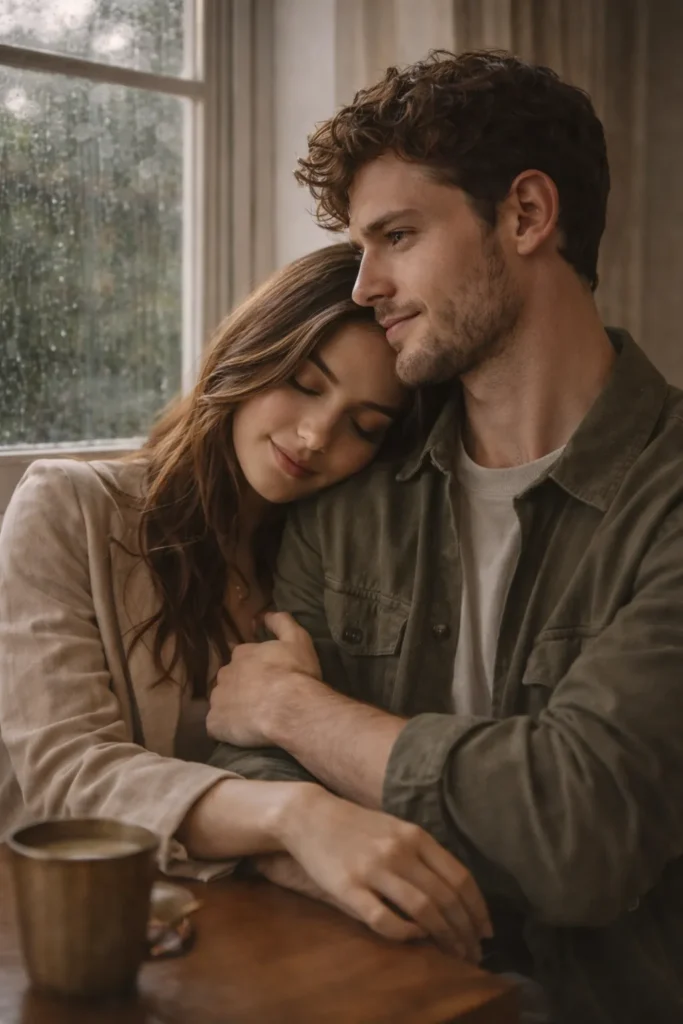
Use the uploaded photo. Generate a photorealistic image of the couple sitting quietly by a window, one resting their head on the other's shoulder. Rainy day outside, warm cup of chai on the table, soft natural light. Calm and intimate mood. Faces must match the upload.
Love couple gentle touch no kiss warm sunset light ( Prompt 12)
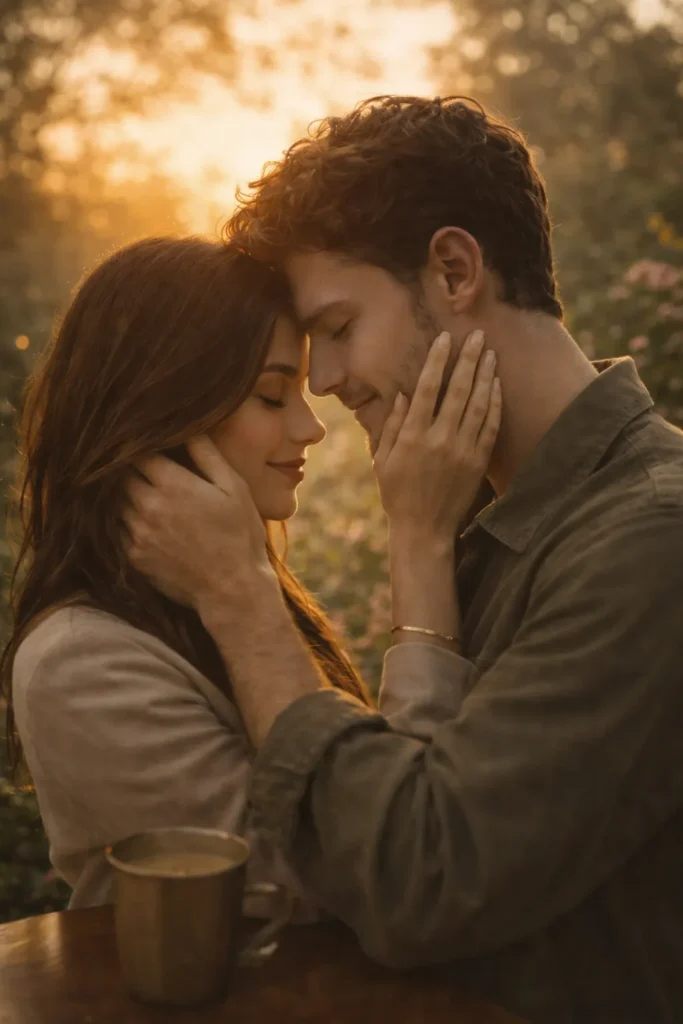
From the uploaded image, place both people in a scene where one gently cups the other's face with both hands, eyes closed, foreheads touching. No kiss — just presence. Golden hour light, blurred garden background. Keep faces exactly as uploaded.
Couple lying on picnic blanket holding hands in park ( Prompt 13 )
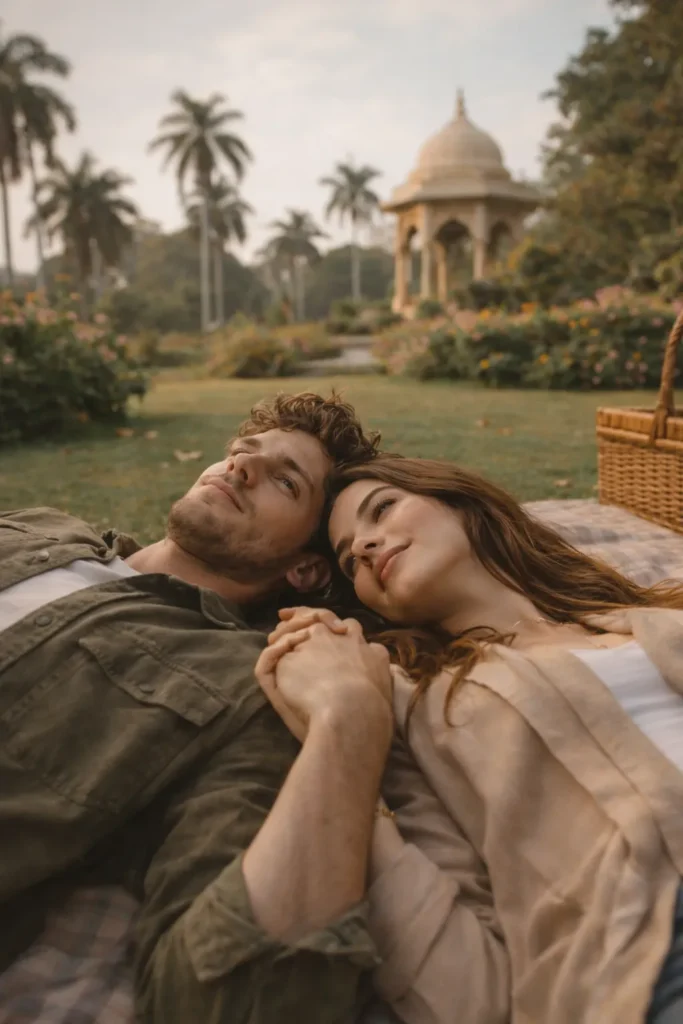
Using the uploaded couple photo, generate an image of them lying on a picnic blanket in a park, looking up at the sky together, fingers intertwined. Soft afternoon light, Indian botanical garden setting. Peaceful and loving. Preserve original faces.
Couple holding hands at candlelit restaurant table ( Prompt 14 )
Refer to the uploaded image. Create a scene of the couple sitting across from each other at a candlelit table in a cozy Indian restaurant, holding hands, gazing at each other. Warm amber light, bokeh background, ultra-realistic style. Faces must match uploaded photo.
Intimate couple scene with soft focus background ( Prompt 15 )
Use the uploaded photo for both faces. Generate an image of one partner gently wiping a tear from the other's cheek. Emotional depth, soft focus background, evening light. The mood is tender and deeply loving. Maintain exact facial features.
Anime & Illustrated Couple Prompts — Copy & Paste
Want to turn your real photo into a stunning anime or illustrated couple moment? These prompts work with Gemini’s image input feature to transform your uploaded photo into beautifully styled artwork — from Studio Ghibli to vibrant digital illustrations — while keeping your facial features recognizable.
Cute anime couple hugging in dreamy sakura scene ( Prompt 16 )
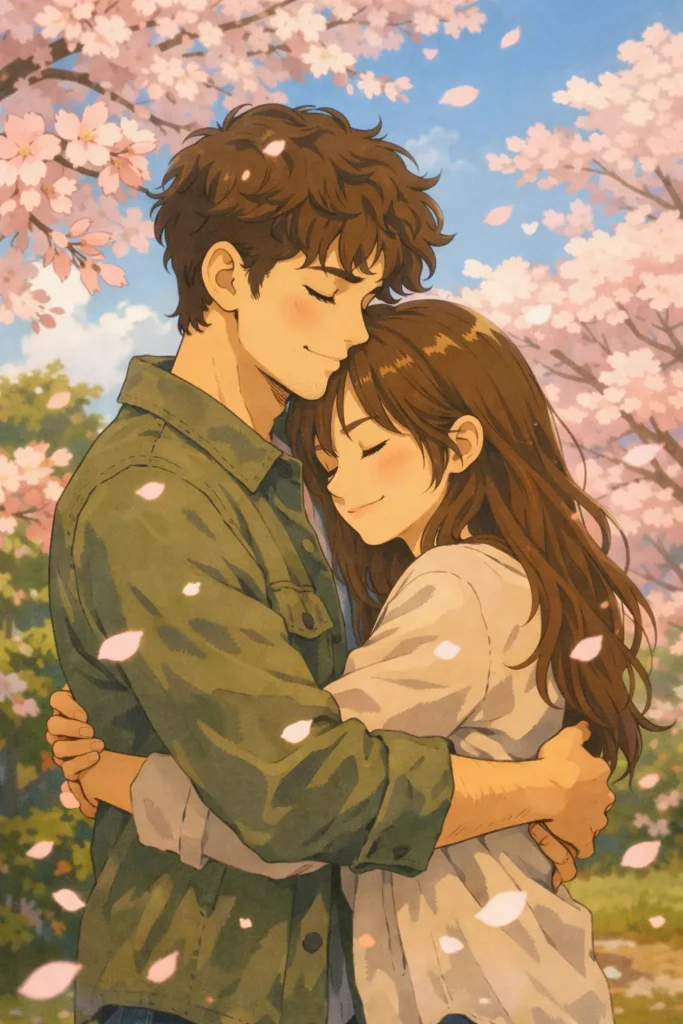
Using the uploaded photo of the couple, generate an anime-style illustration of them hugging under cherry blossoms. Soft pastel colors, Studio Ghibli art style, glowing sakura petals falling around them. Faces should reflect the uploaded image in anime form.
Vibrant Indian couple art with jewel tone colors and kiss ( Prompt 17 )
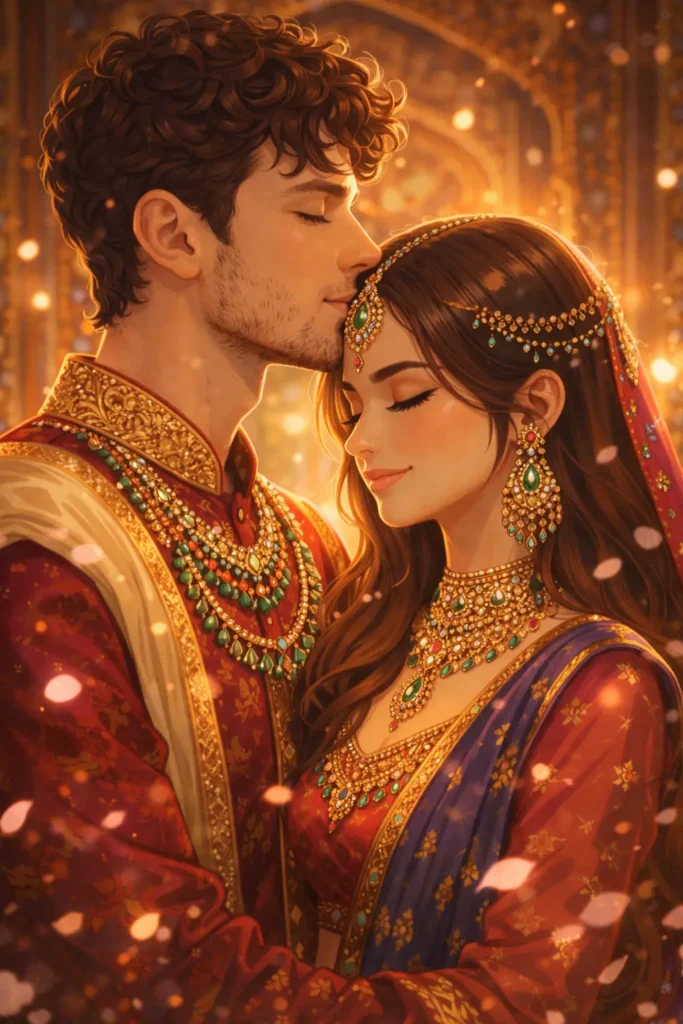
Refer to the uploaded image. Create a vibrant digital art illustration of the couple sharing a forehead kiss, dressed in Indian classical outfits. Intricate jewelry detailing, jewel-tone color palette, 4K render. Maintain facial likeness in illustrated form.
Love couple by river sunset painting with dreamy tones ( Prompt 18 )
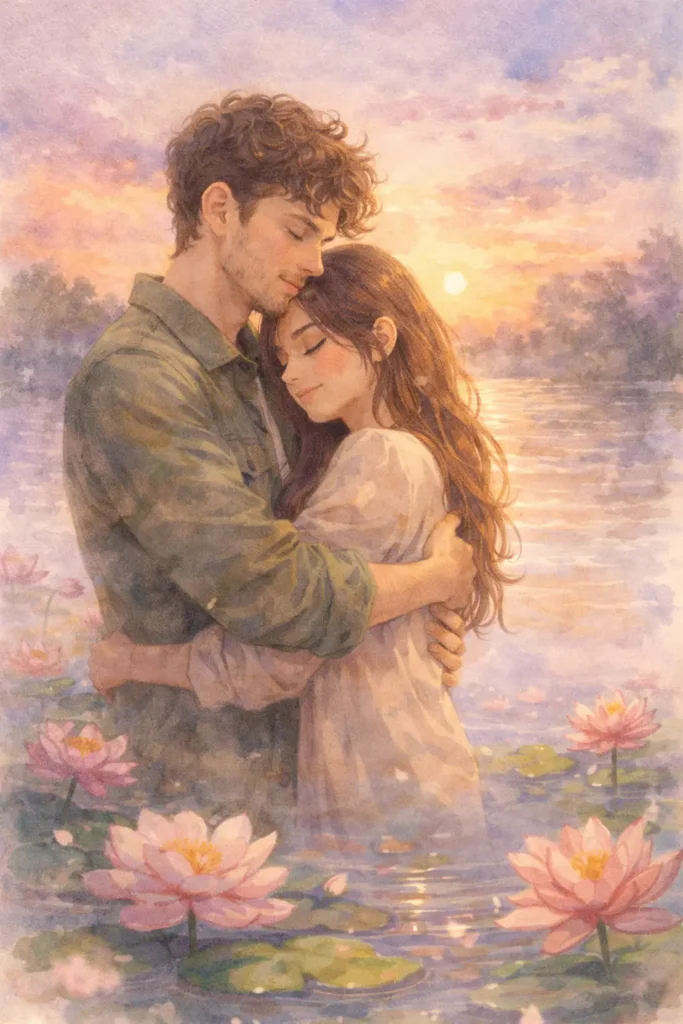
From the uploaded couple photo, generate a watercolor painting style image of them embracing by a river at sunset. Lotus flowers floating in the foreground, dreamy soft edges, pastel sky. Faces should resemble the uploaded photo in painting style.
Cinematic Bollywood style couple embrace artwork ( Prompt 19 )
Use the uploaded image. Generate a Bollywood poster-style illustrated graphic of the couple in a romantic hug, with dramatic lighting, rose petals in the air, and a decorative golden frame border. Keep faces recognizable from the upload.
Funny couple surprised kiss with blush comic style ( Prompt 20 )
Referring to the uploaded photo, create a comic-book or webtoon style illustration of the couple sharing a surprised accidental kiss. Bold outlines, expressive faces, pink blush effect, speech bubble optional. Fun and cute art style. Faces based on uploaded image.
Cinematic & Festive Couple Prompts — Copy & Paste
These prompts are built for cinematic realism — Bollywood-inspired lighting, Indian festivals, dramatic landscapes. Upload your photo into Gemini or ChatGPT image mode and let the AI place you inside a movie-quality romantic moment. Great for Reels thumbnails, anniversary posts, and festive greeting content.
Couple in mustard farm with dramatic lighting festive vibe ( Prompt 21 )
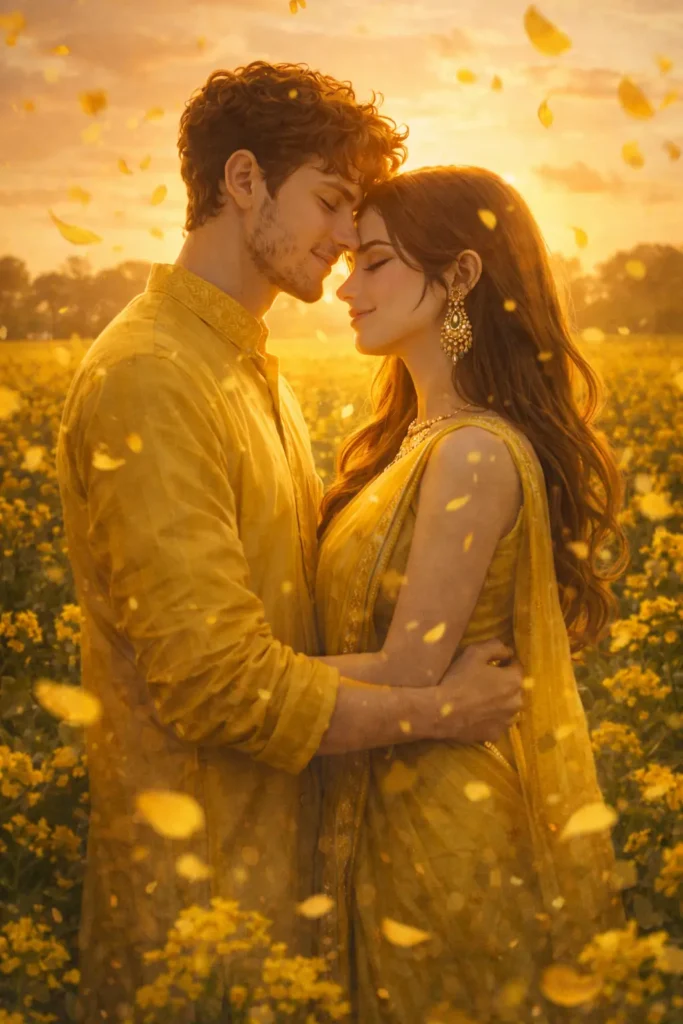
Use the uploaded photo. Generate an ultra-HD cinematic image of the couple standing in a mustard field during Basant Panchami, wearing yellow outfits, golden sunlight behind them, flower petals in the air. Dramatic Bollywood-style lighting. Faces must match uploaded photo.
Couple on elephant Rajasthan wedding ( Prompt 22 )
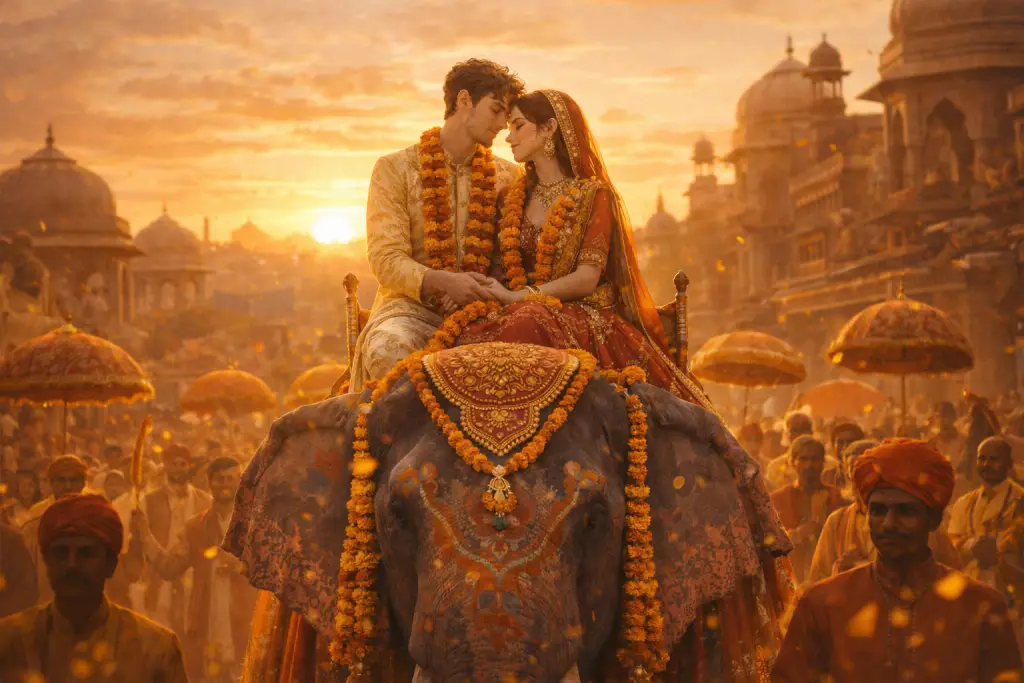
From the uploaded image, create a cinematic scene of the couple on a decorated elephant during a Rajasthan wedding procession at sunset. Traditional attire, marigold garlands, warm golden tones, wide shot composition. Preserve facial features exactly.
Romantic Diwali couple with fireworks sky ( Prompt 23 )
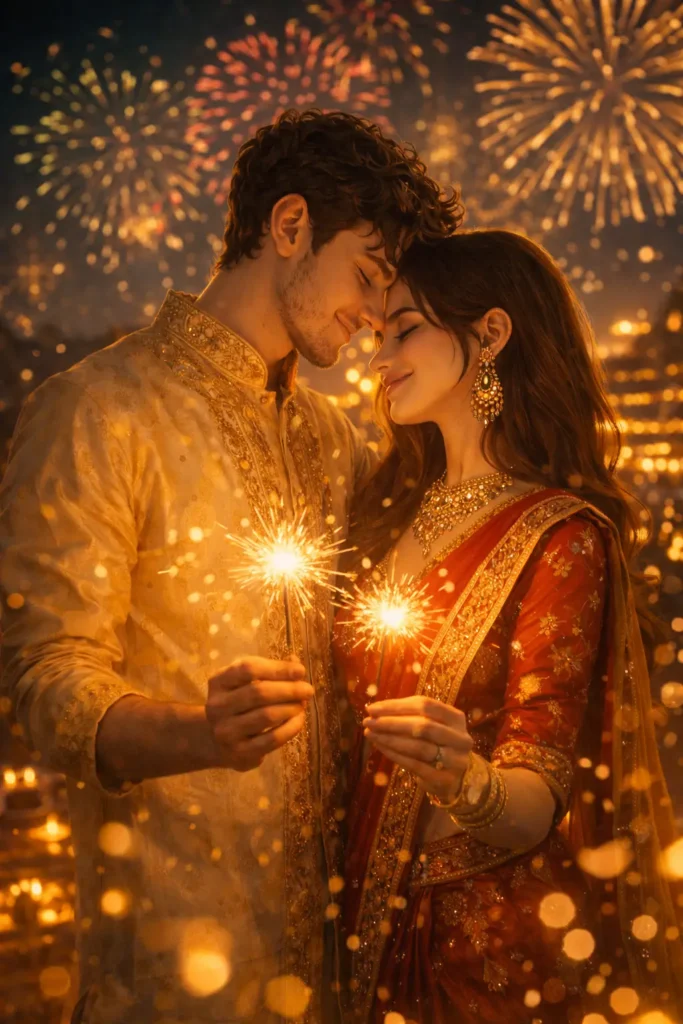
Using the uploaded photo, generate a Diwali night scene of the couple standing together in front of a lit fireworks sky, holding sparklers, wearing festive Indian clothes. Bokeh effect on lights, ultra-realistic style. Faces must be identical to the upload.
Love couple holding close with lens flare effect ( Prompt 24 )
Refer to the uploaded couple photo. Place them in a slow-motion cinematic moment — rose petals falling around them as they hold each other close. Soft lens flare, Bollywood film aesthetic, dramatic shadows and warm tones. Maintain exact face likeness.
Cinematic mountain couple with waterfall background ( Prompt 25 )
Use the uploaded image. Generate a misty mountain scene with the couple standing on a wooden bridge in Himachal Pradesh, arms around each other, looking at a waterfall. Pine trees, golden morning fog, DSLR photography realism. Faces must match uploaded photo.
ChatGPT Couple Prompts (Copy & Paste)
Romantic Couple Walking During Golden Hour (Prompt 26)
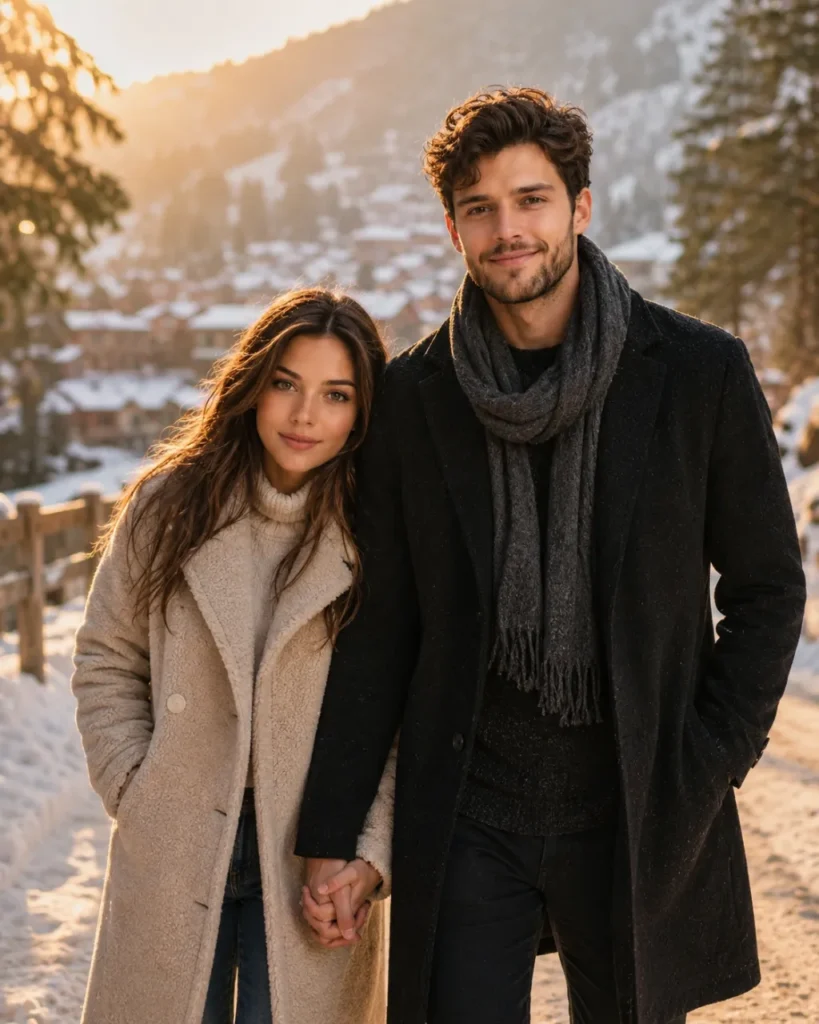
Using the uploaded couple photo, create an ultra-realistic romantic portrait of the same couple walking hand in hand during golden hour. Warm sunlight, cinematic depth of field, natural skin texture, DSLR photography, premium lifestyle shoot. Keep both faces exactly as shown in the uploaded image.
Couple Sitting Together In Cozy Cafe (Prompt 27)
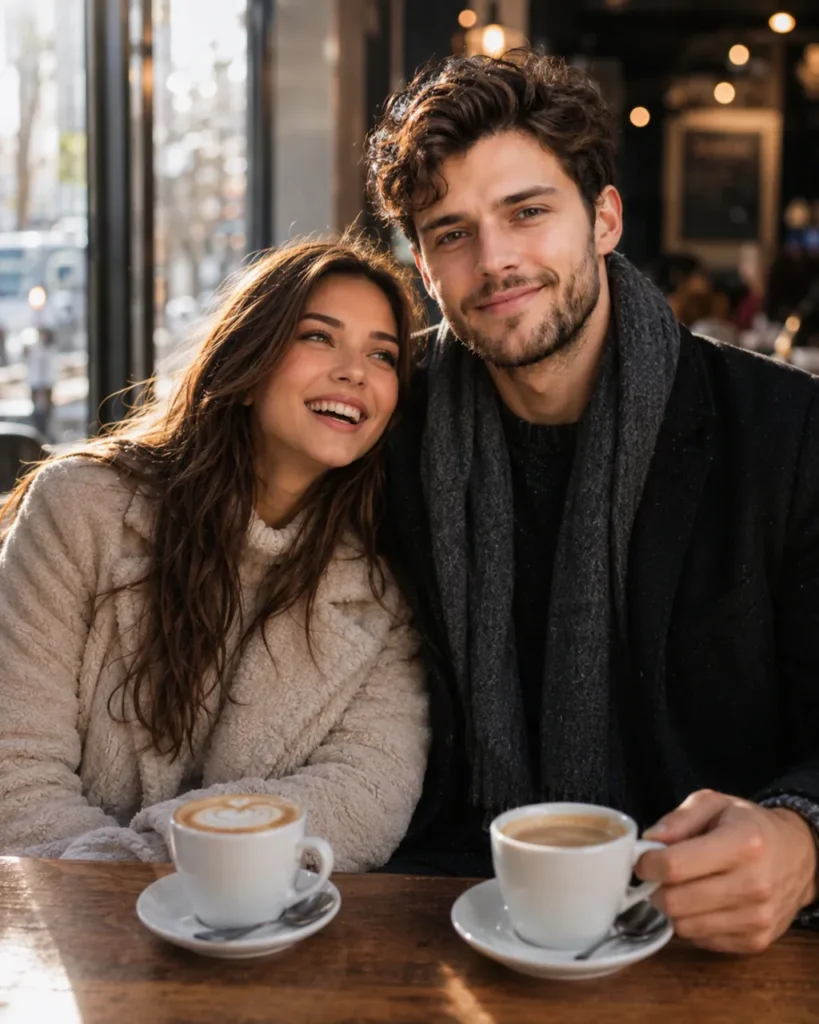
Use the uploaded couple image. Generate a realistic coffee shop date scene with natural laughter, sunlight entering through café windows, shallow depth of field, realistic skin texture, premium photography style. Preserve both faces exactly as uploaded.
Romantic Beach Sunset Couple Photo (Prompt 28)
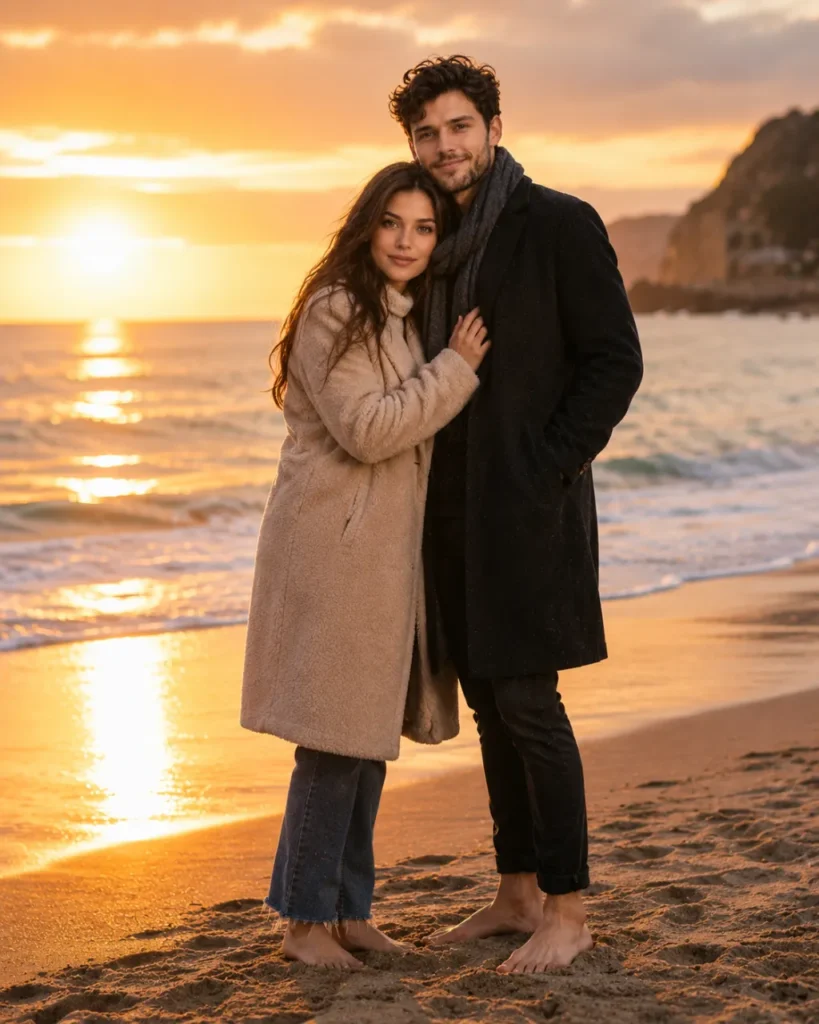
Using the uploaded photo, create a cinematic beach sunset portrait of the same couple standing barefoot near the shoreline. Golden reflections on water, romantic atmosphere, DSLR photography, realistic details. Faces must remain unchanged.
Couple Holding Hands In Flower Garden (Prompt 29)
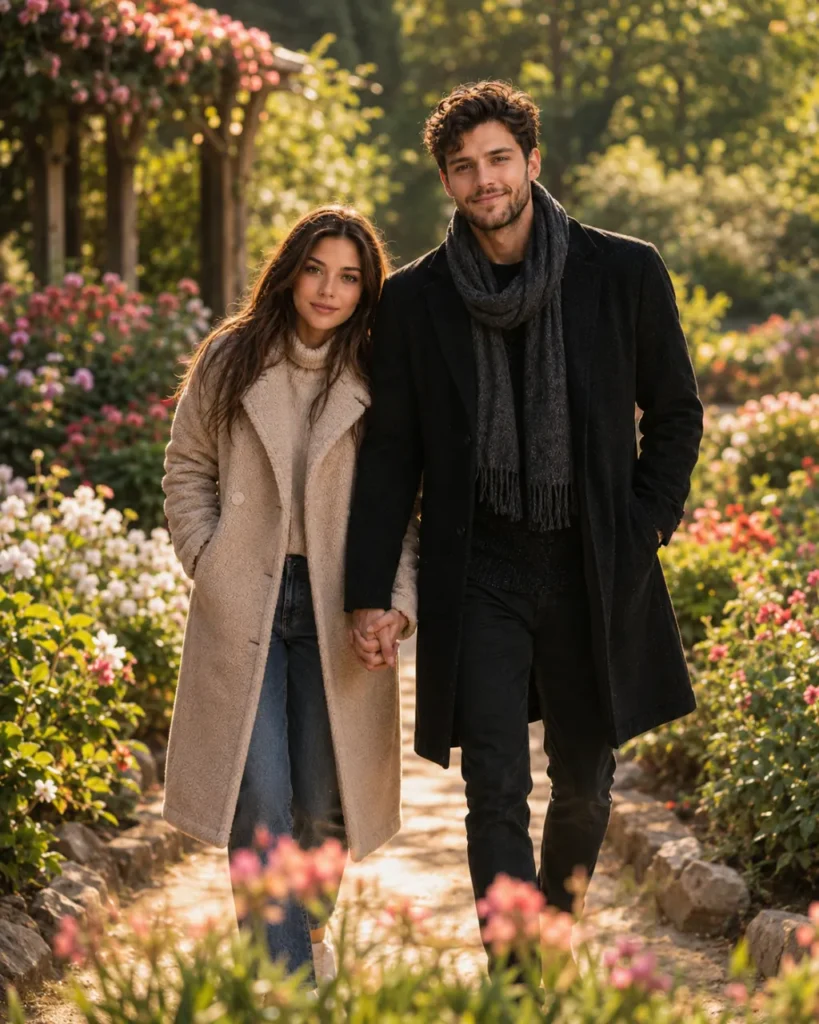
Use the uploaded image of the couple. Generate a romantic scene where they walk through a colorful flower garden holding hands. Soft natural light, dreamy background blur, ultra-realistic photography. Preserve facial identity perfectly.
Romantic Rooftop Date Under Fairy Lights (Prompt 30)
Using the uploaded couple photo, create a romantic rooftop dinner scene under fairy lights. Elegant table setup, city skyline in background, cinematic lighting, realistic skin tones, luxury photography style. Faces unchanged.
Couple Laughing Together In Rain (Prompt 31)
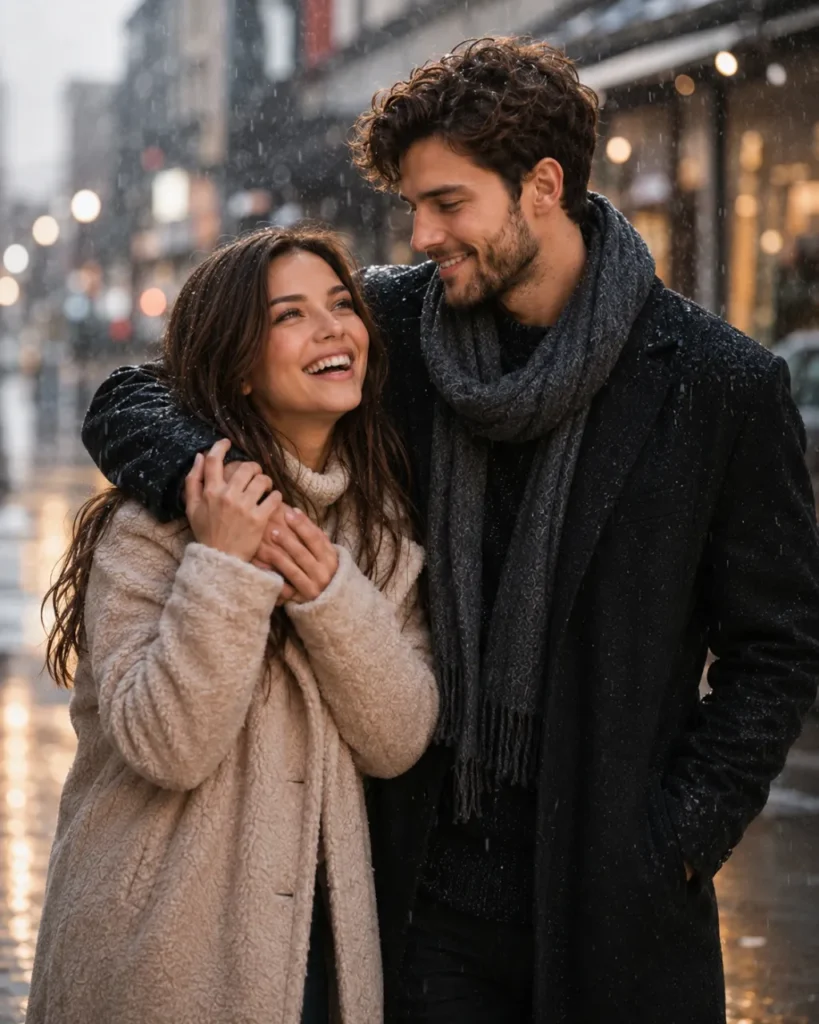
Use the uploaded image. Generate a candid romantic moment of the couple laughing together during light rain. Rain droplets visible, cinematic atmosphere, shallow depth of field, realistic photography. Keep both faces exactly the same.
Romantic Train Journey Window Portrait (Prompt 32)
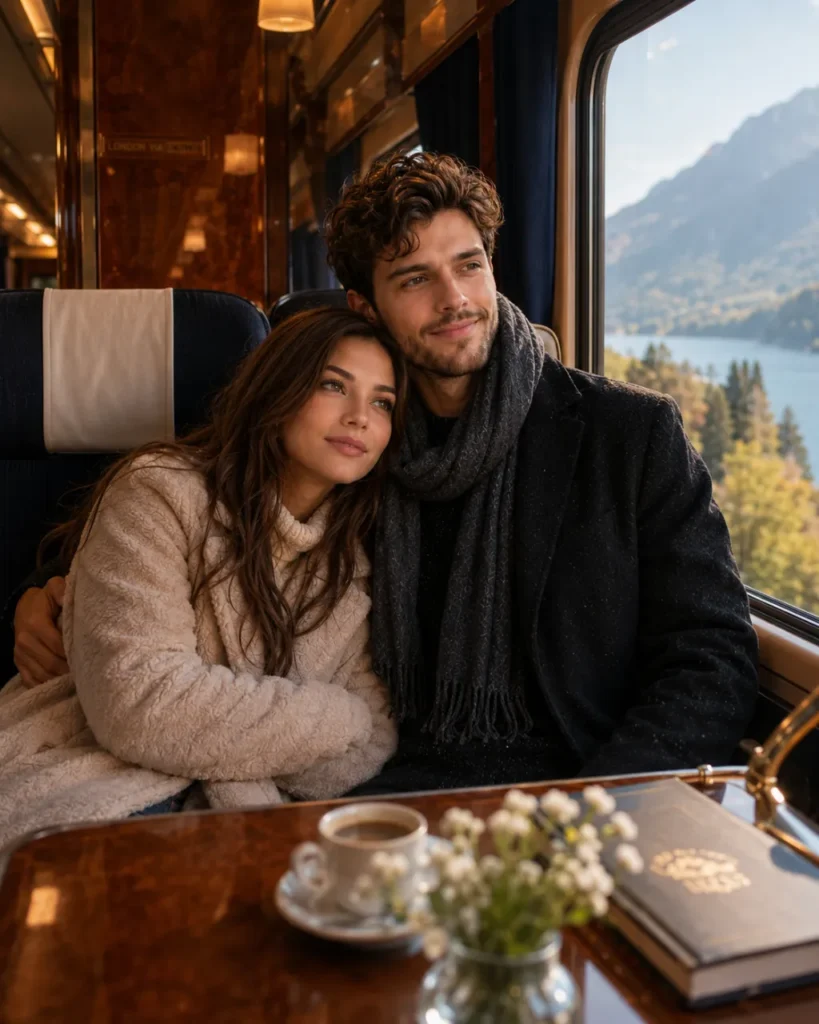
Using the uploaded couple photo, place the same couple inside a luxury train cabin. They sit beside a large window watching beautiful scenery. Natural sunlight, realistic reflections, cinematic travel photography. Preserve facial features exactly.
Couple Watching Sunset On Mountain Viewpoint (Prompt 33)
Use the uploaded image. Generate a realistic mountain viewpoint scene during sunset. The couple stands close together enjoying the view. Warm golden tones, misty mountains, DSLR quality, ultra-realistic photography. Faces unchanged.
Romantic Library Date Scene (Prompt 34)
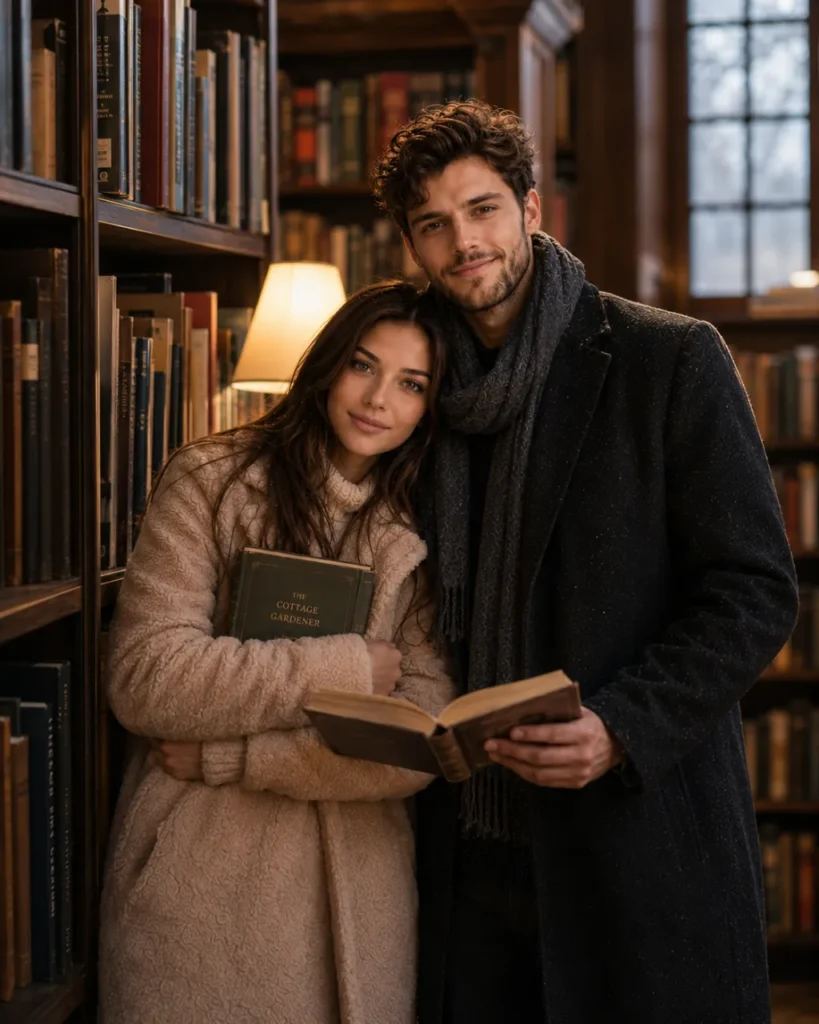
Using the uploaded photo, create a cozy library date scene with bookshelves surrounding the couple. Soft warm lighting, candid smiles, realistic photography style, premium portrait quality. Maintain exact facial identity.
Couple Sitting By Campfire At Night (Prompt 35)
Use the uploaded image of the couple. Generate a cinematic camping scene with the couple sitting beside a glowing campfire under a starry sky. Warm light on faces, realistic shadows, DSLR photography. Preserve both faces perfectly.
Romantic Couple AI Prompts for Stunning Photos
If you enjoyed these emotional and romantic AI prompts, be sure to check out this detailed guide — it includes more advanced, realistic, and romantic prompts:
Romantic Couple In Lavender Field (Prompt 36)
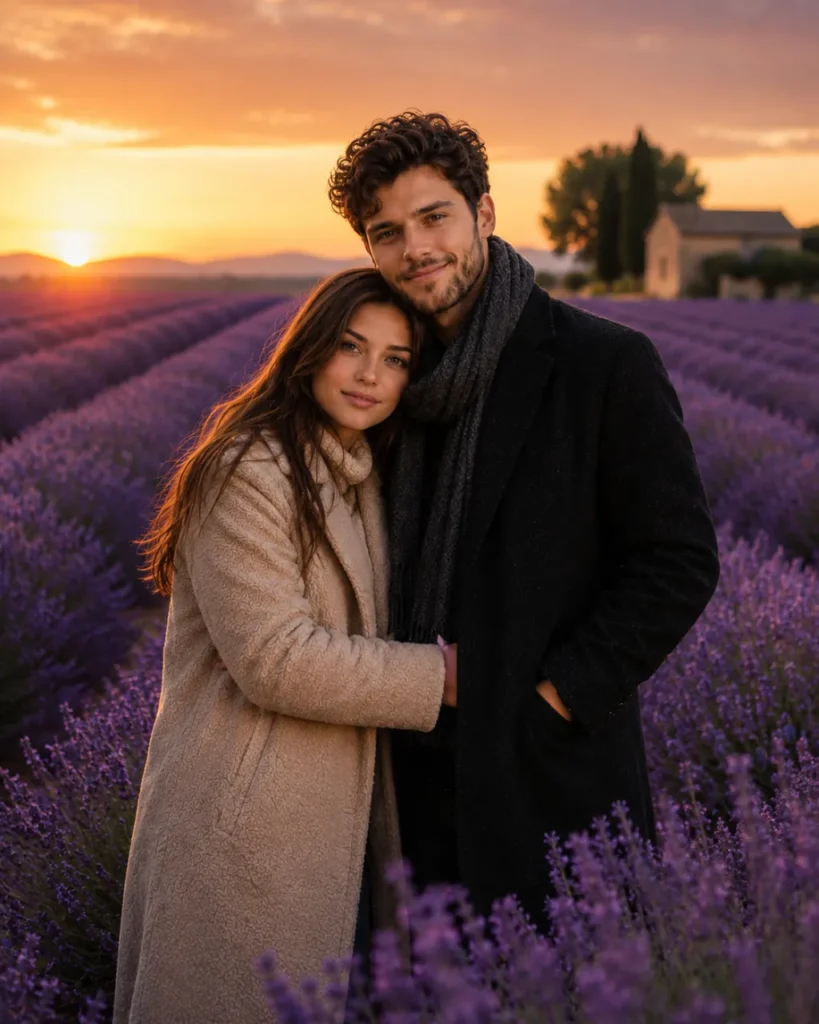
Using the uploaded photo, place the couple inside a beautiful lavender field during sunset. Purple flowers stretching into the distance, dreamy atmosphere, realistic photography, cinematic composition. Faces must remain identical.
Couple Hugging At Airport Reunion (Prompt 37)
Use the uploaded image. Generate an emotional airport reunion scene where the couple shares a heartfelt hug after a long separation. Natural expressions, realistic airport background, cinematic storytelling photography. Keep faces unchanged.
Couple Watching Fireworks Together (Prompt 38)
Using the uploaded couple photo, create a realistic night scene where the couple watches colorful fireworks together. City skyline, reflections of fireworks, romantic atmosphere, DSLR photography. Preserve facial features exactly.
Romantic Balcony Morning Scene (Prompt 39)
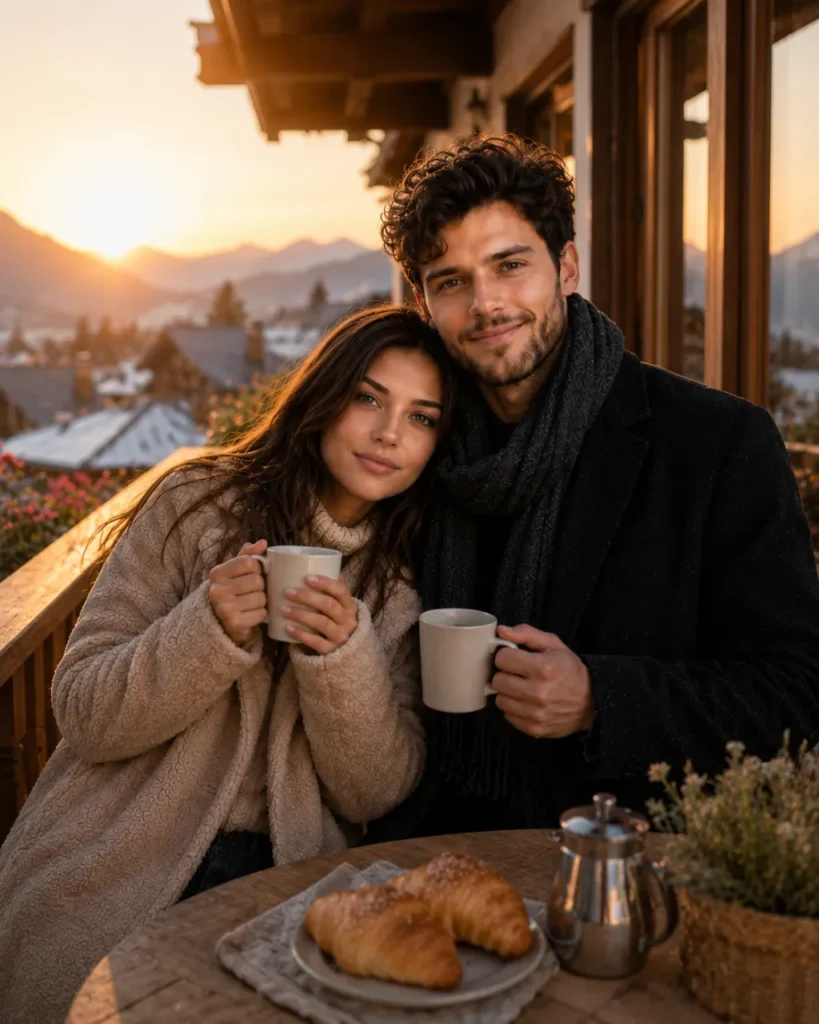
Use the uploaded image. Generate a peaceful morning balcony scene where the couple enjoys coffee together while watching the sunrise. Soft sunlight, realistic environment, premium lifestyle photography. Faces unchanged.
Romantic Hot Air Balloon Adventure (Prompt 40)
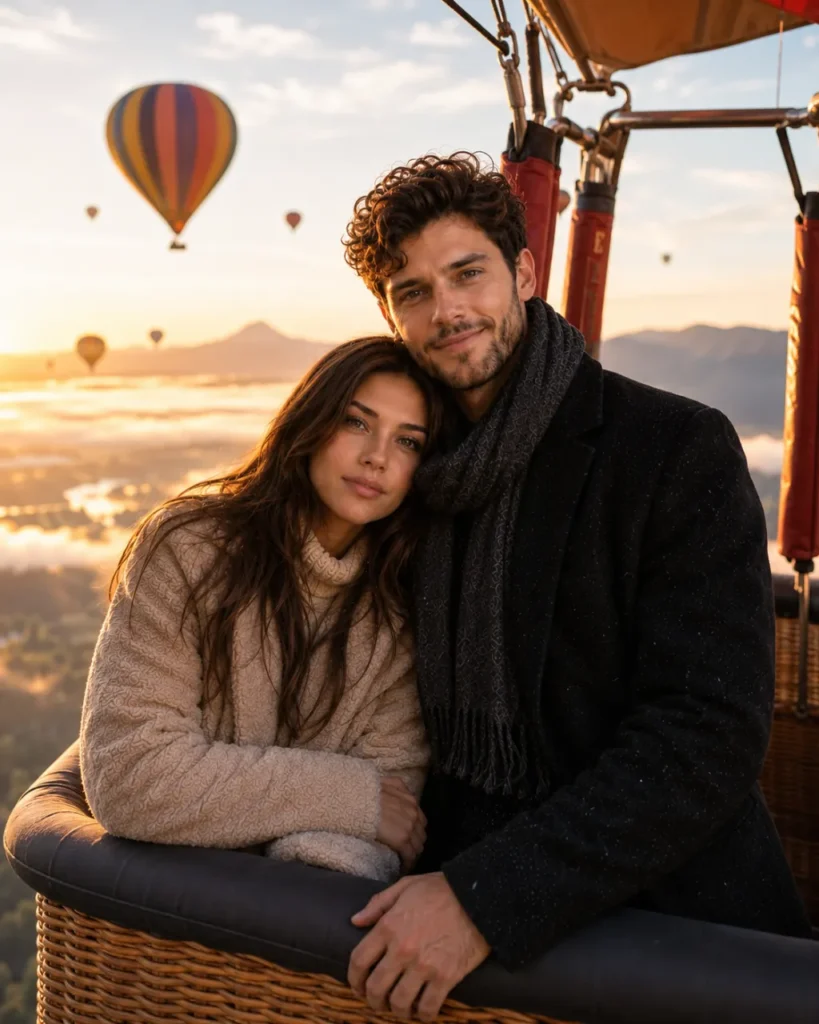
Using the uploaded couple image, generate a breathtaking cinematic scene of the same couple riding in a colorful hot air balloon above a valley during sunrise. Golden sunlight illuminating their faces, clouds below, dreamy atmosphere, ultra-realistic photography, luxury travel aesthetic, shallow depth of field. Preserve both faces exactly as shown in the uploaded image.
How to Use These Prompts on Gemini
Google Gemini (gemini.google.com) supports image uploads directly in the chat. Follow these steps to generate your face-locked couple image:
- Step 1: Open Gemini: Go to gemini.google.com on your browser or open the Gemini app on your phone. Make sure you’re signed in with your Google account.
- Step 2: Upload Your Photo: Click the image/attachment icon in the chat box. Upload a clear, front-facing photo of you and your partner together — or upload one photo each if prompted separately.
- Step 3: Copy a Prompt: From this document, choose a prompt from any section. Copy the full prompt text — do not shorten or edit the face-lock instruction at the end.
- Step 4: Paste & Send: Paste the copied prompt into the Gemini chat box along with your uploaded image. Make sure both the image and the prompt are in the same message before hitting send.
- Step 5: Regenerate if Needed: If the faces don’t look accurate, try uploading a clearer photo or add: ‘Keep the faces exactly as shown in the uploaded photo’ at the end of your prompt.
Pro Tip: Gemini works best with well-lit, front-facing photos. Avoid group photos or images with sunglasses.
How to Use These Prompts on ChatGPT
ChatGPT (with GPT-4o or GPT-4 Vision) also supports image uploads. Here’s how to use face-lock prompts on ChatGPT to generate romantic couple AI images:
- Step 1: Open ChatGPT: Go to chat.openai.com and sign in. Make sure you are using GPT-4o or a model that supports image input — check the model selector at the top of the chat.
- Step 2: Upload Your Photo: Click the paperclip or image icon in the chat input area. Upload a clear, front-facing photo of both you and your partner. You can upload two separate photos if needed.
- Step 3: Choose & Copy a Prompt: Select a prompt from this document that matches the scene you want — hug, kiss, emotional moment, anime, or cinematic. Copy the entire prompt including the face-lock instruction.
- Step 4: Paste Prompt & Generate: Paste the prompt in the same message as your uploaded image. Hit send. ChatGPT will process the image and the text together to generate your couple scene.
- Step 5: Refine the Output: If needed, follow up with: ‘Make the faces look more like the uploaded photo’ or ‘Use a more cinematic lighting style.’ ChatGPT remembers your previous image in the same conversation.
Pro Tip: For best results on ChatGPT, upload photos separately and mention ‘[Person 1]’ and ‘[Person 2]’ in the prompt to help the model distinguish both faces.
Frequently Asked Questions
Yes — when you upload your photo along with the prompt, tools like Gemini and ChatGPT (GPT-4o) use the uploaded face as a visual reference. The prompts in this document include a specific face-lock instruction at the end of every prompt to reinforce this. Results are best when you use a clear, front-facing, well-lit photo.
Absolutely. First generate the image using these prompts, then use a video tool like Kling AI, Runway ML, or Pika Labs to animate the image into a short romantic video clip. This is a popular workflow for creating couple Reels content with your own face.
Use a recent, well-lit, front-facing photo where the face is clearly visible. Avoid sunglasses, heavy filters, group photos, or blurry images. A simple selfie or portrait photo works best. If uploading two people, a clear photo of both together is ideal.
Definitely. These prompts are templates — feel free to replace the location (e.g., swap “Mumbai street” for “Jaipur haveli”), the occasion (e.g., “Eid night” instead of “Diwali”), or the style (e.g., “pastel watercolor” instead of “photorealistic”). The face-lock instruction at the end should always stay.
Final Thoughts
AI image generation has completely changed how couples create and share memories. What used to require a professional photographer, a studio setup, and hours of editing can now be done in seconds — with your own face, in any setting you imagine.
The 25 face-lock prompts in this document are built for exactly that. Whether you want a Bollywood-style romantic hug on a Mumbai rooftop, a quiet forehead kiss in a candlelit room, or an anime version of your love story — these prompts give you a real starting point with your real face at the center of it.
The key to getting the best results is simple: use a clear photo, keep the face-lock instruction at the end of every prompt, and do not be afraid to regenerate or tweak the scene description until it matches your vision. AI tools improve with each attempt, and so will your results.
Upload your photo. Pick a prompt. Generate your moment.