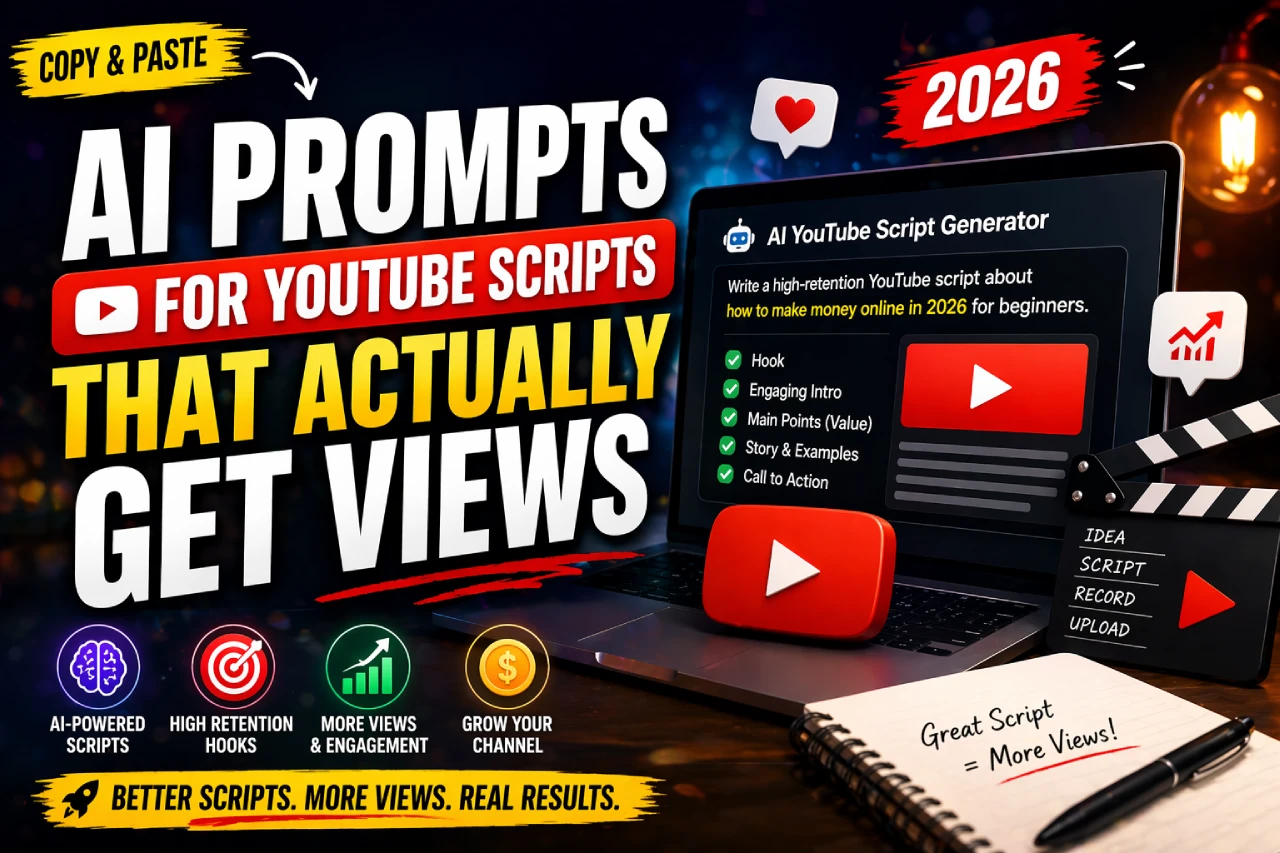
Most AI script prompts give you content. These are built around retention mechanics — the reason viewers stay or click away. 25+ copy-paste prompts, organized by script stage.
Why Most AI Script Prompts Fail
Here’s the uncomfortable truth: the average “write me a YouTube script about [topic]” prompt produces content that sounds like a Wikipedia article read by a customer service bot. It covers the topic. It does not hold attention.
YouTube changed how it weighs performance in 2023. Clicks matter less. Watch time and average view duration are now the algorithm’s primary signals. A video with 10,000 impressions and 14% average view duration will be buried. A video with 3,000 impressions and 62% average view duration gets pushed to more feeds.
Most AI prompts are written to produce content. What you actually need are prompts that produce retention-engineered scripts — content where each structural decision has a specific psychological job to do.
0:15
Avg drop-off window on YouTube — your hook must land before this
50%
Mark where viewers decide whether to finish a video
2x
Retention boost when open loops are used in the intro
The prompts in this guide are structured around these realities. Each one has a specific stage, a specific goal, and a specific reason it works.
The Anatomy of a High-Retention YouTube Script
Before copying any prompt, understand the framework these prompts are built around. Every high-retention YouTube video has the same invisible skeleton:
Hook
Pattern interrupt. Makes closing the tab feel like a loss. Uses curiosity, controversy, or a bold claim.
0:00–0:10
Open Loop
Promise something that won’t be delivered until later. Creates an unresolved tension the viewer needs to close.
0:10–0:45
Body
Information delivered in digestible chunks. Mini-hooks at the start of each section re-anchor attention.
0:45–end–2min
Mid-Roll Cue
Engagement prompt placed at the 40–50% mark — the natural commitment threshold.
~50% mark
Loop Close
Deliver on the open loop promise. Viewers who stayed feel rewarded.
Final 2 min
CTA
One action. No more. Maximize next-click potential — either subscribe or watch next video.
Final 15 sec
Every prompt below maps to one or more of these stages. Use them in sequence for a fully engineered script, or mix and match based on what you already have.
Hook Prompts
The hook is the most important 10 seconds of your video. Not because it gets views — because it keeps them. These three prompt types cover the three highest-converting hook formats on YouTube.
Controversy Hook Prompt
Triggers emotional engagement immediately. Best for opinion-led or educational content.
Write a controversy hook for a YouTube video about [your topic]. The hook must be a single bold statement that challenges a common belief in this space. It should feel slightly provocative — enough to create an emotional reaction, but something I can back up in the video. Maximum 2 sentences. Do not start with "Are you", "Do you", or "Have you ever". Write it in casual spoken language, like I'm talking directly to someone on the street.
Problem Hook Prompt
Pulls in viewers who are actively experiencing pain around your topic. Converts at a high rate for tutorials and guides.
Write a problem-focused hook for a YouTube video about [your topic]. The hook should describe a specific frustrating situation your viewer has already experienced — not a generic problem, a hyper-specific one. Name the feeling and the exact moment it happens. 2 sentences max. Spoken, casual tone. Do not mention your name, the channel, or say "welcome".
Direct Hook Prompt
Speaks directly to a specific type of person or goal. Filters out uninterested viewers and pulls in the right ones.
Write a direct hook for a YouTube video about [your topic] aimed at [specific audience — e.g., beginner freelancers, Indian SaaS founders, new gym-goers]. The hook should name the person and their specific goal in the first sentence, then immediately promise a transformation or result. Max 2 sentences. No fluff. Spoken like a friend who knows exactly what you're struggling with.
Pro Tip: Generate all three hook types for your topic, then pick the one that feels most natural to say out loud. If you can’t say it without cringing, your viewer will cringe watching it.
Outline & Structure Prompts
A well-structured outline is the difference between a video that flows and one that rambles. These prompts produce outlines that already have retention logic baked in — not just a list of talking points.
Retention-First Outline Prompt
You are a YouTube script strategist who specializes in watch-time optimization. Create a retention-focused outline for a [X-minute] YouTube video about [your topic] for an audience of [target audience].
For each section, include:
1. The section name
2. What information is delivered
3. The mini-hook that opens the section (to re-anchor attention)
4. Any pattern interrupt, example, or story that prevents drop-off
Also identify: where the open loop is planted, where it is closed, and where the mid-roll engagement prompt should fall.
Do not include filler sections. Every section must earn its place by either delivering value or advancing retention.
Storyboard Outline Prompt
Create a scene-by-scene storyboard outline for a YouTube video about [your topic]. For each scene include: (1) what I say on camera, (2) what visual should appear — b-roll, text overlay, screen recording, or talking head, (3) estimated duration in seconds, and (4) the emotional job of this scene — does it educate, entertain, build curiosity, or drive action? Keep total video under [X minutes]. Write as if briefing a video editor who has never seen the topic before.
Intro Prompts
The intro’s job is one thing only: keep the viewer watching. It is not a welcome mat. It is a loading bar that convinces someone the next 8 minutes are worth their time.
Open Loop Intro Prompt
Write an intro for a YouTube video about [your topic]. The intro must do four things in order: (1) validate the viewer's current situation or frustration, (2) tease what they'll learn without giving it away yet — this is the open loop, (3) build credibility briefly in one line, and (4) set up what's coming in the video to make them commit to watching.
Max 60 seconds when spoken aloud (~150 words). Casual, direct tone. No "welcome to the channel", no "don't forget to like and subscribe", no stage directions. Just the script text.
Hype Intro (Copywriter Style) Prompt
Act as a direct-response copywriter writing a YouTube video intro. The video is about [your topic]. Write the intro using this framework: Hook → Shock → Validate → Tease. Do not label these as headings. The Hook grabs attention in one sentence. The Shock delivers a surprising or counterintuitive fact that reframes the topic. The Validate section makes the viewer feel seen — they've been thinking about this. The Tease hints at what's coming without fully revealing it. Spoken, conversational. Under 90 seconds. No clichés.
Body & Section Prompts
Most creators write the intro well, then lose the viewer in the body. That’s because the body is where scripts get lazy — big chunks of information, no re-hooks, no pacing variation. These prompts fix that.
Point-by-Point Body Section
Write the script for section [X] of my YouTube video. The section title is: [section name].
The section must follow this structure:
– Mini-hook: A one-sentence re-anchor that pulls back any viewer who zoned out
– Core content: Explain the point clearly using a real example, analogy, or brief story
– Insight: The non-obvious angle or takeaway that makes this feel worth watching
– Transition: One sentence that naturally sets up the next section without saying "moving on" or "next up"
Tone: [casual / professional / entertaining]. Audience: [describe them]. Max 300 words for this section.
Storytelling Body Prompt
Write a body section for a YouTube video about [topic] using storytelling structure. The section should open with a specific scene or moment — a real or plausible situation the viewer can picture themselves in. Develop tension around a core challenge. Then deliver the insight or resolution. Use short sentences. Vary rhythm. Include one line of direct dialogue or inner monologue if it fits naturally. The section should feel like a Netflix mini-doc, not a blog post being read aloud. Max 350 words.
Watch Out: Never write body sections in one continuous block. The AI will default to that if you don’t specify structure. Always tell it: mini-hook first, then content, then transition.
Engagement & CTA Prompts
Asking for likes too early feels desperate. Too late and the viewer has already tuned out. Placement matters as much as the line itself — and the line matters more than most creators realize.
Mid-Roll Engagement Line Prompt
Write a mid-roll engagement line for a YouTube video about [topic]. The line should feel organic — not transactional. It can ask viewers to comment with a relevant response to the content (e.g., their experience, their answer to a question), not just "comment below". One sentence only. It should feel like something a friend would say mid-conversation, not a radio presenter sign-off. Do not say "smash", "drop", "hit", or "tap".
End-of-Video CTA Prompt
Write an end-of-video call-to-action for a YouTube video about [topic]. The CTA has one job: get the viewer to either subscribe or watch the next video — pick one, not both. It must feel like a natural close, not an ad read. One to two sentences max. Spoken, warm, not pushy. If pointing to another video, give me a one-line reason why that video is the logical next step based on what they just watched.
Full One-Shot Script Prompts
When you need a complete script without going section by section, these prompts produce a full working draft. They work best when you give specific details — vague inputs produce generic outputs.
Standard One-Shot Script (5–12 min video) Prompt
You are a professional YouTube script writer specializing in high-retention content. Write a complete YouTube script for a [X-minute] video titled: "[your video title]"
Channel niche: [your niche]
Target audience: [specific description — age, interest, knowledge level]
Tone: [casual/educational/entertaining]
Key points to cover: [list 3–5 main points]
Structure requirements:
– Hook (first 10 seconds, no "welcome" or name intro)
– Intro with open loop (under 60 seconds)
– Body sections with mini-hooks at the start of each
– Mid-roll engagement prompt at the 50% mark
– Conclusion that closes the open loop
– Single CTA (subscribe or watch next video — not both)
Writing rules:
– Max sentence length: 18 words
– No filler transitions ("moving on", "next up", "as I mentioned")
– Use one concrete example or story per main point
– Write at a 7th-grade reading level
– No stage directions, no headings in the final script — just spoken text
Output the full script only.
Niche Authority Script (For Thought Leaders & Experts)
Write a YouTube script for a thought-leadership video about [topic]. The video is aimed at [audience] who already know the basics — so skip the definitions and foundational explanations.
This script should feel like a conversation with someone who has done the work others haven't. Use data points, counterintuitive insights, or a personal experience/case study to anchor credibility. The hook must challenge a common assumption in this space. The body should have 3 core insights, each opened with a mini-hook and closed with a one-line memorable takeaway.
Tone: direct, confident, slightly contrarian. Length: [X minutes / approx X words]. No buzzwords. No corporate language. Write how smart people talk, not how they write whitepapers.
Making AI Scripts Sound Human
Every competitor mentions this problem. None of them actually solve it. Here’s why AI scripts sound robotic — and the specific prompt that fixes it.
AI defaults to a writing pattern: long even sentences, symmetrical structure, transitions like “Furthermore” and “It’s worth noting”. It writes for comprehension, not for listening. The fix is not editing the output — it’s prompting for the right input.
Voice Calibration Prompt
I am going to paste a transcript of one of my YouTube videos below. Read it carefully. Then describe my writing and speaking style using the following dimensions:
– Average sentence length
– Tone (formal/casual/playful/direct)
– How I handle transitions
– Phrases or expressions I use often
– Pacing — do I use short punchy lines or longer explanatory ones?
– How I open and close sections
After your analysis, confirm you'll use this style as a template for all future scripts I ask you to write in this session.
[PASTE YOUR TRANSCRIPT HERE]
De-Robotify Prompt
Rewrite the following YouTube script section to sound more human and natural when spoken aloud. Apply these rules:
1. Break up any sentence over 15 words into two
2. Replace all filler transitions ("furthermore", "additionally", "in conclusion", "it's important to note") with natural spoken alternatives or just remove them
3. Add one moment of informal speech — a contraction, a "look," a "here's the thing," or a brief aside
4. Vary sentence rhythm: short. Then a slightly longer one that explains. Then short again.
5. Remove any word a 12-year-old wouldn't use
6. Do not change facts, examples, or structure — only the language
[PASTE SCRIPT SECTION HERE]
Golden Rule: After any AI script, read it out loud before hitting record. Every sentence you trip over is a sentence your viewer mentally trips over too. Edit anything that feels unnatural to say.
YouTube Shorts Prompts
Shorts are a different format entirely. You have no intro runway. The hook is the video. Everything must move faster, cut harder, and deliver value before the viewer swipes.
Shorts Hook + Script (Under 60 Seconds)
Write a YouTube Short script about [topic] for an audience of [target audience].
Rules:
– First line must be the hook — spoken directly at camera, provocative or surprising, under 10 words
– No intro. No name. No setup. Get to the value immediately.
– Maximum 3 points or steps — one sentence each
– End with a single punchy takeaway or a question that invites comments
– Total script under 120 words (approx 45–55 seconds spoken)
– Vertical video — assume the viewer can see my face. Write for eye contact delivery.
– No hashtags, no calls to follow in the script itself
Output: spoken script only, no stage directions.
Shorts Series Prompt
I want to create a series of 5 YouTube Shorts about [broad topic] targeting [audience]. Each Short should: cover one specific sub-point, stand alone (viewers don't need to watch others in the series), and end with a reason to watch the next one.
Generate:
1. A series name or theme
2. Titles for all 5 Shorts (designed for high click-through)
3. A one-paragraph script for each (under 100 words per script)
Make each hook different — use a controversy hook, problem hook, direct hook, stat hook, and story hook respectively across the five videos.
Frequently Asked Questions
Technically yes, but you shouldn’t. AI scripts are a structural first draft, not a finished product. They give you the skeleton — the hook placement, the transitions, the retention logic — but they don’t know how you speak. Even 10–15 minutes of editing to replace generic phrases with your natural voice will make a significant difference in how the video performs and feels to your audience.
The prompts in this guide work with all three. In practice, Claude tends to produce more natural-sounding prose and handles tone instructions better. ChatGPT with GPT-4 is strong on structure and follows complex multi-rule prompts reliably. Gemini is solid for research-heavy scripts where you need factual grounding. The best workflow: use the prompt with your preferred tool, then run the de-robotify prompt on the output.
YouTube’s policies focus on content that is mass-produced, repetitive, or provides no original value — not on how the content was drafted. A well-edited, genuine, helpful video that was scripted with AI assistance is treated the same as one written by hand. What matters is the on-screen experience and the watch time it generates. Focus on editing the AI output to reflect your real voice and perspective.
Longer, more specific prompts consistently outperform short vague ones. A prompt that specifies audience, tone, structure, word count limits, and forbidden phrases will produce far more usable output than “write a YouTube script about X”. The prompts in this guide are intentionally detailed for exactly this reason. Think of it like briefing a freelancer — the more context you give, the less back-and-forth you’ll need.