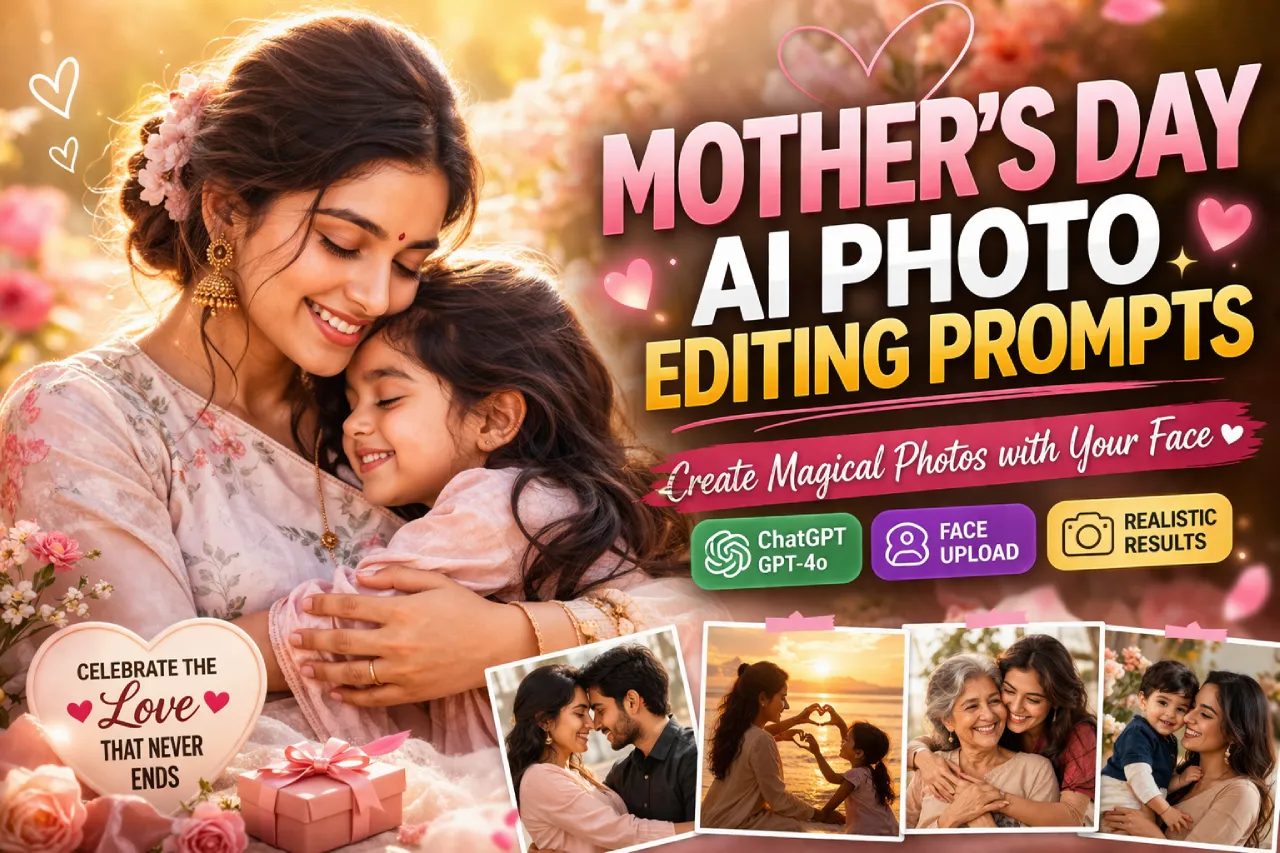
This Mother’s Day, you don’t need a DSLR, a studio, or even a photographer. All you need is a good photo of your mom and the right AI prompt — and you can create a portrait so stunning, she’ll want to frame it.
But there’s one problem most people run into: AI tools tend to change the face. The skin tone shifts. The eyes look different. It just doesn’t look like her anymore.That’s exactly what this guide solves. Below you’ll find 15+ ready-to-copy Mother’s Day AI photo editing prompts built specifically for Gemini and ChatGPT — with a face lock technique baked right into every prompt. No guesswork. No face swaps. Just beautiful, realistic results.
What Is Face Lock in AI Photo Editing?
Face lock (also called face preservation or biometric anchoring) is a prompting technique that tells the AI to treat your uploaded reference photo as the ground truth for facial features — skin tone, eye shape, face structure — and not alter them during generation.
Without it, AI tools tend to “beautify” or subtly hallucinate details that drift from the original face. With the right face lock commands, the output looks like a professional photo of the actual person, not a generic AI portrait.
Both Gemini and ChatGPT support this when you upload a reference photo and write your prompt correctly.
How to Use Face Lock on Gemini (Nano Banana / Gemini Pro)
- Open gemini.google.com on your phone or browser
- Select the Gemini 2.0 Pro or Gemini Flash model (not the free tier — it gives inconsistent results)
- Tap the attachment icon and upload a clear, well-lit photo of your mom
- Copy any prompt below and paste it into the chat
- If the face looks slightly off, add: “Keep the face exactly as in the reference photo. Do not alter facial structure, skin tone, or eye color.”
- Regenerate until satisfied
Pro tip: Use a front-facing photo with good lighting. Side profiles or dark photos make face lock less reliable.
How to Use Face Lock on ChatGPT (GPT-4o Image Editing)
- Open ChatGPT and start a new conversation
- Click the image icon to upload your reference photo
- Paste your prompt below
- If the output changes the face, follow up with: “The face must remain identical to the uploaded reference. Preserve all facial features, skin tone, and eye shape exactly.”
- Use Edit Image mode in ChatGPT for even more precise control over existing photos
Pro tip: ChatGPT’s GPT-4o handles face consistency better when you describe the subject’s features explicitly in the prompt (e.g., “a woman in her 50s with warm brown skin and kind dark eyes”).
Mother’s Day AI Photo Editing Prompts for Gemini
Copy and paste these directly. Each prompt has the face lock instruction built in.
Floral Garden Portrait ( Prompt 1 )
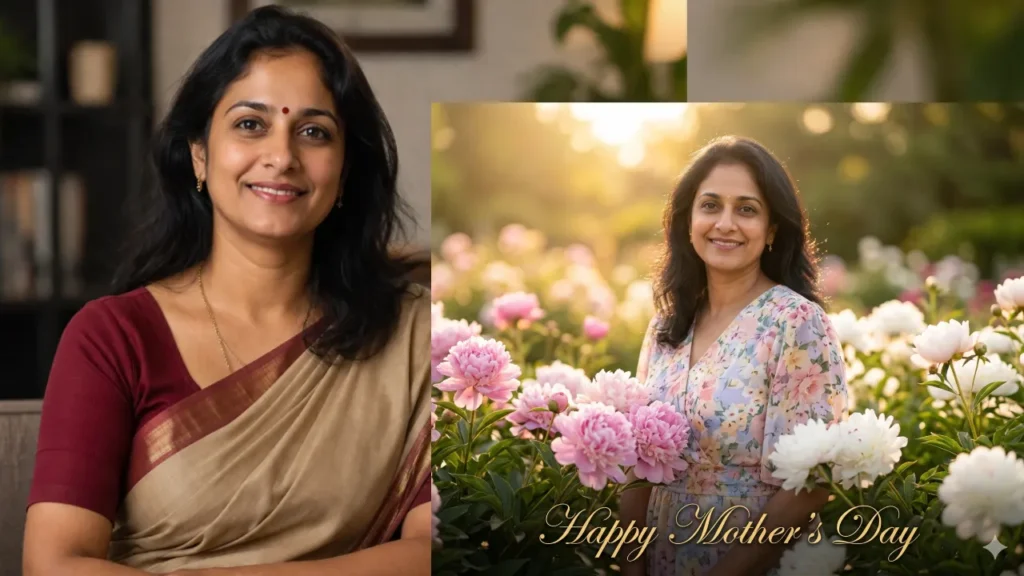
Using the uploaded reference photo, generate an ultra-realistic 8K photograph of the same woman — preserving her exact face, skin tone, eye color, and facial structure completely. Place her in a lush spring garden filled with pink and white peonies in full bloom, warm golden hour sunlight, soft bokeh background, wearing a pastel floral dress. Canon EOS R5, 85mm lens, f/1.8 aperture. Style: fine art portrait. Add a subtle text overlay at the bottom: "Happy Mother's Day" in elegant gold script.
Cinematic Indoor Portrait ( Prompt 2 )
Using the reference photo uploaded, recreate this woman's face with 100% accuracy — same skin texture, same eyes, same facial bone structure — in a new cinematic scene. She is sitting near a large window on a rainy afternoon, soft diffused natural light, holding a cup of tea, looking gently toward the camera. Warm tones, shallow depth of field, 35mm film grain effect, moody but tender atmosphere. Add a soft golden badge in the corner that reads "World's Best Mom."
🎬 Want even more film-style romantic shots? Check out our cinematic couple AI prompts guide to create movie-like portraits with perfect lighting and mood.
Golden Hour Beach Scene ( Prompt 3 )
Take the face from the uploaded reference photo and lock it precisely — do not modify skin tone, eye shape, or face structure. Generate a photorealistic 8K portrait of this woman standing on a white sand beach at golden hour sunset, ocean waves softly blurred behind her, wearing a flowy white linen dress, hair gently lifted by the breeze. Bright warm sunlight, professional beach portrait style, Canon R5. This is a Mother's Day tribute photo — make it beautiful and emotional.
Renaissance Oil Painting Style ( Prompt 4 )
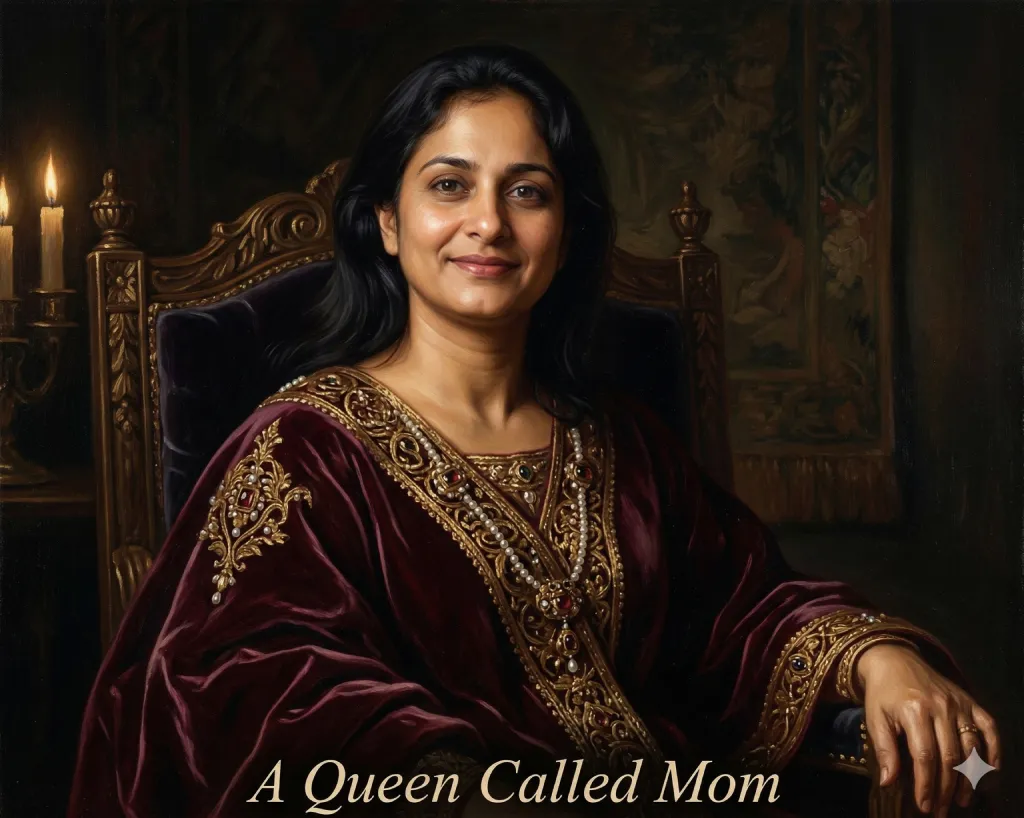
Using the face from the uploaded photo as a strict reference — preserve every feature exactly — transform this into a stunning Renaissance oil painting portrait. She is seated on a velvet throne chair, draped in deep burgundy fabric with gold embroidery, soft candlelight illuminating her face, dark dramatic background, classical European painting style. Resolution: equivalent of 300 DPI print quality. Title at the bottom in italic serif font: "A Queen Called Mom."
Soft Studio Portrait (Print-Ready) ( Prompt 5 )
Reference the uploaded photo and use face biometric lock — exact face, exact skin tone, exact features — no changes to the face. Generate a professional studio portrait: clean white or soft cream background, studio ring light, the woman is smiling warmly at the camera, wearing a simple elegant blouse. Sharp focus on face, natural retouching only, no heavy filters. Perfect for printing as a Mother's Day gift. Add a soft watermark in the corner: "Made with Love."
Saree Portrait – Indian Style ( Prompt 6 )
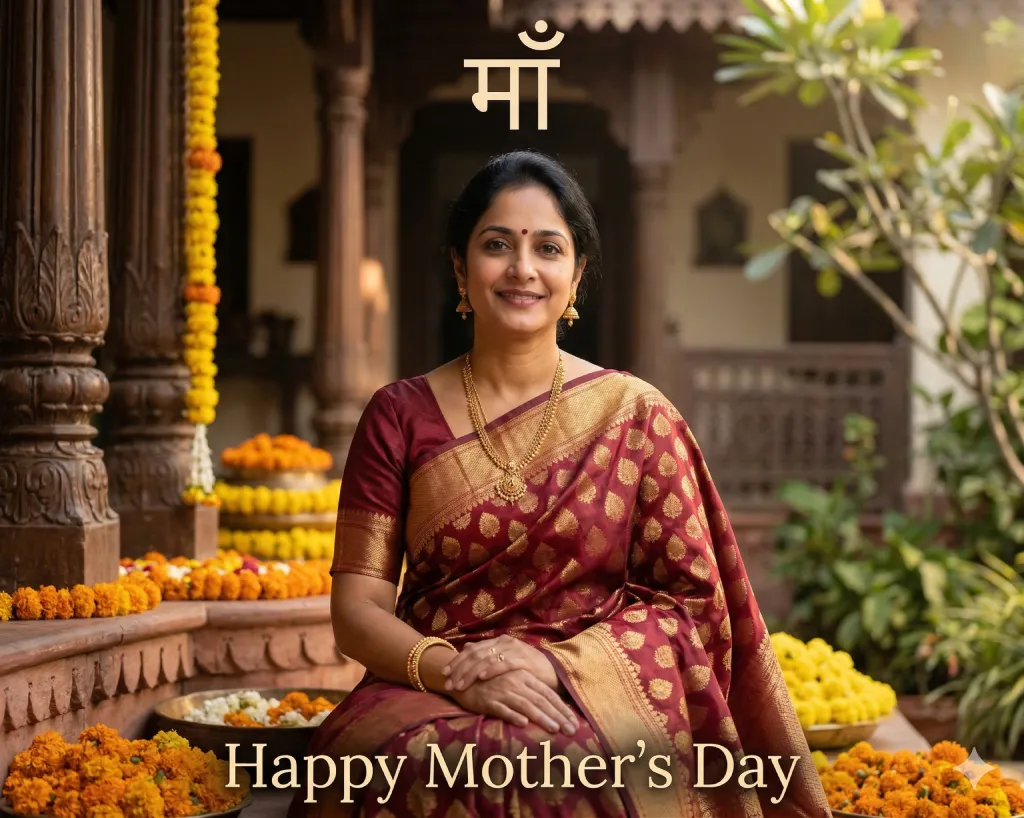
Using the exact face from the uploaded reference image — face lock enabled, preserve all features — generate an ultra-realistic portrait of this woman in a beautiful silk Banarasi saree in deep red and gold. She is seated in a traditional haveli courtyard, soft morning light, marigold flowers in the background, slight smile, traditional jewelry. Photorealistic, 8K, shot with a 50mm prime lens. A text overlay at the top reads: "Maa" in Devanagari script, and at the bottom: "Happy Mother's Day."
Watercolor Art Conversion ( Prompt 7 )
Convert the face from the uploaded photo into a soft watercolor painting — face lock: preserve the woman's exact likeness, skin tone, and expression. Style: warm pastel watercolor illustration, loose brush strokes, floral border elements in pink and lavender, white paper texture background. Emotional and artistic. Bottom text in brushstroke font: "The art of being a mom is never finished." Format: portrait orientation, print-ready.
Glam Magazine Cover ( Prompt 8 )
Face lock active — use the uploaded photo as the strict facial reference. Transform this into a luxury magazine cover portrait: professional beauty lighting, high fashion editorial look, the woman is wearing an elegant black outfit, sophisticated makeup (enhanced but natural), blurred luxury interior background. Magazine masthead at the top: "MOM" in bold serif font. Subheading: "The Original Superhero." Photorealistic, 8K.
Soft Pastel Mothers Day Card Portrait ( Prompt 9 )
Using the face from the uploaded reference — face lock fully enabled, zero facial alterations — generate a heartwarming portrait in a soft pastel aesthetic. The woman is surrounded by floating pink flowers and soft bokeh light orbs, wearing a cozy cardigan, looking lovingly at the camera. Text overlay centered at top: "Happy Mother's Day" in cursive gold. Bottom: "Thank you for everything." Soft vintage filter, high resolution, greeting card composition.
Nature Goddess Edit ( Prompt 10 )
Strict face lock — reference uploaded photo, preserve this woman's face, eye color, and skin tone exactly. Place her in a lush enchanted forest setting: golden light filtering through tall trees, soft moss ground, flowers woven into her hair, wearing a flowing forest-green dress. Ethereal and magical atmosphere, shallow depth of field, cinematic color grading. A subtle glowing text at the bottom reads: "Nature's Greatest Gift — A Mother's Love."
Mother’s Day AI Photo Editing Prompts for ChatGPT (GPT-4o)
These are optimized for ChatGPT’s image editing mode. Upload your photo, then paste the prompt.
Warm Home Portrait ( Prompt 11 )
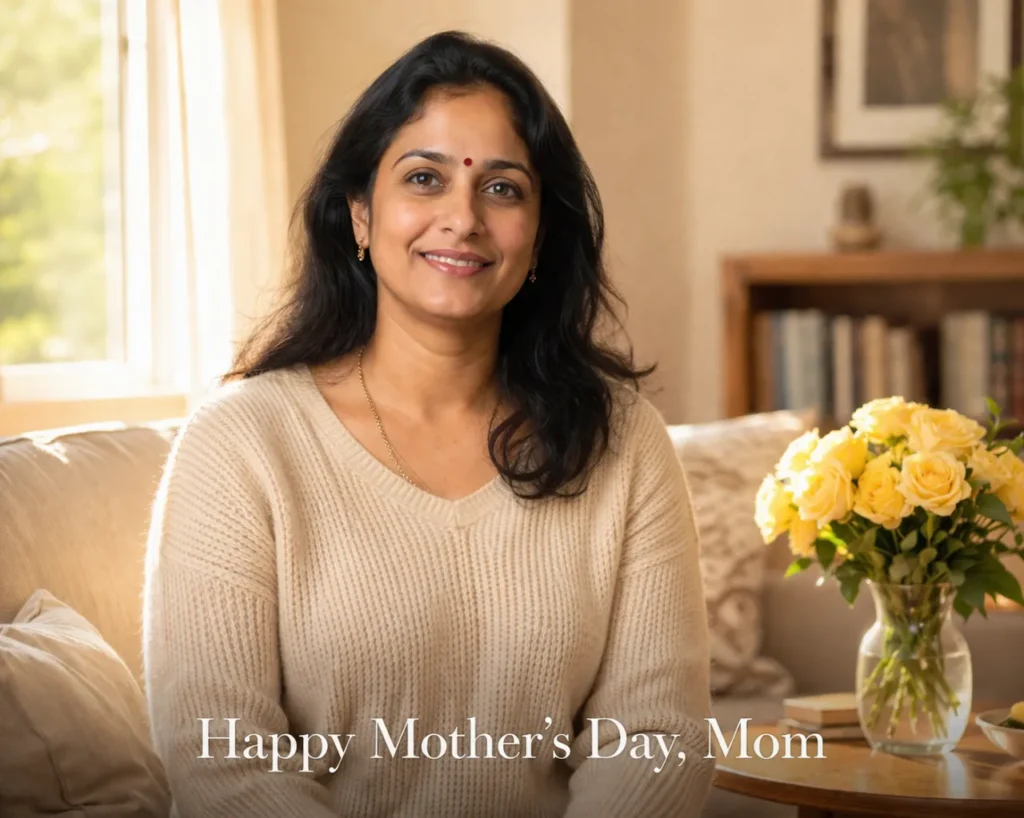
I am uploading a photo of my mother. Please preserve her exact face — her skin tone, eye color, facial structure, and expression — without any alterations. Place her in a warm, sunlit living room setting: soft cream walls, a bouquet of yellow roses on a wooden table beside her, natural afternoon light from a window. She is wearing a soft knit sweater and smiling gently. Style: lifestyle photography, Canon 5D Mark IV quality. Add text at the bottom: "Happy Mother's Day, Mom" in elegant serif font.
Black & White Fine Art ( Prompt 12 )
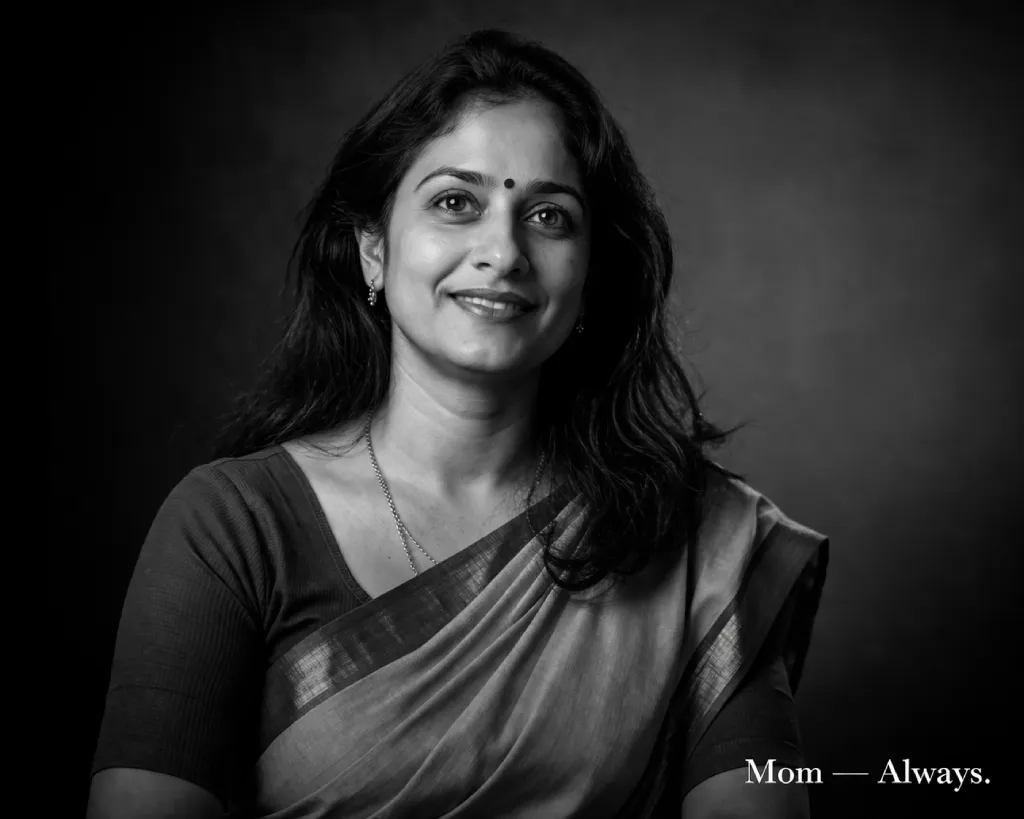
Upload reference: my mother's photo. Face lock instruction: do not change her face, skin tone, eye shape, or any facial feature. Convert this into a high-contrast black and white fine art portrait. She is looking slightly off-camera with a soft, thoughtful expression. Dramatic studio lighting, Rembrandt lighting setup, deep shadows, sharp facial detail. Timeless and elegant. Add a minimal text in white at the bottom corner: "Mom — Always." Print quality, 8K.
Polaroid Memory Style ( Prompt 13 )
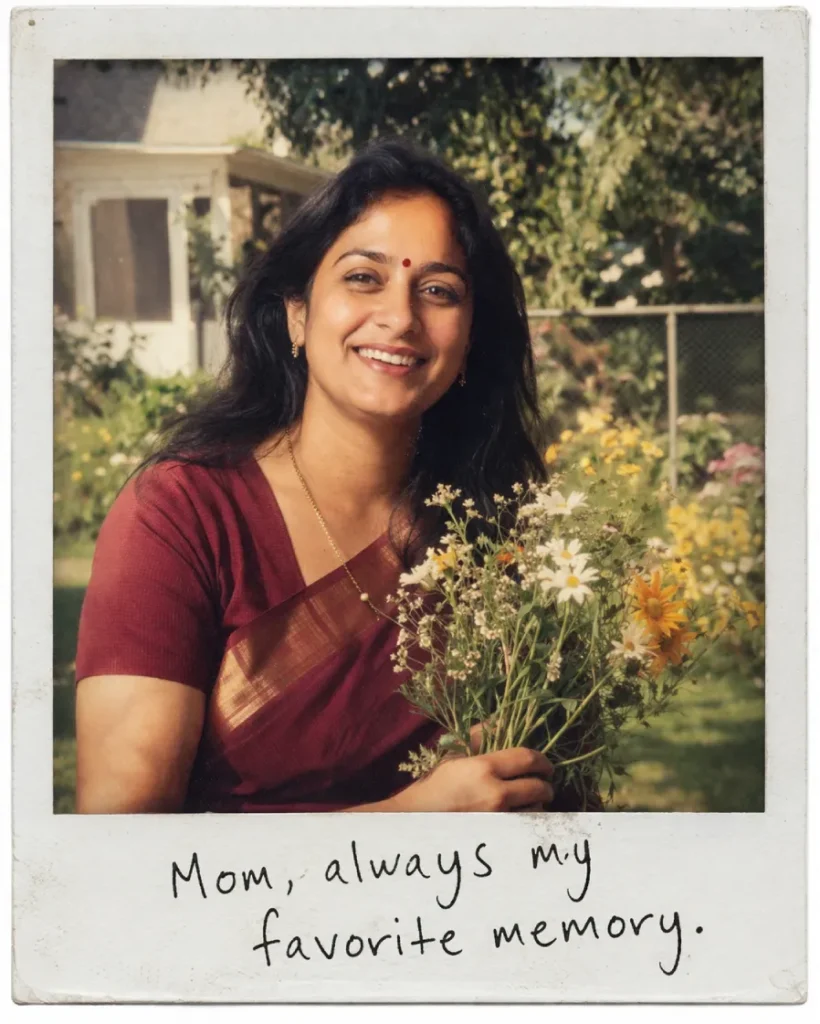
Using my uploaded photo as a strict face reference — lock the face precisely, no AI-generated face substitution — create a nostalgic Polaroid-style image. The scene is a sunny backyard in the 1980s aesthetic: warm, slightly faded color tones, grain texture, the woman is laughing candidly while holding a bouquet of wildflowers. White Polaroid border at the bottom with handwritten text: "Mom, always my favorite memory." Emotional, warm, and vintage.
Flower Crown Portrait ( Prompt 14 )
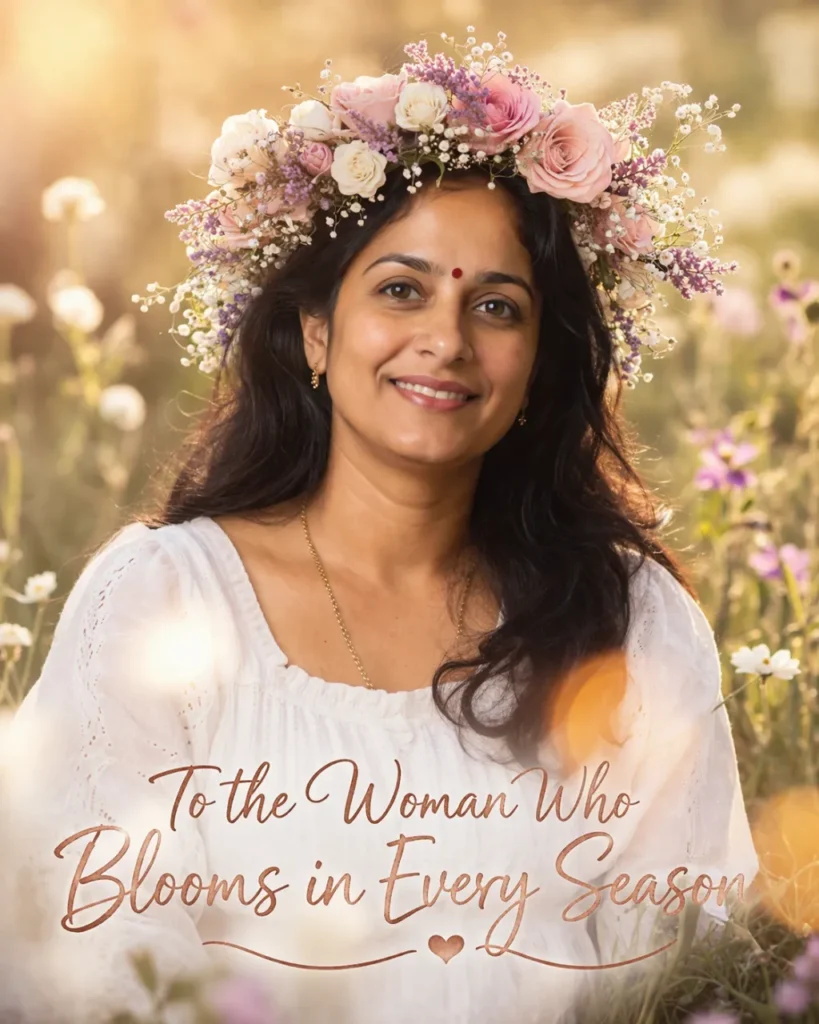
Reference image uploaded — face lock enabled. Reproduce this woman's exact face without modification. Add an elaborate flower crown made of roses, baby's breath, and lavender on her head. Background: soft blurred spring meadow, golden hour lighting. She is wearing a white dress and smiling warmly. Add a soft lens flare effect for a dreamy result. Style: fine art photography. Text overlay at the bottom in rose-gold script: "To the Woman Who Blooms in Every Season."
Storybook Illustration ( Prompt 15 )
I'm uploading my mother's photo. Maintain her face with complete accuracy — skin tone, features, and likeness must match the reference photo. Transform the scene into a semi-realistic storybook illustration style: soft painterly textures, pastel backgrounds, she is sitting in a cozy reading chair surrounded by floating books and warm lamplight, wearing a cozy robe. Illustrated but photorealistic face. Style: Pixar-meets-realistic portrait. Bottom text: "Every Story Starts With Mom."
Celestial Night Portrait ( Prompt 16 )
Face lock — uploaded reference photo. This woman's face must remain identical to the photo. Place her in a magical night sky scene: she is standing on a moonlit hilltop, stars and the Milky Way visible above her, wearing a flowing navy dress, soft moonlight illuminating her face. Cinematic, ethereal, dramatic color grading. Text floating above in constellation dots: "My Guiding Star." Bottom text: "Happy Mother's Day."
Mughal Empress Edit ( Prompt 17 )
Upload: my mother's photo. Face lock active — preserve her face exactly, do not alter features. Transform this into a regal Mughal-era empress portrait: ornate gold jewelry, embroidered royal dupatta draped over her head, seated on a carved stone throne, warm amber torchlight, intricate marble architecture in the background. Hyperrealistic, print-quality, 8K. Text at bottom in Urdu calligraphy style: "Maa — Duniya ki sabse badi daulat."
Spring Greenhouse Edit ( Prompt 18 )
Strict face preservation — use my uploaded photo, lock the face completely. Place this woman in a bright, airy greenhouse full of blooming tulips, orchids, and greenery. She is wearing a light yellow sundress and holding a potted plant, laughing gently. Bright natural light, editorial lifestyle photography style. Add text at the corner: "Growing love, one bloom at a time. Happy Mother's Day."
Tips to Get the Best Face Lock Results
Use a high-quality reference photo. Blurry or dark photos confuse the AI. A well-lit, front-facing photo at chest-level or higher works best.
Be explicit in your prompt. Say things like “preserve her exact skin tone,” “do not alter eye shape,” and “face must match the uploaded reference photo exactly.” The more specific, the better.
Regenerate 2-3 times. AI generation has some randomness. If the first result isn’t perfect, regenerate without changing the prompt.
For Gemini: Use the Pro model. The free tier doesn’t handle complex face references as reliably.
For ChatGPT: Use the image editing mode rather than just generating from scratch. This gives the model the original photo as a base, resulting in significantly better face accuracy.Describe physical features in text too. Even with a photo uploaded, adding descriptions like “a woman in her 50s with warm brown skin and dark eyes” reinforces face lock at the text level.
Frequently Asked Questions
Yes — when you upload a reference photo and use specific face lock language in your prompt, both tools significantly improve face accuracy. Results vary depending on the model version and photo quality, but the prompts in this guide are engineered to minimize face drift.
Both have strengths. Gemini (Nano Banana Pro) tends to produce more painterly, artistic results with rich detail. ChatGPT GPT-4o handles face consistency better in realistic portrait styles. Try both with the same prompt to see which you prefer.
For the best results, yes. Gemini Pro and ChatGPT Plus give you access to the higher-quality models that handle face lock much more reliably. Free tiers work but may give inconsistent results.
Yes. Scan or photograph old printed photos and upload them. For scanned photos, add “restore image quality, enhance sharpness, remove noise” to your prompt for better results.
Both Google and OpenAI have privacy policies regarding uploaded images. If you prefer, take a temporary photo for editing only, then delete it from your account after generating the image.
Yes. All the prompts above are written for 8K or print-quality resolution. Download the highest resolution available and print at your local photo shop or use an online printing service.
Final Thoughts
The best Mother’s Day gift is something that shows you put thought into it. An AI photo tribute — one that captures her likeness, her warmth, her story — does exactly that. And with the right prompt, you’re not just generating a pretty picture. You’re creating a keepsake she’ll actually treasure.
Pick one prompt from above, grab a clear photo of your mom, and paste it into Gemini or ChatGPT. You’ll have something beautiful ready in under two minutes.
Because she deserves more than a last-minute gift card.