If you’ve ever searched how to write AI prompts, you probably did it after hitting generate and thinking, “Why does this look nothing like what I imagined?”
Yeah, that moment is familiar to almost everyone who works with AI tools.
The problem usually isn’t the model. It’s the prompt.
AI doesn’t understand intention, vibes, or what you meant. It understands instructions. Very literal instructions. When those instructions are vague, the output feels random. When they’re clear, structured, and intentional, the results suddenly feel… almost magical.
This guide is about learning how to write AI prompts that actually work. Not theory-heavy, not academic. Just practical ways to get predictable, usable results without fighting the model every time.
Why Learning How to Write AI Prompts Matters
AI tools are powerful, but they don’t think like humans. They don’t fill gaps logically. They fill gaps statistically.
When you don’t specify details, the model averages everything it knows related to your words. That’s why beginner prompts often feel generic or off.
Once you understand how to write AI prompts properly, three things happen:
- Results become consistent
- You waste less time regenerating
- You feel in control instead of guessing
Why Most AI Prompts Don’t Work Well
The One-Line Prompt Problem
Most people start like this:
“a beautiful photo of a woman at sunset”
This sounds normal to a human. To AI, it’s missing almost all usable information.
What kind of photo?
What lighting style?
Warm sunset or cool dusk?
Realistic photography or artistic illustration?
When you don’t answer these, the model answers them for you. Randomly.
AI Doesn’t Guess — It Averages
This is a key idea to understand if you really want to learn how to write AI prompts.
AI doesn’t imagine. It averages patterns from its training data.
So vague words = average results.
Clear, concrete instructions reduce that averaging and push the output closer to what you actually want.
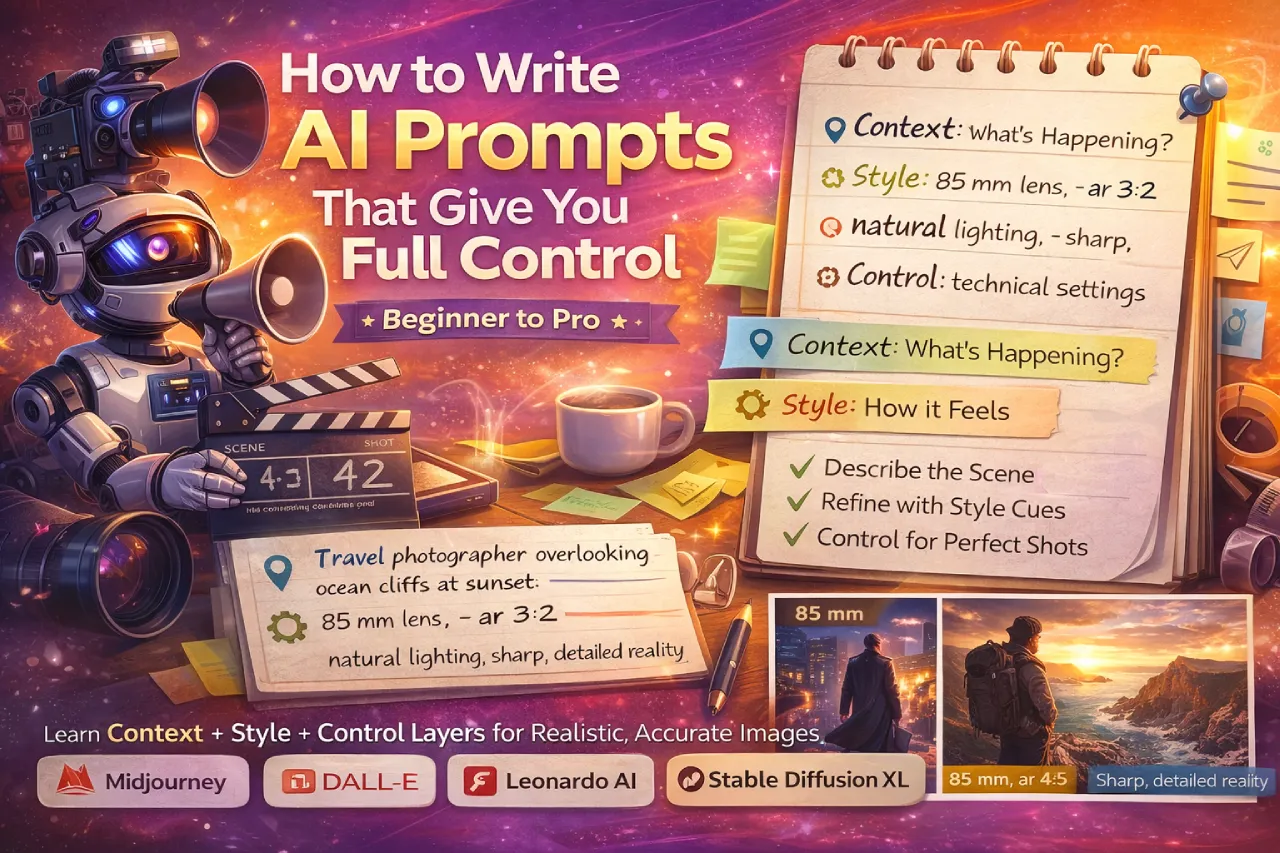
How to Write AI Prompts Using the 3-Layer Method
A reliable way to structure prompts is to think in layers. Each layer controls a different part of the output.
#01 Context Layer – What’s Happening
This is where you define the scene or situation.
Example:
“couple walking across a rooftop during golden hour, hand in hand, candid energy”
Now the model understands:
- Who is there
- What they’re doing
- The general moment
This layer anchors the prompt.
#02 Style Layer – How It Looks and Feels
This is where you shape mood and visual language.
Example:
“shot on 50 mm lens, low rim light, creamy highlights, soft film grain”
Now the AI knows:
- Camera perspective
- Lighting behavior
- Emotional tone
This is where most prompts improve dramatically.
#03 Control Layer – How the AI Behaves
This is the technical layer. It reduces errors and randomness.
Example:
“–ar 3:2 –seed 42 –no distorted hands –style raw”
This doesn’t change the story. It stabilizes execution.
Context + Style + Control = a strong AI prompt.
How to Write AI Prompts Step by Step (Beginner Friendly)
If you’re just starting, follow this simple flow every time.
- Describe the subject and action
- Add lighting and environment
- Specify camera or style
- Finish with parameters and negatives
Example:
“portrait of a dancer on stage, dramatic spotlight, motion blur on fabric, high-contrast monochrome, –ar 4:5”
Not long. Not fancy. Just clear.
Prompt Writing Tips That Actually Make a Difference
Start Broad, Then Narrow
Think like a funnel.
Scene → mood → details → controls
If you jump straight into tiny details without context, the model struggles to organize them.
Use Commas Like Visual Notes
Prompts work best when they read like production notes, not code.
Each comma signals a new visual instruction.
If it sounds awkward to read, it usually performs awkwardly too.
Perfect grammar isn’t required. Clarity is.
Advanced Techniques for Writing Better AI Prompts
Once you understand the basics of how to write AI prompts, these techniques help you level up.
Prompt Weighting (When Supported)
Some models allow weighting like this:
“sunset ::2, overcast sky ::0.3”
This tells the model what matters more.
It’s useful when two ideas compete visually.
Negative Prompts for Realism
Negative prompts prevent common problems before they appear.
Examples:
“–no extra limbs –no plastic skin –no oversharpening”
Think of negatives as guardrails, not fixes.
Seed Locking for Consistency
If your results keep changing too much, lock a seed.
Seeds help maintain:
- Composition
- Pose
- Framing
Very useful for brand visuals or repeated characters.
How to Write AI Prompts for Different Use Cases
Portrait Prompts
Example:
Candid portrait of man adjusting tie, soft window light, 85 mm lens look, natural texture, –no skin smoothing –ar 4:5.
Focus on:
- Light direction
- Skin texture
- Lens choice
Product & Scene Prompts
Example:
Coffee cup on wooden table, morning sunlight through blinds, film grain texture, –ar 3:2 –no glare.
Product prompts need controlled lighting and accurate shadows.
Cinematic or Story-Driven Prompts
Example:
Detective in rain under neon sign, reflections on wet street, cinematic blue tone, –no fog overload.
Think in scenes, not objects.
Common Problems When Writing AI Prompts (and Fixes)
When lighting feels off:
→ Be specific about direction, for example: “light coming from the left”
To prevent faces from changing:
→ Lock a seed or rely on reference images
When the composition starts drifting:
→ Shorten the prompt and remove competing or conflicting cues
If textures look too artificial:
→ Add details like “film grain” or “natural imperfections”
Most issues aren’t model problems — they’re communication problems.
FAQs: Prompt Writing & Control
A randomization code. Same seed + same prompt = nearly identical output.
No. After ~60 words, models start ignoring extras. Clarity > quantity.
Yes—focal length affects perspective realism.
Sure, but weight them: “cinematic ::2, watercolor ::0.3.”
Some UIs strip symbols; escape with parentheses or full words (“no hands deformed”).
Iterate small changes and document results—your own mini prompt library.
Final Thoughts on How to Write AI Prompts
Learning how to write AI prompts isn’t about tricks or secret formulas. It’s about clarity.
Stop writing wishes. Start writing instructions.
When you do that, results become repeatable. Tweaks make sense. And the process feels less like gambling and more like directing.
You don’t need longer prompts.
You need better ones.
And once that clicks, working with AI becomes a lot more enjoyable.