Let’s be honest — AI image generation feels like a magic trick that sometimes works and sometimes gives you nightmare fuel. One prompt turns out stunningly cinematic, and the next one… well, let’s just say you wouldn’t show it to a client.
If you’ve played around with tools like Midjourney, DALL·E, or Leonardo AI, you already know how unpredictable they can be. Getting realistic, professional-looking visuals isn’t luck — it’s all about how you write the prompt. The way you describe your idea is what separates a gallery-worthy render from a weirdly stretched face in a neon swamp.
This guide isn’t another generic explainer. I’ve messed with AI tools long enough to know what works, what breaks, and what only soundsgood on paper. You’ll get real examples, human mistakes, and proven fixes — plus 20 copy-paste prompts that actually deliver realistic images.
Grab a coffee, open your favorite AI tool, and let’s make your next image look like it was shot on a real camera, not generated in a blender.
What Are AI Prompts for Image Generation?
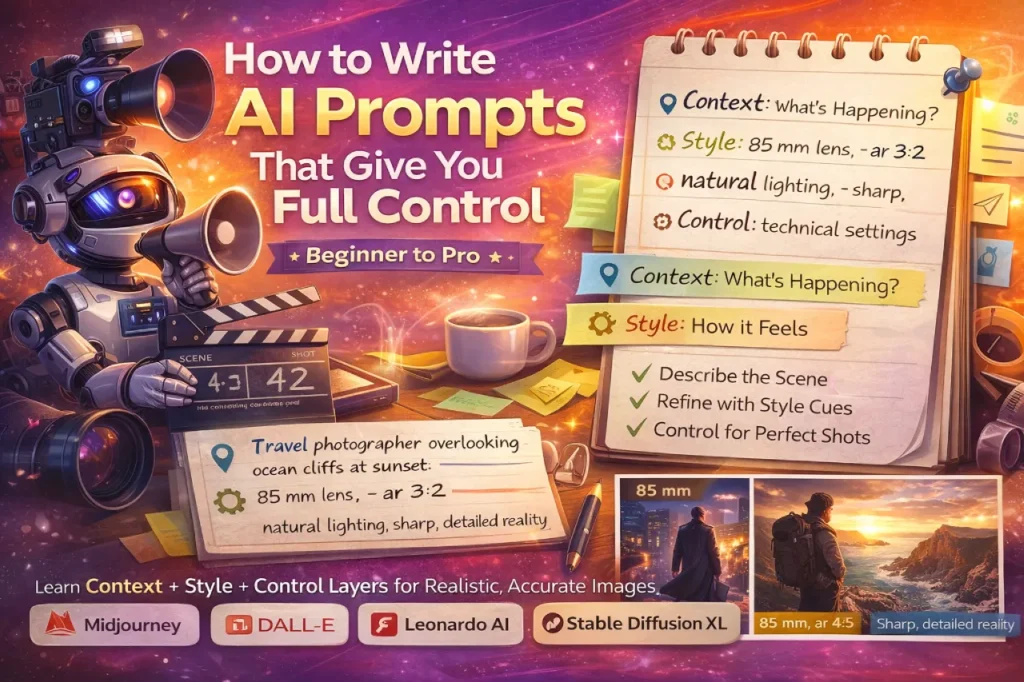
Here’s the deal: prompts are just descriptions — plain language that tells the AI what to create. But the trick is in the details. Every word you add changes how the model interprets your idea.
How AI Thinks (Sort Of)
When you type something like “a cozy living room at sunset with soft shadows,”the AI breaks that down into patterns — colors, lighting, textures, objects. It’s not “understanding” the scene like a human does; it’s pulling from billions of visual examples. That’s why phrasing matters more than you think.
Write something vague, and you’ll get a vague image. Write something intentional, and suddenly the AI feels like it read your mind.
Tools That Speak Prompt
Here are a few platforms where your prompt-writing skills actually pay off:
- Midjourney – moody, cinematic, great for storytelling visuals
- DALL·E 3 – brilliant at context and accuracy
- Leonardo AI – incredibly good for product or lifestyle realism
- Ideogram – perfect if you want text-based visuals or logo work
Each one interprets your words differently, so expect a little personality from each.
Why Realistic AI Image Prompts Matter
Realism matters because the human brain is picky. It knows when something’s off — a shadow that bends wrong, skin that’s too perfect, reflections that don’t line up. And if you’re a designer, creator, or marketer, your audience spots it instantly too.
AI Art’s Glow-Up
Remember when early AI images looked like digital paintings from another universe? Fast-forward a couple of years and you’ve got renders that could fool a professional photographer. The secret sauce? Smarter models and way better prompt writers.
Who Actually Needs Realistic Prompts?
Pretty much anyone creating visuals for a living:
- Designers use them for mockups and prototypes
- Photographers for lighting and color reference
- Freelancers to sell pre-made visuals or prompt packs
- Marketers for ad creatives and product shots
In other words, if your image needs to look real enough to sell something, you need realistic prompts.
Core Principles of Writing Effective AI Prompts
I’ve broken down thousands of prompts (and trashed half of them) to figure out what consistently works. Here’s the short version — keep it simple, but make it intentional.
1. Be Specific, but Don’t Over-Explain
If you tell the AI “beautiful photo of a person,”it’ll panic and give you something average. Instead, try:
Natural light portrait of a young woman, 85 mm lens look, soft background blur, candid expression.
That’s descriptive without being cluttered.
2. Talk About Lighting (Seriously)
Lighting is everything. Try words like “golden hour,” “cinematic,” “soft studio light,” “backlit silhouette.”
Get this wrong, and your image looks plastic. Get it right, and it suddenly feels alive.
3. Add Style or Artist Hints
You’re not stealing style — you’re steering direction.
inspired by Annie Leibovitz, editorial portrait lighting
helps the AI understand tone and texture.
4. Throw in Technical Flavor
A few pro terms go a long way: 8K, volumetric lighting, DOF (depth of field), HDR texture.
These little details tell the AI, “Hey, we’re serious about quality.”
20 Realistic AI Prompts for Image Generation (Copy & Paste)
Here’s your starter kit. These have been tested, refined, and actually deliver photorealism — no alien fingers this time.
Portraits & People
- Ultra-realistic portrait of a woman with freckles, soft morning light, 85 mm lens, natural makeup, DSLR clarity.
- Street photo of an elderly man reading the newspaper in a park, golden hour light, candid mood, sharp focus.
- Studio headshot, professional lighting, shallow DOF, neutral tone background, cinematic grading.
Product & eCommerce
- Luxury perfume bottle on marble surface, soft shadows, glossy reflections, commercial photography look.
- Minimalist shoe product on white background, 8K studio lighting, realistic fabric texture.
Landscape & Architecture
- Modern villa exterior at sunset, real-world lighting, glass reflections, natural sky tone.
- City street after rain, reflections on asphalt, cinematic blue tone, shallow focus.
Social Media & Marketing Visuals
- Flat-lay of laptop, coffee mug, notebook, and phone on wooden table, natural overhead light.
- Food photo for Instagram, shallow DOF, warm tones, appetizing composition, realistic texture.
These prompts are solid baselines. You can tweak lens type, lighting, or mood to fit your style.
Prompt Engineering Tips for Realistic Images
Prompt engineering is just a fancy way of saying “get smarter at describing stuff.”
Play with Composition
Add little cues like “low angle,” “wide shot,” “center-framed,”or “rule of thirds.”They help the AI build more believable perspective.
Stay Real, Not Over-Polished
Everyone wants “hyper-realistic” results — but sometimes the AI overdoes it. Soften it with words like “natural,” “subtle lighting,” “soft focus.”
Iterate Like Crazy
If a prompt flops, don’t delete it — adjust one thing at a time. Change the light, tweak the lens, remove an adjective. You’ll learn what the model favors.
Common Mistakes (and Fixes)
Let’s save you from the usual prompt disasters.
Over-Stuffing
Adding too many conflicting styles confuses the AI.
Fix: Stick to one clear style and mood.
Being Vague
Prompts like “nice photo of a person outside”lead to mediocre results.
Fix: Include detail — light, camera angle, time of day, emotion.
Forgetting Lighting Logic
You can’t have “nighttime golden light.” (Yes, people do this.)
Fix: Match lighting to context.
Staying Consistent Across Images
When you’re making a series — like a brand pack or multi-post campaign — consistency matters.
Reuse Seeds
Most AI tools let you reuse a “seed number” to keep composition consistent. It’s like locking the camera position.
Use Reference Images
Upload one previous output as a visual guide. Combine that with a fresh prompt to keep your style cohesive.
Tools & Resources Worth Bookmarking
- Midjourney → best for cinematic style
- DALL·E 3 → great for text understanding
- Leonardo AI → sharpest realism for commercial work
- PromptHero → see what prompts others use
- Lexica → searchable database of Stable Diffusion prompts
Use these sites to reverse-engineer what works and adapt it for your own needs.
FAQs
Real lighting, believable textures, and perspective that follows physics. Fake ones usually mess up shadows or reflections.
About 25–40 words. Long enough to paint a picture, short enough to keep focus.
Because the AI smooths everything. Add film grain, natural pores, or subtle imperfections.
Sure, but expect different vibes. Each platform “thinks” differently.
Use a simple Notion table or spreadsheet. Tag by type — portrait, product, cinematic, etc.
Not really. Just tweak and make them yours. It’s like using reference photos — totally normal.
Conclusion: Make the AI Work for You
AI image generation isn’t about being technical; it’s about being curious. The better you describe, the better it delivers. You don’t need to sound like a scientist — just like a creative who knows what they want.
Keep experimenting, save your best prompts, and treat every weird output as a lesson. The goal isn’t perfection — it’s progress (and maybe a few laughs along the way).